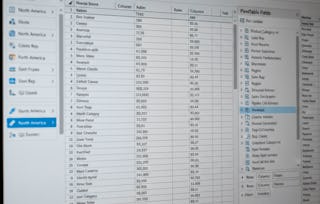
Learners will be able to activate Excel’s analytical tools, compute descriptive statistics, visualize data relationships, run regression models, and interpret statistical outputs to make informed, data-driven decisions. This course equips participants with the practical skills needed to analyze real-world datasets using Excel’s built-in functions and the Analysis Toolpak.

Analyze and Interpret Data Using Excel

Analyze and Interpret Data Using Excel
This course is part of Advanced Excel Analytics, Automation & Data Analysis Specialization

Instructor: EDUCBA
Access provided by Pega
Gain insight into a topic and learn the fundamentals.
11 reviews
Beginner level
Recommended experience
5 hours to complete
Flexible schedule
Learn at your own pace
What you'll learn
Activate Excel analytical tools and compute descriptive statistics to summarize and explore datasets.
Visualize data relationships and run correlation and regression analyses using Excel and the Analysis Toolpak.
Interpret statistical outputs to support informed, data-driven business and research decisions.
Skills you'll gain
- Analytics
- Scatter Plots
- Plot (Graphics)
- Statistical Modeling
- Descriptive Analytics
- Data Analysis
- Regression Analysis
- Descriptive Statistics
- Correlation Analysis
- Statistical Methods
- Predictive Modeling
- Excel Formulas
- Statistical Visualization
- Analysis
- Spreadsheet Software
- Exploratory Data Analysis
- Statistical Analysis
- Statistics
- Trend Analysis
Tools you'll learn
Details to know

Shareable certificate
Add to your LinkedIn profile
Assessments
7 assignments
Taught in English
Recently updated!
December 2025
See how employees at top companies are mastering in-demand skills

Build your subject-matter expertise
This course is part of the Advanced Excel Analytics, Automation & Data Analysis Specialization
When you enroll in this course, you'll also be enrolled in this Specialization.
- Learn new concepts from industry experts
- Gain a foundational understanding of a subject or tool
- Develop job-relevant skills with hands-on projects
- Earn a shareable career certificate


Why people choose Coursera for their career

Felipe M.
Learner since 2018
"To be able to take courses at my own pace and rhythm has been an amazing experience. I can learn whenever it fits my schedule and mood."

Jennifer J.
Learner since 2020
"I directly applied the concepts and skills I learned from my courses to an exciting new project at work."

Larry W.
Learner since 2021
"When I need courses on topics that my university doesn't offer, Coursera is one of the best places to go."

Chaitanya A.
"Learning isn't just about being better at your job: it's so much more than that. Coursera allows me to learn without limits."
Learner reviews
- 5 stars
100%
- 4 stars
0%
- 3 stars
0%
- 2 stars
0%
- 1 star
0%
Showing 3 of 11
US
Reviewed on Mar 24, 2026
This course teaches basic data analysis and statistics using Excel tools.
DR
Reviewed on Jun 9, 2026
Very useful course, content is well explained and easy to understand.
DK
Reviewed on Apr 7, 2026
Good for beginners who want to learn data interpretation in Excel.