When you enroll in this course, you'll also be enrolled in this Specialization.
Learn new concepts from industry experts
Gain a foundational understanding of a subject or tool
Develop job-relevant skills with hands-on projects
Earn a shareable career certificate
There are 5 modules in this course
In this second course of the Introduction to Robotics specialization, "Robotic Mapping and Trajectory Generation", you will learn how to perform basic inverse kinematics of (non-)holonomic systems using a feedback control approach. You will also learn how to process multi-dimensional sensor signals such as laser range scanners for mapping. Additionally, you will apply the overarching focus of mechanisms and sensors as sources of uncertainty and gain techniques to how to model and control them.
It is recommended that you complete the first course of this specialization, “Introduction to Robotics: Basic Behaviors”, before beginning this one.
This course can be taken for academic credit as part of CU Boulder’s MS in Computer Science degrees offered on the Coursera platform. These fully accredited graduate degrees offer targeted courses, short 8-week sessions, and pay-as-you-go tuition. Admission is based on performance in three preliminary courses, not academic history. CU degrees on Coursera are ideal for recent graduates or working professionals. Learn more:
MS in Computer Science: https://coursera.org/degrees/ms-computer-science-boulder
Welcome to Robotic Mapping and Trajectory Generation. In this first week of the course, you will get started by being introduced to the class of "range finder" devices, which have important applications in mapping, as well as the concept of homogeneous transforms to perform coordinate transformations.
Introduction to "Robotic Mapping and Trajectory Generation"•1 minute
Range Finders and Homogeneous Transforms•20 minutes
Set Up a Range Finder in Webots•7 minutes
Range Sensing•5 minutes
Transforming 1D-Range Images into World Coordinates•13 minutes
Homogeneous Transforms•11 minutes
8 readings•Total 66 minutes
Course Updates and Accessibility Support•1 minute
Earn Academic Credit for your Work!•10 minutes
Course Support•10 minutes
Assessment Expectations•10 minutes
AI Citation and Acknowledgement•10 minutes
Course Activities•5 minutes
Laser Range Finders•10 minutes
About Homogeneous Transforms•10 minutes
5 assignments•Total 160 minutes
Homogeneous Transforms Practice•20 minutes
AI Policy Quiz•5 minutes
Hands On: Commissioning the Range Finder•60 minutes
Hands-On: Transforming World Coordinates in Webots•45 minutes
Range Finder Devices•30 minutes
1 discussion prompt•Total 10 minutes
Introduce Yourself!•10 minutes
Mapping: Basic Representations
Module 2•6 hours to complete
Module details
In this week, you will begin to understand basic discrete map representations and their implementation.
What's included
2 videos4 readings3 assignments1 plugin
Show info about module content
2 videos•Total 24 minutes
Mapping•18 minutes
Basic Mapping: Overview•6 minutes
4 readings•Total 40 minutes
Map Representations•10 minutes
Topological Maps•10 minutes
Grid Maps and Graphs•10 minutes
QuadTrees•10 minutes
3 assignments•Total 276 minutes
Hands-On: Mapping Part I - Basic Mapping •180 minutes
Topological Maps and Graphs•6 minutes
QuadTrees•90 minutes
1 plugin•Total 20 minutes
Example QuadTree Implementation•20 minutes
Mapping: Probabilistic Representations and Configuration Space
Module 3•3 hours to complete
Module details
This week introduces simple ways to encode obstacles in terms of probability, the concept of "configuration space", and a simple algorithm for collision checking.
What's included
1 video3 readings2 assignments
Show info about module content
1 video•Total 23 minutes
Probabilistic Mapping and Configuration Space•23 minutes
3 readings•Total 35 minutes
Probabilistic Map Representations•10 minutes
Configuration Space•10 minutes
Bresenham's Line Algorithm•15 minutes
2 assignments•Total 150 minutes
Hands-On: Mapping Part II -Probabilistic Mapping•60 minutes
Hands-On: Mapping Part III - Configuration Space•90 minutes
Inverse Kinematics: Trajectory Following
Module 4•5 hours to complete
Module details
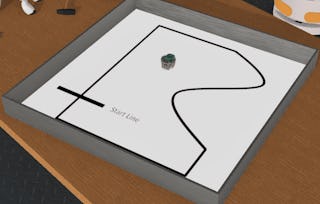
In this week you will learn to define a robot trajectory based on a series of waypoints and implement a basic proportional controller in Webots to navigate in a 2D environment.
What's included
4 videos4 readings4 assignments
Show info about module content
4 videos•Total 52 minutes
Trajectory Following•22 minutes
Trajectory Following - Set Up•6 minutes
Trajectory Following - Computing Error•12 minutes
Control•12 minutes
4 readings•Total 50 minutes
Trajectory Following•10 minutes
Euclidian Distance and Heading Error•10 minutes
Proportional Control•10 minutes
PID Control•20 minutes
4 assignments•Total 225 minutes
Setup "supervisors" and markers in Webots•45 minutes
Hands-On: Distance and Heading Error•45 minutes
Control•120 minutes
PID Control•15 minutes
Implementing Mapping and Trajectory Generation
Module 5•7 hours to complete
Module details
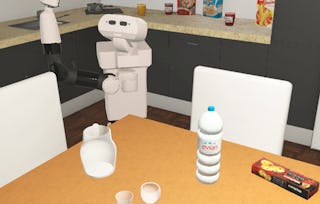
In this module you will transfer your mapping and trajectory following skills to a commercial robotic platform in a kitchen environment, introducing you to additional constraints of sensor integration on a real robotic platform.
What's included
1 video1 peer review
Show info about module content
1 video•Total 31 minutes
Differential Kinematics and Control•31 minutes
1 peer review•Total 360 minutes
Implementing Mapping and Trajectory Generation•360 minutes
Earn a career certificate
Add this credential to your LinkedIn profile, resume, or CV. Share it on social media and in your performance review.
Build toward a degree
This course is part of the following degree program(s) offered by University of Colorado Boulder. If you are admitted and enroll, your completed coursework may count toward your degree learning and your progress can transfer with you.¹
View eligible degrees
Build toward a degree
This course is part of the following degree program(s) offered by University of Colorado Boulder. If you are admitted and enroll, your completed coursework may count toward your degree learning and your progress can transfer with you.¹
¹Successful application and enrollment are required. Eligibility requirements apply. Each institution determines the number of credits recognized by completing this content that may count towards degree requirements, considering any existing credits you may have. Click on a specific course for more information.
CU Boulder is a dynamic community of scholars and learners on one of the most spectacular college campuses in the country. As one of 34 U.S. public institutions in the prestigious Association of American Universities (AAU), we have a proud tradition of academic excellence, with five Nobel laureates and more than 50 members of prestigious academic academies.
When will I have access to the lectures and assignments?
To access the course materials, assignments and to earn a Certificate, you will need to purchase the Certificate experience when you enroll in a course. You can try a Free Trial instead, or apply for Financial Aid. The course may offer 'Full Course, No Certificate' instead. This option lets you see all course materials, submit required assessments, and get a final grade. This also means that you will not be able to purchase a Certificate experience.
What will I get if I subscribe to this Specialization?
When you enroll in the course, you get access to all of the courses in the Specialization, and you earn a certificate when you complete the work. Your electronic Certificate will be added to your Accomplishments page - from there, you can print your Certificate or add it to your LinkedIn profile.
Is financial aid available?
Yes. In select learning programs, you can apply for financial aid or a scholarship if you can’t afford the enrollment fee. If fin aid or scholarship is available for your learning program selection, you’ll find a link to apply on the description page.