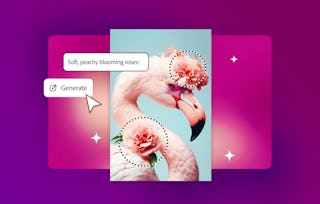
Artificial intelligence (AI) tools can be used in a business setting to create images that are unique, high quality, and cost effective. In response to your written prompt describing what you require in an image, these tools can quickly produce art, illustrations, diagrams, sketches, graphical concepts, and a wide range of other images, enabling you to save time and money designing and developing new graphic concepts, custom images, and product designs.

Prompt Engineering for AI Image Generation
Labor Day starts with $70+ in savings on Coursera Plus. Save 40% for 3 months.

Ask Coursera
Gain insight into a topic and learn the fundamentals.
5 hours to complete
Flexible schedule
Learn at your own pace
What you'll learn
Select generative AI tools and utilize structured templates to create images using text-to-image, image-to-image, and inpainting techniques.
Draft descriptive prompts that control subject matter, general art styles, camera framing, lighting, color, and aspect ratios.
Use reference images and negative prompting within a business setting while addressing deepfakes, copyright, and ethical concerns.
Learn by doing. Perform guided, step-by-step hands-on activities on your own computer.
Skills you'll gain
Tools you'll learn
Details to know

Shareable certificate
Add to your LinkedIn profile
Assessments
1 assignment
Taught in English
See how employees at top companies are mastering in-demand skills

There are 4 modules in this course
Instructor

Offered by

Explore more from Business Essentials
 Status: Preview
Logical Operations
 Status: Free Trial
 Status: Free Trial
John Wiley & Sons

Why people choose Coursera for their career

Felipe M.
Learner since 2018
"To be able to take courses at my own pace and rhythm has been an amazing experience. I can learn whenever it fits my schedule and mood."

Jennifer J.
Learner since 2020
"I directly applied the concepts and skills I learned from my courses to an exciting new project at work."

Larry W.
Learner since 2021
"When I need courses on topics that my university doesn't offer, Coursera is one of the best places to go."

Chaitanya A.
"Learning isn't just about being better at your job: it's so much more than that. Coursera allows me to learn without limits."



