• For Individuals
  • For Businesses
  • For Universities
  • For Governments
Log In
Join for Free
  • Browse
  • Game Maker Studio

Results for "game maker studio"


  • Status: Free Trial
    Free Trial
    U

    University of Colorado System

    Game Development with GameMaker

    Skills you'll gain: Video Game Development, Game Design, Debugging, Animations, Programming Principles, Scripting, Scripting Languages, Object Oriented Programming (OOP), User Interface (UI), No-Code Development, Other Programming Languages, Event-Driven Programming, Software Design Patterns, Computational Logic, Data Structures, Computer Programming, Development Environment

    4.9
    Rating, 4.9 out of 5 stars
    ·
    10 reviews

    Beginner · Specialization · 3 - 6 Months

  • Status: New
    New
    Status: Free Trial
    Free Trial
    E

    EDUCBA

    Game Development with MonoGame: 2D & 3D Projects

    Skills you'll gain: Computer Graphics, Game Design, Object Oriented Programming (OOP), 3D Assets, Video Game Development, Animation and Game Design, C# (Programming Language), Animations, Cross Platform Development, Development Environment, Software Installation, User Interface (UI), Debugging, Program Development, Prototyping, Computational Logic, Content Management
    Beginner · Specialization · 3 - 6 Months

  • Status: New
    New
    Status: Free Trial
    Free Trial
    E

    EDUCBA

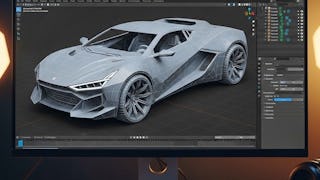
    Blender 3D Modeling & Rendering for Games & Animation

    Skills you'll gain: 3D Assets, 3D Modeling, Unreal Engine, Video Game Development, Computer Graphics, Visualization (Computer Graphics), Graphical Tools, File Management, UI Components, Design Software, Data Import/Export, User Interface (UI), Software Installation
    Beginner · Specialization · 1 - 3 Months

  • Status: Free Trial
    Free Trial
    M

    Michigan State University

    Game Design and Development with Unity

    Skills you'll gain: Unity Engine, Game Design, Video Game Development, Prototyping, 3D Modeling, Software Design Documents, Peer Review, Cross Platform Development, C# (Programming Language), User Interface (UI), 3D Assets, Software Design, Storytelling, Software Documentation, User Experience Design, Animation and Game Design, Conceptual Design, Computer Graphics, Ideation, Multimedia
    4.7
    Rating, 4.7 out of 5 stars
    ·
    640 reviews

    Beginner · Specialization · 3 - 6 Months

  • Status: Free Trial
    Free Trial
    E

    Epic Games

    Epic Games Game Design

    Skills you'll gain: Unreal Engine, Game Design, Video Game Development, Animation and Game Design, Ideation, 3D Modeling, Visualization (Computer Graphics), Software Documentation, Software Design Documents, 3D Assets, User Experience Design, Computer Graphics, Usability, User Interface (UI), User Experience, User Interface (UI) Design, Interactive Design, Virtual Environment, Version Control, Prototyping

    4.3
    Rating, 4.3 out of 5 stars
    ·
    548 reviews

    Beginner · Professional Certificate · 3 - 6 Months

  • Status: New
    New
    Status: Free Trial
    Free Trial
    E

    EDUCBA

    Unity Game Development: Fun Mini-Game Projects

    Skills you'll gain: Unity Engine, Game Design, Video Game Development, Performance Tuning, User Interface (UI), Animation and Game Design, 3D Assets, Event-Driven Programming, Virtual Environment, UI Components, C# (Programming Language), Debugging, Object Oriented Programming (OOP), System Configuration, User Interface (UI) Design, Computer Graphics, Scripting, Prototyping, Animations, Data Structures

    Beginner · Specialization · 3 - 6 Months

What brings you to Coursera today?

  • Status: New
    New
    Status: Free Trial
    Free Trial
    E

    EDUCBA

    Unreal Engine FPS & Action Game Development

    Skills you'll gain: Unreal Engine, Video Game Development, Animation and Game Design, Game Design, User Interface (UI), Prototyping, Virtual Environment, Virtual Reality, Visualization (Computer Graphics), Simulations, Artificial Intelligence, User Interface (UI) Design, Augmented and Virtual Reality (AR/VR), Animations, Scripting, 3D Assets, Debugging

    4.8
    Rating, 4.8 out of 5 stars
    ·
    17 reviews

    Intermediate · Specialization · 3 - 6 Months

  • Status: New
    New
    Status: Free Trial
    Free Trial
    E

    EDUCBA

    Unity Procedural Generation & Game Mechanics

    Skills you'll gain: Unity Engine, Animations, Visualization (Computer Graphics), 3D Assets, Software Design Patterns, Video Game Development, Object Oriented Programming (OOP), User Interface (UI), Application Performance Management, Game Design, Virtual Environment, Software Development Tools, Software Design, Computer Graphics, Performance Tuning, Scientific Visualization, Data Validation, Real Time Data, Scripting, C# (Programming Language)

    Intermediate · Specialization · 3 - 6 Months

  • Status: New
    New
    Status: Free Trial
    Free Trial
    E

    EDUCBA

    Python Game Development: Build & Design with Pygame

    Skills you'll gain: Game Design, Video Game Development, Interactive Design, Animations, Event-Driven Programming, Debugging, User Interface (UI) Design, UI Components, Program Development, Python Programming, Application Design, Computer Graphics

    Mixed · Course · 1 - 4 Weeks

  • Status: New
    New
    Status: Free Trial
    Free Trial
    E

    EDUCBA

    Python Game Development: Design, Animate & Render

    Skills you'll gain: Video Game Development, Animation and Game Design, 3D Assets, Computer Graphics, Visualization (Computer Graphics), User Interface (UI), Animations, Computer Graphic Techniques, UI Components, User Interface (UI) Design, Event-Driven Programming, Interactive Design, Python Programming

    Mixed · Course · 1 - 4 Weeks

  • Status: New
    New
    Status: Free Trial
    Free Trial
    E

    EDUCBA

    Intermediate Python Game Development with Pygame

    Skills you'll gain: Animation and Game Design, Animations, Video Game Development, User Interface (UI) Design, Computer Graphic Techniques, Visualization (Computer Graphics), Game Design, Python Programming, Computer Graphics, Image Analysis, Program Development, Peripheral Devices, Debugging

    Mixed · Course · 1 - 4 Weeks

  • Status: New
    New
    Status: Free Trial
    Free Trial
    S

    Skillshare

    Design a 3D Video Game in Unreal Engine

    Skills you'll gain: Unreal Engine, Animations, Animation and Game Design, Virtual Environment, Game Design, 3D Modeling, 3D Assets, Motion Graphics, Video Game Development, Timelines, Prototyping, Data Import/Export, Creativity, User Interface (UI), Interactive Design

    Beginner · Specialization · 3 - 6 Months

1234…146

In summary, here are 10 of our most popular game maker studio courses

  • Game Development with GameMaker: University of Colorado System
  • Game Development with MonoGame: 2D & 3D Projects: EDUCBA
  • Blender 3D Modeling & Rendering for Games & Animation: EDUCBA
  • Game Design and Development with Unity: Michigan State University
  • Epic Games Game Design: Epic Games
  • Unity Game Development: Fun Mini-Game Projects: EDUCBA
  • Unreal Engine FPS & Action Game Development: EDUCBA
  • Unity Procedural Generation & Game Mechanics: EDUCBA
  • Python Game Development: Build & Design with Pygame: EDUCBA
  • Python Game Development: Design, Animate & Render: EDUCBA

Frequently Asked Questions about Game Maker Studio

Game Maker Studio is a powerful and versatile game development platform that enables users to create a variety of digital games. It is designed for both beginners and experienced developers, allowing them to bring their game ideas to life without requiring extensive coding knowledge. With Game Maker Studio, users can create games for various platforms such as Windows, Mac, iOS, Android, and more. This software offers an intuitive drag-and-drop interface alongside a built-in scripting language called GML (GameMaker Language) for more advanced game development. It provides a range of features including visual editors, physics simulation, asset management, and a comprehensive library of pre-built game elements, making it valuable for aspiring game designers and developers.‎

To effectively use Game Maker Studio, there are several key skills you should learn:

  1. Game Design: Understand the principles and elements of game design, including mechanics, dynamics, narratives, and user experience.

  2. Programming: Familiarize yourself with programming concepts such as variables, conditions, loops, and functions. Game Maker Studio uses its own scripting language called ""GameMaker Language (GML)."" Learning GML will allow you to create complex gameplay mechanics and systems.

  3. Sprite and Animation Creation: Develop skills in creating or finding appropriate sprites (graphics) and animating them. This involves understanding pixel art, creating and editing images, and using animation tools in Game Maker Studio.

  4. Level Design: Learn how to design engaging and balanced levels by mastering level design principles, creating puzzles, and incorporating challenges that enhance gameplay.

  5. Sound Design and Music: Acquire skills in creating or sourcing sound effects and background music to enhance the game experience. Familiarize yourself with audio editing software.

  6. Game Testing: Understand the importance of game testing and quality assurance. Practice bug spotting, usability testing, and playtesting to identify and resolve issues in your game.

  7. Project Management: Develop organizational and project management skills to effectively plan, schedule, and execute game development projects using Game Maker Studio.

By learning and mastering these skills, you will be equipped to create exciting and polished games using Game Maker Studio.‎

With Game Maker Studio skills, you can pursue various job opportunities in the gaming industry. Some potential job roles include:

  1. Game Developer: Develop and design games using Game Maker Studio for different platforms such as PC, consoles, or mobile devices.

  2. Game Programmer: Write code and scripts for gameplay mechanics, artificial intelligence, and other technical aspects of game development.

  3. Level Designer: Create engaging and immersive gaming levels, including designing puzzles, challenges, and environments.

  4. Game Artist: Bring the game to life by creating visually appealing and captivating graphics, animations, characters, and visual effects.

  5. Game Tester: Ensure the quality and functionality of games by identifying and reporting bugs, glitches, and other issues during the testing phase.

  6. Game Producer: Oversee the entire game development process, from ideation to release, managing the project timeline, resources, and coordinating teams.

  7. Game Designer: Conceptualize and design the overall game experience, including gameplay mechanics, storylines, and character development.

  8. Independent Game Developer: Use Game Maker Studio to create and publish your own games as an indie developer, selling them on platforms like Steam or mobile app stores.

  9. Game Educator: Teach game development courses or workshops using Game Maker Studio to aspiring game developers or students interested in the field.

  10. Game Marketing Specialist: Promote and market games developed using Game Maker Studio, utilizing strategies to reach and engage target audiences.

These are just a few examples, as the gaming industry offers a wide range of career paths where Game Maker Studio skills can be valuable. It is important to note that gaining practical experience, building a portfolio, and staying updated with industry trends will significantly enhance job prospects in this field.‎

People who are interested in game development, have a creative mindset, and enjoy problem-solving are best suited for studying Game Maker Studio. Additionally, individuals who have a basic understanding of programming concepts and are willing to learn and experiment with different game mechanics will find Game Maker Studio to be a suitable platform for their studies.‎

There are several topics that you can study that are related to Game Maker Studio. Here are a few suggestions:

  1. Game Development: Since Game Maker Studio is a popular game development platform, studying game development concepts and principles would be beneficial. Topics can include game design, level design, prototyping, and game mechanics.

  2. Game Design: Learning about game design theories and principles will help you create engaging and immersive games using Game Maker Studio. You can explore topics like narrative design, player psychology, game balance, and user experience (UX) design.

  3. Programming: Game Maker Studio utilizes a visual scripting language called GML (GameMaker Language). Studying programming fundamentals would help you understand and utilize GML effectively. Topics could include variables, conditionals, loops, data structures, and object-oriented programming (OOP).

  4. Art and Animation: To create visually appealing games, studying art and animation principles is essential. You can learn techniques for character design, sprite creation, animation, pixel art, and visual effects.

  5. Game Marketing and Publishing: Understanding the business side of game development is equally crucial. Topics like market research, branding, monetization, and app store optimization (ASO) will assist you in promoting and publishing your games developed with Game Maker Studio.

  6. Game Audio: Studying game audio will help you enhance the sound design and overall experience of your games. Topics might include music composition, sound effects creation, audio implementation, and adaptive audio.

Remember, these topics are just suggestions, and you can tailor your study plan according to your specific interests and goals within the realm of Game Maker Studio.‎

Online Game Maker Studio courses offer a convenient and flexible way to enhance your knowledge or learn new Game Maker Studio is a powerful and versatile game development platform that enables users to create a variety of digital games. It is designed for both beginners and experienced developers, allowing them to bring their game ideas to life without requiring extensive coding knowledge. With Game Maker Studio, users can create games for various platforms such as Windows, Mac, iOS, Android, and more. This software offers an intuitive drag-and-drop interface alongside a built-in scripting language called GML (GameMaker Language) for more advanced game development. It provides a range of features including visual editors, physics simulation, asset management, and a comprehensive library of pre-built game elements, making it valuable for aspiring game designers and developers. skills. Choose from a wide range of Game Maker Studio courses offered by top universities and industry leaders tailored to various skill levels.‎

When looking to enhance your workforce's skills in Game Maker Studio, it's crucial to select a course that aligns with their current abilities and learning objectives. Our Skills Dashboard is an invaluable tool for identifying skill gaps and choosing the most appropriate course for effective upskilling. For a comprehensive understanding of how our courses can benefit your employees, explore the enterprise solutions we offer. Discover more about our tailored programs at Coursera for Business here.‎

This FAQ content has been made available for informational purposes only. Learners are advised to conduct additional research to ensure that courses and other credentials pursued meet their personal, professional, and financial goals.

Other topics to explore

Arts and Humanities
338 courses
Business
1095 courses
Computer Science
668 courses
Data Science
425 courses
Information Technology
145 courses
Health
471 courses
Math and Logic
70 courses
Personal Development
137 courses
Physical Science and Engineering
413 courses
Social Sciences
401 courses
Language Learning
150 courses

Coursera Footer

Skills

  • Artificial Intelligence (AI)
  • Cybersecurity
  • Data Analytics
  • Digital Marketing
  • English Speaking
  • Generative AI (GenAI)
  • Microsoft Excel
  • Microsoft Power BI
  • Project Management
  • Python

Certificates & Programs

  • Google Cybersecurity Certificate
  • Google Data Analytics Certificate
  • Google IT Support Certificate
  • Google Project Management Certificate
  • Google UX Design Certificate
  • IBM Data Analyst Certificate
  • IBM Data Science Certificate
  • Machine Learning Certificate
  • Microsoft Power BI Data Analyst Certificate
  • UI / UX Design Certificate

Industries & Careers

  • Business
  • Computer Science
  • Data Science
  • Education & Teaching
  • Engineering
  • Finance
  • Healthcare
  • Human Resources (HR)
  • Information Technology (IT)
  • Marketing

Career Resources

  • Career Aptitude Test
  • Examples of Strengths and Weaknesses for Job Interviews
  • High-Income Skills to Learn
  • How Does Cryptocurrency Work?
  • How to Highlight Duplicates in Google Sheets
  • How to Learn Artificial Intelligence
  • Popular Cybersecurity Certifications
  • Preparing for the PMP Certification
  • Signs You Will Get the Job After an Interview
  • What Is Artificial Intelligence?

Coursera

  • About
  • What We Offer
  • Leadership
  • Careers
  • Catalog
  • Coursera Plus
  • Professional Certificates
  • MasterTrack® Certificates
  • Degrees
  • For Enterprise
  • For Government
  • For Campus
  • Become a Partner
  • Social Impact
  • Free Courses
  • Share your Coursera learning story

Community

  • Learners
  • Partners
  • Beta Testers
  • Blog
  • The Coursera Podcast
  • Tech Blog

More

  • Press
  • Investors
  • Terms
  • Privacy
  • Help
  • Accessibility
  • Contact
  • Articles
  • Directory
  • Affiliates
  • Modern Slavery Statement
  • Do Not Sell/Share
Learn Anywhere
Download on the App Store
Get it on Google Play
Logo of Certified B Corporation
© 2025 Coursera Inc. All rights reserved.
  • Coursera Facebook
  • Coursera Linkedin
  • Coursera Twitter
  • Coursera YouTube
  • Coursera Instagram
  • Coursera TikTok