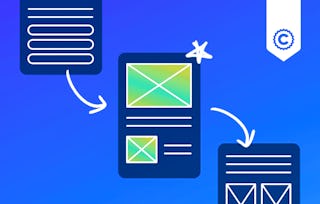
In this course, you will learn how to develop basic user flows using Miro and Sketch, apply wireframing best practices to create low-fidelity designs, and leverage the tools provided by Miro and Sketch to efficiently create and iterate on your wireframes. By the end of this module, you will have a solid understanding of how to create effective user flows and wireframes that form the foundation of your UX design process.

Blueprint the Experience: User Flows in Miro

Blueprint the Experience: User Flows in Miro

Dozent: Professionals from the Industry
Bei Mehr erfahren enthalten
Verschaffen Sie sich einen Einblick in ein Thema und lernen Sie die Grundlagen.
Stufe Mittel
Empfohlene Erfahrung
7 Stunden zu vervollständigen
Flexibler Zeitplan
In Ihrem eigenen Lerntempo lernen
Was Sie lernen werden
Develop basic user flows using Miro and Sketch to map out the logical progression of user interactions.
Apply wireframing best practices to create effective low-fidelity designs that communicate core functionality.
Leverage Miro and Sketch tools to efficiently create, iterate, and refine wireframes as part of the UX design process.
Kompetenzen, die Sie erwerben
- Kategorie: Design
- Kategorie: UI/UX Research
- Kategorie: User Experience
- Kategorie: Design Research
- Kategorie: Wireframing
- Kategorie: User Experience Design
- Kategorie: User Flows
- Kategorie: Prototyping
- Kategorie: User Interface and User Experience (UI/UX) Design
Werkzeuge, die Sie lernen werden
- Kategorie: Design Software
Wichtige Details

Zertifikat zur Vorlage
Zu Ihrem LinkedIn-Profil hinzufügen
Bewertungen
4 Aufgaben
Unterrichtet in Englisch
Erfahren Sie, wie Mitarbeiter führender Unternehmen gefragte Kompetenzen erwerben.

In diesem Kurs gibt es 2 Module
Dozent
522 Kurse174.799 Lernende
von

Mehr von Design and Product entdecken

Warum entscheiden sich Menschen für Coursera für ihre Karriere?

Felipe M.
Lernender seit 2018
„Es ist eine großartige Erfahrung, in meinem eigenen Tempo zu lernen. Ich kann lernen, wenn ich Zeit und Nerven dazu habe.“

Jennifer J.
Lernender seit 2020
„Bei einem spannenden neuen Projekt konnte ich die neuen Kenntnisse und Kompetenzen aus den Kursen direkt bei der Arbeit anwenden.“

Larry W.
Lernender seit 2021
„Wenn mir Kurse zu Themen fehlen, die meine Universität nicht anbietet, ist Coursera mit die beste Alternative.“

Chaitanya A.
„Man lernt nicht nur, um bei der Arbeit besser zu werden. Es geht noch um viel mehr. Bei Coursera kann ich ohne Grenzen lernen.“
Was führt Sie heute zu Coursera?
Bringen Sie Ihre Karriere mit einem Online-Abschluss voran.
Erwerben Sie einen Abschluss von erstklassigen Universitäten – 100 % online




Häufig gestellte Fragen
Weitere Fragen
Finanzielle Unterstützung verfügbar,