5.0
Reviewed Aug 20, 2026it was very good and well conducted course with online examples

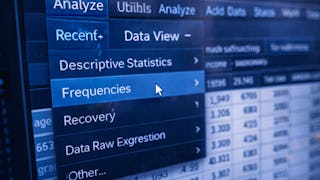
Learners will be able to navigate the SPSS interface, manage datasets, perform basic statistical analysis, transform data, create visualizations, and use built-in support tools confidently. This course equips beginners with the essential skills required to work effectively with SPSS through a structured, hands-on, and menu-driven approach. Designed specifically for beginners, this course introduces SPSS step by step, starting with interface orientation and graphical user interface navigation before progressing to core menus such as File, Edit, View, Analyze, Transform, Graphs, Utilities, and Help. Learners gain practical exposure to managing data, running statistical procedures, modifying variables, and visualizing results without requiring prior programming or statistical expertise. What makes this course unique is its strong focus on usability and real-world workflow. Instead of overwhelming learners with theory or syntax, the course emphasizes understanding SPSS menus, dialog boxes, and tools exactly as they are used in practice. Clear explanations, guided demonstrations, and logical progression ensure learners build confidence quickly. By the end of the course, learners will be well prepared to use SPSS for academic, professional, or personal data analysis tasks, forming a solid foundation for advanced statistical learning.
it was very good and well conducted course with online examples
The modules on regression and ANOVA were particularly clear, making advanced concepts feel intuitive. This has significantly streamlined my professional workflow and reporting accuracy.
Deeply practical and impressively clear. The instructor’s passion for data is contagious. This course turned a chore into a skill I’m proud to possess.
The hands-on exercises were the highlight for me. Applying SPSS fundamentals to actual data helped solidify my understanding. I can now produce professional-grade reports and charts with total ease.
The transition from Excel to SPSS was seamless thanks to this course. The professional templates provided for data entry and variable labeling are worth the price of admission alone.
An invaluable resource for researchers. The focus on data cleaning and manipulation in SPSS saved me hours of frustration, allowing me to focus more on my actual scientific findings.
By focusing on the core mechanics of bookkeeping, it empowers students to produce financial reports that are both accurate and professionally presented.
The course covers everything from variable naming conventions to complex data manipulation, ensuring you build good habits from the very first lesson.
This course helped me improve my research and analytical skills while learning SPSS fundamentals through practical and professionally designed lessons effectively.
The instructor anticipates every rookie mistake. Great use of annotated screenshots and downloadable syntax files. I’m now the go-to SPSS person in my department.
Refreshed my stats knowledge while teaching SPSS menus and syntax. A must for social science practitioners.
Showing: 11 of 11
The hands-on exercises were the highlight for me. Applying SPSS fundamentals to actual data helped solidify my understanding. I can now produce professional-grade reports and charts with total ease.
The modules on regression and ANOVA were particularly clear, making advanced concepts feel intuitive. This has significantly streamlined my professional workflow and reporting accuracy.
The transition from Excel to SPSS was seamless thanks to this course. The professional templates provided for data entry and variable labeling are worth the price of admission alone.
This course helped me improve my research and analytical skills while learning SPSS fundamentals through practical and professionally designed lessons effectively.
The instructor anticipates every rookie mistake. Great use of annotated screenshots and downloadable syntax files. I’m now the go-to SPSS person in my department.
By focusing on the core mechanics of bookkeeping, it empowers students to produce financial reports that are both accurate and professionally presented.
Deeply practical and impressively clear. The instructor’s passion for data is contagious. This course turned a chore into a skill I’m proud to possess.
The course covers everything from variable naming conventions to complex data manipulation, ensuring you build good habits from the very first lesson.
Refreshed my stats knowledge while teaching SPSS menus and syntax. A must for social science practitioners.
it was very good and well conducted course with online examples
An invaluable resource for researchers. The focus on data cleaning and manipulation in SPSS saved me hours of frustration, allowing me to focus more on my actual scientific findings.