4.0
Reviewed Jan 31, 2026Covered a lot of material. However, it was all like a big brain dump rather than by a structured step-by-step approach. Made me rewatch all videos multiples of times and feel somewhat overwhelmed.

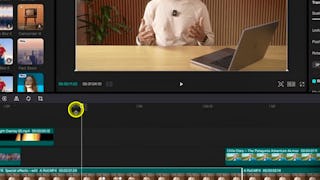
Welcome to Part 2 of the CapCut Video Editing Masterclass with Adi Singh! Cap cut is the best video editing software for beginners with hundreds of drag and drop effects that would make your videos look like it has been professionally edited. It is so powerful and easy to edit in CapCut that even professionals are switching to this amazing video editing software. By the end of this course, you’ll have mastered CapCut’s advanced tools for producing professional, cinematic videos. You’ll gain hands-on experience with color grading, captions, text animation, and the best export settings for social platforms. You’ll also take on creative projects, including editing short-form reels, that will challenge you to apply everything you’ve learned in practical, real-world contexts. This course is perfect for learners who already understand CapCut’s editing basics and want to push their skills further. Whether you’re an aspiring content creator, social media manager, or videographer, these advanced techniques will help your videos stand out and connect with audiences. To get the most out of this course, you should already feel comfortable using the CapCut timeline and performing basic cuts and edits. With that foundation, instructor Adi Singh will guide you through: * Applying professional color grading for cinematic results * Creating engaging captions and animated text effects * Producing reels and exporting high-quality videos optimized for TikTok, Instagram, and beyond Instructor bio: Adi is a videographer, content creator, and educator whose journey began in 2015 with a camera purchased to document travels in New Zealand. What started as a passion quickly grew into a career — today, Adi runs a video production company and a thriving YouTube channel, sharing creative knowledge with a global audience. Having built his own filmmaking career through online learning and self-teaching, Adi is passionate about giving back by teaching others. His courses are designed to make videography approachable and practical, helping learners gain the skills and confidence to create professional-quality content.
Covered a lot of material. However, it was all like a big brain dump rather than by a structured step-by-step approach. Made me rewatch all videos multiples of times and feel somewhat overwhelmed.
This was a great course to complete. I was able to level up my reel/content skills and so far my social media has done a great job of receiving engagement.
i learned lot of cool stuffs. it definitely helped me to level up my editing skills
Showing: 8 of 8
Kiváló kurzus! Köszönöm ezt a nagyszerű tanulási élményt. Nagyon sok hasznos CapCut technikát, videószerkesztési munkafolyamatot és kreatív eszközt ismertem meg, amelyeket azonnal tudok használni a saját projektjeimben. Az órák érthetőek, gyakorlatiasak és könnyen követhetőek voltak. Mindenkinek ajánlom, aki szeretné fejleszteni a videószerkesztési tudását.
This was a great course to complete. I was able to level up my reel/content skills and so far my social media has done a great job of receiving engagement.
Easy and very clear to follow if you are starting your content creation journey
Impari veramente come usare lo strumento
Best Course Ever
Covered a lot of material. However, it was all like a big brain dump rather than by a structured step-by-step approach. Made me rewatch all videos multiples of times and feel somewhat overwhelmed.
i learned lot of cool stuffs. it definitely helped me to level up my editing skills
Waste of time and money . There are better instructional videos on YT - free. Instructor doesn't explain features clearly, jumps from one section to another very quickly disregarding students' inexperience. In other words, he doesn't know how to teach. Audio is awful, which for someone teaching video editing is unforgivable, unless of course its for silent Chaplin movies. It's a shame they would put in Skillshare or Coursera for that matter. Couldn't watch more than a couple minutes of it. Awful Awful Awful!