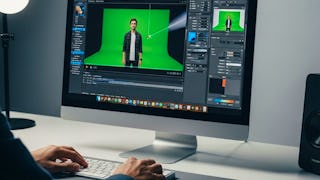
Learners will apply essential keying tools, analyze luminance-based workflows, evaluate advanced matte controls, and refine complex edge details to produce clean, professional composites in Adobe After Effects. This course equips learners with the practical skills needed to remove green screens, manage spill, integrate backgrounds, and create visually seamless results—core competencies for video editors, motion designers, and VFX artists.
Through a clear two-module structure, the course begins with foundational keying methods, introducing color and luma keying along with basic spill suppression to build confidence with real-world footage. Learners then progress to professional-grade workflows using Keylight and advanced spill suppression, mastering techniques used throughout the visual effects industry.
What makes this course unique is its step-by-step breakdown of actual production tasks, subtitle-supported demonstrations, practice and graded quizzes, and progressively layered lessons that reinforce mastery. By the end of the course, learners will have a complete, industry-aligned keying workflow they can apply immediately to enhance any compositing project.
Status: Video Editing
Video Editing
Status: Adobe After Effects
Adobe After Effects
Beginner·Course·5 hours
All reviews
Showing: 12 of 12
All Learners
All Stars
Most Helpful
L
Leora
5.0
·Reviewed Mar 6, 2026
This course was exactly what I needed to improve my green screen editing skills in Adobe After Effects. The step-by-step demonstrations made it easy to understand how keying actually works in real production scenarios. I especially liked the section on using Keylight and refining edges, which helped me get much cleaner results. The lessons are short but very practical. After completing the course, I feel much more confident compositing footage and integrating new backgrounds into my projects.
A
Agatha
5.0
·Reviewed Mar 12, 2026
I’ve used After Effects before, but keying was always a bit confusing for me. This course simplified the entire process. The instructor explains color keying, luma keying, and spill suppression in a very clear way. The practical examples using real footage made a big difference in understanding how professionals work with green screen material. By the end of the course, I was able to produce much cleaner composites than before.
E
Eloisa
5.0
·Reviewed Mar 18, 2026
A great course for anyone interested in compositing and visual effects. The structure is very well designed, starting with basic keying methods and then moving into more advanced workflows using Keylight. I particularly appreciated the explanations on managing spill and improving edge details. These small adjustments make a huge difference in the final result. Overall, a very practical and informative learning experience.
K
karan
5.0
·Reviewed May 6, 2026
I really enjoyed this course because it focuses on practical skills. The instructor explains how to remove backgrounds, refine edges, and create seamless composites step by step. The part about analyzing luminance workflows was particularly interesting. It helped me understand why certain keying methods work better for different types of footage. A very useful course for anyone working in video editing or VFX.
K
Kalpesh
5.0
·Reviewed Apr 22, 2026
This course is perfect for beginners who want to learn green screen compositing in After Effects. The lessons start with basic concepts and gradually introduce more advanced tools like Keylight and advanced spill suppression. The examples are easy to follow and demonstrate how to fix common issues like uneven lighting and color spill. I learned several techniques that I now use regularly in my editing work.
C
Caren
5.0
·Reviewed Mar 27, 2026
This course helped me understand how professional editors handle green screen footage. Before taking it, I struggled with spill and rough edges around subjects. The lessons on spill suppression and edge refinement were extremely useful. I also liked the way the instructor explains the logic behind each adjustment rather than just showing which buttons to click. Definitely a valuable course for video editors.
M
Mandeep
5.0
·Reviewed Apr 13, 2026
As someone learning motion graphics, this course was very helpful. The instructor breaks down complex keying techniques into easy steps that are simple to follow. The workflow using Keylight was explained really well, and I finally understand how to achieve clean composites. The quizzes and demonstrations helped reinforce what I learned. Overall, a well-structured course with practical value.
C
Calestine
5.0
·Reviewed Mar 23, 2026
What I liked most about this course is that it focuses on real-world workflows rather than just theory. The demonstrations clearly show how to remove green screens, clean up edges, and integrate backgrounds naturally. The lessons on advanced matte controls were especially helpful. Even though the course only has two modules, it covers the key techniques needed for professional compositing.
I
Isha
5.0
·Reviewed May 13, 2026
The course provides a clear and practical introduction to keying techniques in After Effects. I appreciated how it explains both color keying and luminance-based methods. The demonstrations are easy to follow and show exactly how to improve matte quality and remove spill. The lessons are concise but cover the most important concepts needed for professional compositing.
D
Dharmendra
5.0
·Reviewed May 20, 2026
A very helpful course for learning how to work with green screen footage. The explanations are clear and supported by practical demonstrations. I especially liked learning how to refine edges and improve matte quality using advanced controls. These small adjustments made my composites look much more professional. The course is well organized and easy to complete.
T
Tiwari
5.0
·Reviewed May 29, 2026
This course gave me a better understanding of how keying works in After Effects. The instructor explains the tools and settings in a way that makes them easy to understand. The section on Keylight workflows was particularly valuable because it shows how professionals approach compositing tasks. A great course for anyone wanting to improve their editing skills.
V
Vanshika
5.0
·Reviewed Apr 17, 2026
I’ve taken a few After Effects courses before, but this one focuses specifically on keying workflows, which I found very useful. The explanation of luminance-based keying and advanced matte adjustments was clear and practical. The lessons helped me improve the quality of my compositing projects. It’s a short course but packed with valuable information.