Wenn Sie sich für diesen Kurs anmelden, werden Sie auch für diese Spezialisierung angemeldet.
Lernen Sie neue Konzepte von Branchenexperten
Gewinnen Sie ein Grundverständnis bestimmter Themen oder Tools
Erwerben Sie berufsrelevante Kompetenzen durch praktische Projekte
Erwerben Sie ein Berufszertifikat zur Vorlage
In diesem Kurs gibt es 6 Module
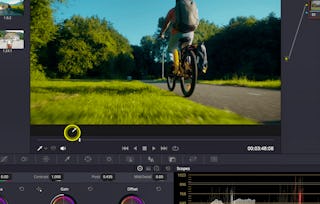
Take your video editing to the next level by mastering the art of audio and visual refinement in DaVinci Resolve 19. This intermediate course, taught by instructor Adi Singh, focuses on polishing your projects with professional-grade tools and techniques. You’ll learn how to clean up audio using tools like voice isolation and music remixer, and enhance clarity with audio transcription and retime scaling features. Then, step into the powerful Color Page to explore core grading tools like node trees, color wheels, curves, white balance, and primary corrections for vibrant, cinematic visuals.
We’ll also walk through how to apply targeted adjustments using tools like the qualifier and power windows, plus you’ll learn to color grade footage from Sony, Canon, and Apple log profiles. By the end, you’ll elevate an edited video by applying both audio corrections and professional color grading techniques in a cohesive, hands-on project. If you want your videos to look and sound like they were made by a pro—this course is for you.
Instructor bio:
Adi is a videographer, content creator, and educator whose journey began in 2015 with a camera purchased to document travels in New Zealand. What started as a passion quickly grew into a career — today, Adi runs a video production company and a thriving YouTube channel, sharing creative knowledge with a global audience.
Having built his own filmmaking career through online learning and self-teaching, Adi is passionate about giving back by teaching others. His courses are designed to make videography approachable and practical, helping learners gain the skills and confidence to create professional-quality content.
Master the latest Studio-exclusive audio tools in DaVinci Resolve 19 to improve sound quality and clarity in your video projects. You’ll learn how to isolate voices, remix background music, and use transcription tools to create searchable text or subtitles. You’ll also explore retime scaling for precise audio timing adjustments, helping you deliver a cleaner and more professional sound.
Das ist alles enthalten
4 Videos2 Lektüren1 Aufgabe1 Diskussionsthema
Infos zu Modulinhalt anzeigen
4 Videos•Insgesamt 11 Minuten
Voice Isolation (Studio Only)•1 Minute
Music Remixer (Studio Only)•2 Minuten
Audio Transcription (Studio Only)•5 Minuten
Retime Scaling (Studio Only)•3 Minuten
2 Lektüren•Insgesamt 40 Minuten
Introduction•30 Minuten
Project Instructions•10 Minuten
1 Aufgabe•Insgesamt 30 Minuten
Module 1 Quiz•30 Minuten
1 Diskussionsthema•Insgesamt 10 Minuten
New Discussion Prompt•10 Minuten
Storytelling Through Structure and Pacing
Modul 2•1 Stunde abzuschließen
Moduldetails
Strong storytelling is built on thoughtful editing. In this module, you’ll learn how to organize timelines, revise pacing, and bring energy to dull or static footage. Through hands-on demonstrations, you'll develop editing strategies that enhance visual rhythm and narrative flow, helping you craft more compelling and engaging content.
Das ist alles enthalten
3 Videos1 Aufgabe1 Diskussionsthema
Infos zu Modulinhalt anzeigen
3 Videos•Insgesamt 32 Minuten
Timeline Organisation•3 Minuten
Make Boring Video Interesting – 1•16 Minuten
Make Boring Video Interesting – 2•13 Minuten
1 Aufgabe•Insgesamt 30 Minuten
Module 2 Quiz•30 Minuten
1 Diskussionsthema•Insgesamt 10 Minuten
New Discussion Prompt•10 Minuten
Getting Started with Fairlight and Subtitles
Modul 3•1 Stunde abzuschließen
Moduldetails
Explore the Fairlight audio interface and subtitle tools in DaVinci Resolve to increase accessibility and improve your workflow. You'll learn how to navigate Fairlight’s key features for sound design and how to accurately place and customize subtitles to match dialogue—ensuring both clarity and engagement for a wider audience.
Das ist alles enthalten
2 Videos1 Aufgabe1 Diskussionsthema
Infos zu Modulinhalt anzeigen
2 Videos•Insgesamt 15 Minuten
Fairlight Page Introduction•11 Minuten
Subtitles•3 Minuten
1 Aufgabe•Insgesamt 30 Minuten
Module 3 Quiz•30 Minuten
1 Diskussionsthema•Insgesamt 10 Minuten
New Discussion Prompt•10 Minuten
Color Page Foundations
Modul 4•2 Stunden abzuschließen
Moduldetails
Begin your journey into color correction by exploring the essential tools of the Color Page. You’ll learn how to balance exposure, adjust white balance, and enhance saturation using tools like color wheels and node trees. By the end of this module, you’ll be equipped to make foundational color adjustments that boost the visual appeal of your footage.
Das ist alles enthalten
5 Videos1 Aufgabe1 Diskussionsthema
Infos zu Modulinhalt anzeigen
5 Videos•Insgesamt 51 Minuten
Color Page Overview•15 Minuten
Node Tree Introduction•11 Minuten
White Balance•4 Minuten
Color Wheels Exposure•10 Minuten
Color Boost Tool (Saturation)•10 Minuten
1 Aufgabe•Insgesamt 30 Minuten
Module 4 Quiz•30 Minuten
1 Diskussionsthema•Insgesamt 10 Minuten
New Discussion Prompt•10 Minuten
Advanced Color Correction Techniques
Modul 5•2 Stunden abzuschließen
Moduldetails
Take your grading skills to the next level by learning how to create cinematic color palettes and make targeted adjustments with precision tools. This module covers the use of curves, color slicing, qualifiers, and windows to isolate regions of an image and refine tone, light, and color across your clips for a polished, professional finish.
Das ist alles enthalten
5 Videos1 Aufgabe1 Diskussionsthema
Infos zu Modulinhalt anzeigen
5 Videos•Insgesamt 55 Minuten
Qualifier Tool•5 Minuten
Windows Tool For Exposure•13 Minuten
Color Grading Using Curves•24 Minuten
Color Slice Tool•7 Minuten
Primary Color Wheels Colorgrading•6 Minuten
1 Aufgabe•Insgesamt 30 Minuten
Module 5 Quiz•30 Minuten
1 Diskussionsthema•Insgesamt 10 Minuten
New Discussion Prompt•10 Minuten
Building Professional-Quality Looks
Modul 6•2 Stunden abzuschließen
Moduldetails
In the final module, you’ll learn how to design, apply, and reuse advanced color grades across full projects. Explore complex node structures like layer and parallel nodes, and use Power Grades to maintain consistency throughout your timeline. You'll also discover how to export high-quality visuals and deliver a cohesive, color-graded project ready for client or audience viewing.
Das ist alles enthalten
5 Videos1 Aufgabe1 peer review1 Diskussionsthema
Infos zu Modulinhalt anzeigen
5 Videos•Insgesamt 13 Minuten
Color Grading From What We Learned•4 Minuten
Layer And Paraller Node Tree•4 Minuten
Power Grade Tool•2 Minuten
High Quality Screenshots•1 Minute
Colorgrade A Timeline•1 Minute
1 Aufgabe•Insgesamt 30 Minuten
Module 6 Quiz•30 Minuten
1 peer review•Insgesamt 60 Minuten
Course Project•60 Minuten
1 Diskussionsthema•Insgesamt 10 Minuten
New Discussion Prompt•10 Minuten
Erwerben Sie ein Karrierezertifikat.
Fügen Sie dieses Zeugnis Ihrem LinkedIn-Profil, Lebenslauf oder CV hinzu. Teilen Sie sie in Social Media und in Ihrer Leistungsbeurteilung.
Skillshare is an online learning community where you can take classes from real working creatives. Unlock personal and professional growth, build your skills, make connections, and find your happy place.
When will I have access to the lectures and assignments?
To access the course materials, assignments and to earn a Certificate, you will need to purchase the Certificate experience when you enroll in a course. You can try a Free Trial instead, or apply for Financial Aid. The course may offer 'Full Course, No Certificate' instead. This option lets you see all course materials, submit required assessments, and get a final grade. This also means that you will not be able to purchase a Certificate experience.
What will I get if I subscribe to this Specialization?
When you enroll in the course, you get access to all of the courses in the Specialization, and you earn a certificate when you complete the work. Your electronic Certificate will be added to your Accomplishments page - from there, you can print your Certificate or add it to your LinkedIn profile.
Is financial aid available?
Yes. In select learning programs, you can apply for financial aid or a scholarship if you can’t afford the enrollment fee. If fin aid or scholarship is available for your learning program selection, you’ll find a link to apply on the description page.