Logical Operations

Microsoft Excel for Office 365 (Desktop or Online): Part 2

Sichern Sie sich eines unserer besten Angebote mit Coursera Plus für 199 $ (normalerweise 399 $). Jetzt sparen.

kurs ist nicht verfügbar in Deutsch (Deutschland)

Wir übersetzen es in weitere Sprachen. Sehen Sie sich die Sprachen an, die wir anbieten.
Logical Operations

Microsoft Excel for Office 365 (Desktop or Online): Part 2

Bei Coursera PlusMehr erfahren enthalten

Fragen Sie Coursera

Verschaffen Sie sich einen Einblick in ein Thema und lernen Sie die Grundlagen.
Stufe Mittel

Empfohlene Erfahrung

1 Woche zu vervollständigen
unter 10 Stunden pro Woche
Flexibler Zeitplan
In Ihrem eigenen Lerntempo lernen
Verschaffen Sie sich einen Einblick in ein Thema und lernen Sie die Grundlagen.
Stufe Mittel

Empfohlene Erfahrung

1 Woche zu vervollständigen
unter 10 Stunden pro Woche
Flexibler Zeitplan
In Ihrem eigenen Lerntempo lernen

Was Sie lernen werden

  • Extract actionable intelligence from raw data using advanced logical, text, and date functions.

  • Master data organization techniques by sorting, filtering, and summarizing large lists and tables.

  • Build dynamic charts, PivotTables, and interactive slicers to effectively visualise and present trends.

  • Learn by doing. Perform guided, step-by-step hands-on activities on your own computer.

Kompetenzen, die Sie erwerben

  • Kategorie: Data Analysis Software
  • Kategorie: Presentations
  • Kategorie: Data Management
  • Kategorie: Pivot Tables And Charts
  • Kategorie: Trend Analysis
  • Kategorie: Data Entry
  • Kategorie: Excel Formulas
  • Kategorie: Data Analysis
  • Kategorie: User Interface (UI)
  • Kategorie: Data Visualization
  • Kategorie: Spreadsheet Software
  • Kategorie: Document Management

Werkzeuge, die Sie lernen werden

  • Kategorie: Productivity Software
  • Kategorie: Microsoft Excel
  • Kategorie: Microsoft 365

Wichtige Details

Zertifikat zur Vorlage

Zu Ihrem LinkedIn-Profil hinzufügen

Kürzlich aktualisiert!

Januar 2026

Bewertungen

1 Aufgabe

Unterrichtet in Englisch

Erfahren Sie, wie Mitarbeiter führender Unternehmen gefragte Kompetenzen erwerben.

 Logos von Petrobras, TATA, Danone, Capgemini, P&G und L'Oreal

Erweitern Sie Ihre Fachkenntnisse

Dieser Kurs ist Teil der Spezialisierung Spezialisierung „Microsoft Excel 365: From Zero to Mastery“
Wenn Sie sich für diesen Kurs anmelden, werden Sie auch für diese Spezialisierung angemeldet.
  • Lernen Sie neue Konzepte von Branchenexperten
  • Gewinnen Sie ein Grundverständnis bestimmter Themen oder Tools
  • Erwerben Sie berufsrelevante Kompetenzen durch praktische Projekte
  • Erwerben Sie ein Berufszertifikat zur Vorlage

In diesem Kurs gibt es 6 Module

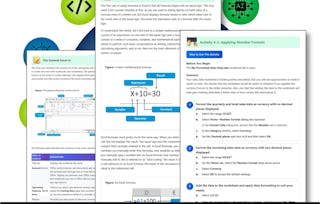
You already know how to get Microsoft® Excel® to perform simple calculations to make your job easier. However, manually entering formulas will take you only so far. The most commonly used functions in Excel may not be enough to handle complex data analysis needs. As you progress with Excel, and as you are called upon to provide a deeper understanding of your organization's data to decision makers, you'll need to know how to ask Excel more complex questions about your data and how to get the answers you expect.

Das ist alles enthalten

25 Plug-ins

Organizing and presenting your data in a logical and coherent manner is just as important as working with functions to analyze that data. In this lesson, you will use Microsoft® Excel® to sort, filter, and subtotal data. These functions, in addition to the functions you have used so far, can help you organize your data for better analysis and presentation.

Das ist alles enthalten

15 Plug-ins

As you progress in learning about the features of Microsoft® Excel®, you see that many of its features build on the concepts and topics introduced in the previous lessons. You have already seen that data analysis is an integral part of what you can do with Excel.

Das ist alles enthalten

14 Plug-ins

Microsoft® Excel® provides you with powerful features to help you organize and analyze your data. As you become more familiar with these features, you'll find you can ask Excel a vast array of questions and get the answers you need. However, not everyone who you report to or present data to will have the same comfort level or expertise when it comes to viewing worksheets. Viewing information in the form of ranges of data entries is simply not natural for many people. You may find yourself presenting information to large audiences on a regular basis. In these cases, you don't want people scanning lines of data on a worksheet when you're trying to present. You want to give them a simple, easy-to-digest view of relevant data so they can quickly understand what's really important.

Das ist alles enthalten

16 Plug-ins

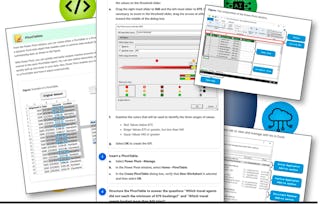
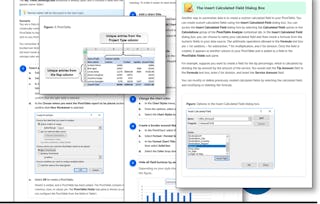
You've already seen the way Microsoft® Excel® works and how features such as sorting, filtering, and summary functions can help you drill down into your data to get answers to very specific questions. Although using these features is often a good option for attaining specific answers, these aren't necessarily the best options if you need to frequently change the questions you're asking of your data. To change the question you're asking when using functions, sorting, and filtering, you often need to rewrite functions, adjust criteria, or re-filter your data; sometimes, you even need to use several of these methods at the same time. You certainly could take this route, but it isn't the most efficient way to re-query your data to get the variety of answers you need. If you work in a high-paced, data-intensive environment, you simply may not have the time needed to recalculate every time a supervisor asks you a different question. You need something a little more dynamic.

Das ist alles enthalten

15 Plug-ins

You'll wrap things up and then validate what you've learned in this course by taking an assessment.

Das ist alles enthalten

1 Aufgabe7 Plug-ins

Erwerben Sie ein Karrierezertifikat.

Fügen Sie dieses Zeugnis Ihrem LinkedIn-Profil, Lebenslauf oder CV hinzu. Teilen Sie sie in Social Media und in Ihrer Leistungsbeurteilung.

Dozent

Bill Rosenthal
Logical Operations
158 Kurse41.004 Lernende

von

Logical Operations

Warum entscheiden sich Menschen für Coursera für ihre Karriere?

Felipe M.

Lernender seit 2018
„Es ist eine großartige Erfahrung, in meinem eigenen Tempo zu lernen. Ich kann lernen, wenn ich Zeit und Nerven dazu habe.“

Jennifer J.

Lernender seit 2020
„Bei einem spannenden neuen Projekt konnte ich die neuen Kenntnisse und Kompetenzen aus den Kursen direkt bei der Arbeit anwenden.“

Larry W.

Lernender seit 2021
„Wenn mir Kurse zu Themen fehlen, die meine Universität nicht anbietet, ist Coursera mit die beste Alternative.“

Chaitanya A.

„Man lernt nicht nur, um bei der Arbeit besser zu werden. Es geht noch um viel mehr. Bei Coursera kann ich ohne Grenzen lernen.“

Häufig gestellte Fragen