Lorsque vous vous inscrivez à ce cours, vous êtes également inscrit(e) à cette Spécialisation.
Apprenez de nouveaux concepts auprès d'experts du secteur
Acquérez une compréhension de base d'un sujet ou d'un outil
Développez des compétences professionnelles avec des projets pratiques
Obtenez un certificat professionnel partageable
Il y a 5 modules dans ce cours
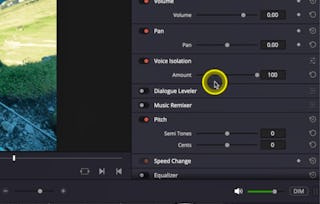
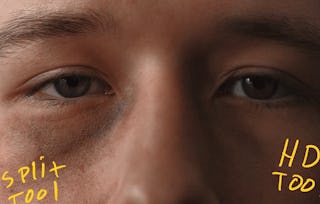
Join instructor Adi Singh, and unlock the full creative power of DaVinci Resolve 19 with this advanced course focused on visual effects, cinematic polish, and expert exporting. You’ll dive deep into Fusion tools like attaching text to objects, greenscreen compositing, locked-on stabilization, travel map animations, and cut-out effects. You’ll also explore premium tools in the Studio version including Magic Mask, Halation, Noise Reduction, Film Look Creator, and Film Grain.
On the Color Page, you’ll continue developing your grading skills with techniques like layering nodes, creating power grades, and generating high-quality screenshots for thumbnails or delivery. Finally, wrap your workflow with advanced export settings to ensure your project looks flawless on any platform.
For your final project, you’ll create and export a polished 60–90 second video that uses at least one advanced visual or color effect. If you're ready to push creative boundaries and master Resolve’s most powerful tools, this course is your final step to becoming a true post-production pro.
Instructor bio:
Adi is a videographer, content creator, and educator whose journey began in 2015 with a camera purchased to document travels in New Zealand. What started as a passion quickly grew into a career — today, Adi runs a video production company and a thriving YouTube channel, sharing creative knowledge with a global audience.
Having built his own filmmaking career through online learning and self-teaching, Adi is passionate about giving back by teaching others. His courses are designed to make videography approachable and practical, helping learners gain the skills and confidence to create professional-quality content.
Unlock the full potential of log footage with advanced color grading workflows in DaVinci Resolve. You’ll compare different log formats, optimize your in-camera exposure settings, and apply tailored color corrections to footage from Sony, Canon, and Apple devices. By the end of this module, you’ll know how to achieve cinematic results with log-based footage.
Inclus
4 vidéos2 lectures1 devoir1 sujet de discussion
Afficher les informations sur le contenu du module
4 vidéos•Total 20 minutes
Sony Log Colorgrading•14 minutes
Canon Log Colorgrading•2 minutes
Exposing Log Clips In Camera•1 minute
Apple Log Colorgrading•4 minutes
2 lectures•Total 40 minutes
Introduction•30 minutes
Project Instructions•10 minutes
1 devoir•Total 30 minutes
Module 1 Quiz•30 minutes
1 sujet de discussion•Total 10 minutes
New Discussion Prompt•10 minutes
Studio Effects for Cinematic Finishing
Module 2•1 heure à terminer
Détails du module
Take your footage to the next level using professional Studio-only tools in DaVinci Resolve. Learn how to apply selective adjustments with Magic Mask, reduce noise, and use finishing touches like glow, halation, and film grain. You’ll also explore the Film Look Creator to build polished, genre-specific visual styles that elevate your final cut.
Inclus
6 vidéos1 devoir1 sujet de discussion
Afficher les informations sur le contenu du module
6 vidéos•Total 21 minutes
Glow Effect•3 minutes
Magic Mask (Studio Only)•6 minutes
Halation Effect (Studio Only)•3 minutes
Film Grain (Studio Only)•3 minutes
Film Look Creator (Studio Only)•3 minutes
Noise Reduction (Studio Only)•2 minutes
1 devoir•Total 30 minutes
Module 2 Quiz•30 minutes
1 sujet de discussion•Total 10 minutes
New Discussion Prompt•10 minutes
Fusion Essentials & Motion Graphics
Module 3•1 heure à terminer
Détails du module
Step into the world of Fusion to create dynamic, motion-driven visuals. This module introduces key tools for motion graphics, including text tracking and stabilization techniques. You’ll learn how to lock text to moving objects, apply smooth camera effects, and bring professional motion design into your Resolve workflow.
Inclus
4 vidéos1 devoir1 sujet de discussion
Afficher les informations sur le contenu du module
4 vidéos•Total 24 minutes
Fusion Page Overview•6 minutes
Attach Text To Object•7 minutes
Locked On Stabilisation•5 minutes
Attach Text On A Layer•6 minutes
1 devoir•Total 30 minutes
Module 3 Quiz•30 minutes
1 sujet de discussion•Total 10 minutes
New Discussion Prompt•10 minutes
Advanced Visual Effects & Compositing
Module 4•1 heure à terminer
Détails du module
Explore visual storytelling through advanced compositing and effects. Learn how to isolate subjects with cut-out techniques, build animated travel paths, and replace backgrounds using greenscreen footage. This module equips you with tools to create layered, visually engaging sequences that support narrative and style.
Inclus
3 vidéos1 devoir1 sujet de discussion
Afficher les informations sur le contenu du module
3 vidéos•Total 15 minutes
Greenscreen Effect•3 minutes
Travel Map Animation•8 minutes
Cut Out Effect•5 minutes
1 devoir•Total 30 minutes
Module 4 Quiz•30 minutes
1 sujet de discussion•Total 10 minutes
New Discussion Prompt•10 minutes
Final Export & Wrap-Up
Module 5•2 heures à terminer
Détails du module
Get ready to share your final project with the world. In this module, you’ll apply advanced export settings, select the right codecs and delivery formats, and finalize a video that reflects professional quality and platform readiness. You’ll wrap up your course with a complete project that showcases everything you’ve learned—from color and effects to polish and output.
Inclus
2 vidéos1 devoir1 évaluation par les pairs1 sujet de discussion
Afficher les informations sur le contenu du module
2 vidéos•Total 11 minutes
Export Settings Tutorial•11 minutes
Thank You!•0 minutes
1 devoir•Total 30 minutes
Module 5 Quiz•30 minutes
1 évaluation par les pairs•Total 60 minutes
Course Project•60 minutes
1 sujet de discussion•Total 10 minutes
New Discussion Prompt•10 minutes
Obtenez un certificat professionnel
Ajoutez ce titre à votre profil LinkedIn, à votre curriculum vitae ou à votre CV. Partagez-le sur les médias sociaux et dans votre évaluation des performances.
Skillshare is an online learning community where you can take classes from real working creatives. Unlock personal and professional growth, build your skills, make connections, and find your happy place.
Pour quelles raisons les étudiants sur Coursera nous choisissent-ils pour leur carrière ?
Felipe M.
Étudiant(e) depuis 2018
’Pouvoir suivre des cours à mon rythme à été une expérience extraordinaire. Je peux apprendre chaque fois que mon emploi du temps me le permet et en fonction de mon humeur.’
Jennifer J.
Étudiant(e) depuis 2020
’J'ai directement appliqué les concepts et les compétences que j'ai appris de mes cours à un nouveau projet passionnant au travail.’
Larry W.
Étudiant(e) depuis 2021
’Lorsque j'ai besoin de cours sur des sujets que mon université ne propose pas, Coursera est l'un des meilleurs endroits où se rendre.’
Chaitanya A.
’Apprendre, ce n'est pas seulement s'améliorer dans son travail : c'est bien plus que cela. Coursera me permet d'apprendre sans limites.’
When will I have access to the lectures and assignments?
To access the course materials, assignments and to earn a Certificate, you will need to purchase the Certificate experience when you enroll in a course. You can try a Free Trial instead, or apply for Financial Aid. The course may offer 'Full Course, No Certificate' instead. This option lets you see all course materials, submit required assessments, and get a final grade. This also means that you will not be able to purchase a Certificate experience.
What will I get if I subscribe to this Specialization?
When you enroll in the course, you get access to all of the courses in the Specialization, and you earn a certificate when you complete the work. Your electronic Certificate will be added to your Accomplishments page - from there, you can print your Certificate or add it to your LinkedIn profile.
Is financial aid available?
Yes. In select learning programs, you can apply for financial aid or a scholarship if you can’t afford the enrollment fee. If fin aid or scholarship is available for your learning program selection, you’ll find a link to apply on the description page.