Clearly, you use Microsoft® Excel® a lot in your role. Otherwise, you wouldn't be taking this course. By now, you're already familiar with Excel, its functions and formulas, a lot of its features and functionality, and its powerful data analysis tools. You are likely called upon to analyze and report on data frequently, work in collaboration with others to deliver actionable organizational intelligence, and keep and maintain workbooks for all manner of purposes. At this level of use and collaboration, you have also likely encountered your fair share of issues and challenges. You're too busy, though, to waste time scouring over workbooks to resolve issues or to perform repetitive, monotonous tasks. You need to know how to get Excel to do more for you so you can focus on what's really important: staying

Microsoft Excel for Office 365 (Desktop or Online): Part 3
Obtenez l'une de nos meilleures offres avec Coursera Plus pour 199 $ (habituellement 399 $). Économisez maintenant.

Microsoft Excel for Office 365 (Desktop or Online): Part 3
Ce cours fait partie de Spécialisation "Microsoft Excel 365: From Zero to Mastery"

Instructeur : Bill Rosenthal
Inclus avec En savoir plus
Expérience recommandée
Ce que vous apprendrez
Streamline your workflows by linking external workbooks, consolidating complex datasets, and automating repetitive tasks with macros.
Troubleshoot large spreadsheets using advanced lookup functions, data validation rules, and interactive formula auditing tools.
Predict future trends and outcomes using What-If Analysis tools, data tables, scenario managers, and 3D map visualisations.
Learn by doing. Perform guided, step-by-step hands-on activities on your own computer.
Compétences que vous acquerrez
- Catégorie : Excel Macros
- Catégorie : Data Management
- Catégorie : Data Analysis
- Catégorie : Data Security
- Catégorie : Data Visualization
- Catégorie : Excel Formulas
- Catégorie : Spreadsheet Software
- Catégorie : Forecasting
- Catégorie : Pivot Tables And Charts
- Catégorie : Consolidation
- Catégorie : Data Entry
- Catégorie : Data Analysis Software
- Catégorie : User Interface (UI)
- Catégorie : Data Sharing
- Catégorie : Data Mapping
- Catégorie : Document Management
Outils que vous découvrirez
- Catégorie : Productivity Software
- Catégorie : Collaborative Software
- Catégorie : Microsoft Excel
- Catégorie : Microsoft 365
Détails à connaître

Ajouter à votre profil LinkedIn
janvier 2026
1 devoir
Découvrez comment les employés des entreprises prestigieuses maîtrisent des compétences recherchées

Élaborez votre expertise du sujet
- Apprenez de nouveaux concepts auprès d'experts du secteur
- Acquérez une compréhension de base d'un sujet ou d'un outil
- Développez des compétences professionnelles avec des projets pratiques
- Obtenez un certificat professionnel partageable

Il y a 7 modules dans ce cours
Obtenez un certificat professionnel
Ajoutez ce titre à votre profil LinkedIn, à votre curriculum vitae ou à votre CV. Partagez-le sur les médias sociaux et dans votre évaluation des performances.
Instructeur
Offert par

En savoir plus sur Leadership and Management
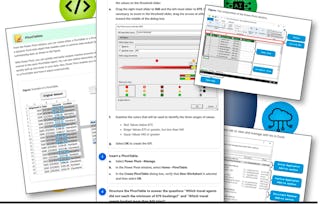
Logical Operations
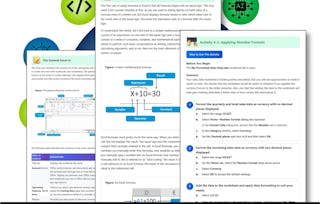
Logical Operations
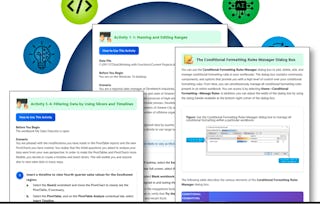
Logical Operations
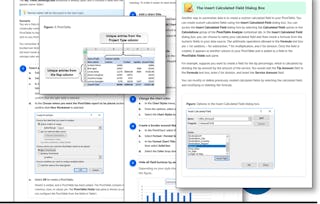
Logical Operations
Pour quelles raisons les étudiants sur Coursera nous choisissent-ils pour leur carrière ?

Felipe M.

Jennifer J.

Larry W.

Chaitanya A.




Foire Aux Questions
Plus de questions
Aide financière disponible,