4.0
Reviewed Jan 8, 2026Great pacing for beginners — I liked how it gradually moved from fundamentals to real mechanics. A few concepts felt glossed over, but overall it boosted my confidence.

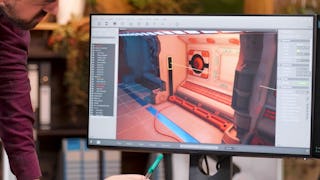
Bring interactive gameplay to life with Designing Interactive Gameplay with Unreal Engine Blueprints: Apply, Construct, and Create. This hands-on course develops practical skills in Unreal Engine Blueprint visual scripting, helping you build dynamic gameplay without traditional programming. You’ll begin with the Blueprint Editor, classes, nodes, graphs, variables, events, and conditionals. You’ll then construct reusable Blueprint logic using construction scripts, actor references, collision-based interactions, Timelines, and float curve data. As you progress, you’ll create pickup mechanics, control dynamic lighting and actor rotation, and configure editable properties and mesh components. You’ll also implement runtime actor spawning, assign materials, process keyboard input, and integrate particle emitters and sound cues to create responsive gameplay environments. Designed for aspiring game developers and game designers, this course progresses from Blueprint fundamentals to practical interactive systems. By the end, you’ll be able to construct Blueprint-driven gameplay logic, control actor behavior, implement interactive mechanics, and create dynamic Unreal Engine environments.
Great pacing for beginners — I liked how it gradually moved from fundamentals to real mechanics. A few concepts felt glossed over, but overall it boosted my confidence.
The teaching style is straightforward, and the Blueprint demonstrations are practical and beginner-focused. This course really helped me understand how to build mechanics the right way.
Really helpful for anyone starting with Unreal Engine. The lessons on event-driven logic and variables were explained in a very approachable way.
Reviewers highlight that the pacing feels neither too rushed nor too slow—great for people who need time to absorb visual scripting logic.
The course focuses more on foundations than advanced mechanics, so it works best as a starting point rather than a complete Blueprint guide.
Core concepts such as nodes, variables, events, functions, and Blueprint logic are explained clearly and practically.
Practical mechanics like player movement, interactions, and basic gameplay logic are well covered with clear examples.
The course does a good job of connecting theory with hands-on practice, so you’re not just watching—you’re building.
Gradual progression from basic mechanics to more practical gameplay systems keeps the learning curve smooth.
People new to game dev often feel more confident after completing the early modules — it’s often described as “actually making something that works, not just watching videos."
The visuals and step-by-step demos made concepts click. A few sections felt repetitive, but overall it was a solid starting point.
Core concepts like nodes, variables, events, and logic flow are explained in a clear and beginner-friendly way.
Showing: 17 of 17
The teaching style is straightforward, and the Blueprint demonstrations are practical and beginner-focused. This course really helped me understand how to build mechanics the right way.
People new to game dev often feel more confident after completing the early modules — it’s often described as “actually making something that works, not just watching videos."
Really helpful for anyone starting with Unreal Engine. The lessons on event-driven logic and variables were explained in a very approachable way.
Practical mechanics like player movement, interactions, and basic gameplay logic are well covered with clear examples.
Core concepts such as nodes, variables, events, functions, and Blueprint logic are explained clearly and practically.
Core concepts like nodes, variables, events, and logic flow are explained in a clear and beginner-friendly way.
Gradual progression from basic mechanics to more practical gameplay systems keeps the learning curve smooth.
Encourages understanding how nodes affect gameplay, not just how to connect them.
I now use Blueprints to prototype gameplay ideas without waiting for programmers.
After a few modules, many learners feel more confident navigating the UE editor and blueprint graphs, making custom gameplay interactions without having to memorize every node upfront.
Great pacing for beginners — I liked how it gradually moved from fundamentals to real mechanics. A few concepts felt glossed over, but overall it boosted my confidence.
The course focuses more on foundations than advanced mechanics, so it works best as a starting point rather than a complete Blueprint guide.
Reviewers highlight that the pacing feels neither too rushed nor too slow—great for people who need time to absorb visual scripting logic.
The visuals and step-by-step demos made concepts click. A few sections felt repetitive, but overall it was a solid starting point.
Blueprints feel more intuitive now I can prototype logic without waiting on programmers. confidence boost noted by some learners.
The course does a good job of connecting theory with hands-on practice, so you’re not just watching—you’re building.
The pacing is well balanced, allowing time to absorb concepts and try them out independently.