VP
5.0Reviewed Jun 11, 2026
I enjoyed learning techniques that made image editing more efficient and precise. The skills I gained have already helped me improve the quality of my design work.

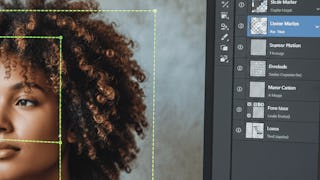
Learners will apply advanced Photoshop CC tools, analyze image composition, and create professional-quality visual designs using intelligent selections, transformations, and content-aware features. By the end of this course, learners will confidently manipulate objects, correct perspective, match backgrounds, refine typography, and enhance images using modern Photoshop workflows. This course is designed to help learners move beyond basic editing by focusing on real-world design techniques such as object selection with AI, non-destructive transformations, gradient-based color matching, pixel stretching effects, and perspective correction. Through step-by-step demonstrations, learners gain hands-on experience with the latest Photoshop CC features, including automated background removal, advanced warp controls, updated brush tools, and enhanced Content Aware Fill. What makes this course unique is its tool-centric, workflow-driven approach, ensuring learners understand not just how tools work, but when and why to use them. Ideal for aspiring designers, content creators, photographers, and marketing professionals, this course equips learners with practical skills that improve design accuracy, efficiency, and creative confidence in professional Photoshop projects.
VP
I enjoyed learning techniques that made image editing more efficient and precise. The skills I gained have already helped me improve the quality of my design work.
NR
I gained skills that have made my design work faster and more polished
DK
I enjoyed learning new editing and selection techniques through hands-on practice. The lessons helped improve my creativity and made working on design projects much more efficient.
OS
The step-by-step demonstrations helped me better understand different editing and design tools. I learned useful techniques that improved my creativity and workflow.
SO
I am applying the techniques through real design tasks rather than just learning the tools. The course helped me work more efficiently and improved the quality of my edits.
HK
I enjoyed practicing real editing techniques and workflows, which helped me work more efficiently and confidently on creative projects.
SS
I practiced with different design tasks, which helped me develop stronger editing and selection skills. The techniques I learned have made my creative work more efficient and enjoyable.
SR
I learned several useful editing and design techniques that improved my creativity and workflow. The explanations were simple and practical, making it a great choice for beginners and learners alike.
SR
I'm learning techniques that make editing more efficient and precise.
AT
The practical exercises helped me learn useful design and editing techniques that I can apply in my own work.
AK
I enjoyed learning different selection and design techniques through real editing tasks. The tips and tools covered in the lessons were very useful for improving my creative work.
Showing: 14 of 14
I really appreciated how the ideas were broken down with practical examples, which made complex concepts much easier to understand. I now feel more confident in analyzing and working with strategic retail decisions, and I’d recommend it to anyone who wants a clearer, real-world understanding of the topic.
Apply Smart Selection & Design Tools. What I liked most was the focus on real editing workflows rather than just tools. I picked up several time-saving techniques and creative skills that I can immediately use in my own projects.
I learned several useful editing and design techniques that improved my creativity and workflow. The explanations were simple and practical, making it a great choice for beginners and learners alike.
The practical projects helped me better understand advanced editing tools and workflows. I picked up several useful methods that have made my design process smoother and more effective.
I practiced with different design tasks, which helped me develop stronger editing and selection skills. The techniques I learned have made my creative work more efficient and enjoyable.
I enjoyed learning new editing and selection techniques through hands-on practice. The lessons helped improve my creativity and made working on design projects much more efficient.
I enjoyed learning different selection and design techniques through real editing tasks. The tips and tools covered in the lessons were very useful for improving my creative work.
I am applying the techniques through real design tasks rather than just learning the tools. The course helped me work more efficiently and improved the quality of my edits.
The step-by-step demonstrations helped me better understand different editing and design tools. I learned useful techniques that improved my creativity and workflow.
I enjoyed learning techniques that made image editing more efficient and precise. The skills I gained have already helped me improve the quality of my design work.
I enjoyed practicing real editing techniques and workflows, which helped me work more efficiently and confidently on creative projects.
The practical exercises helped me learn useful design and editing techniques that I can apply in my own work.
I gained skills that have made my design work faster and more polished
I'm learning techniques that make editing more efficient and precise.