EN
5.0Reviewed Jun 8, 2026
I was terrified of 3D modeling, but this course changed everything. It provides the perfect blend of simple theory and practical application to get you creating right away.

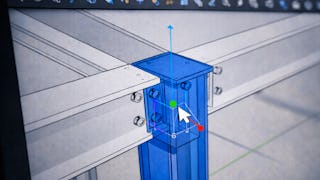
By the end of this course, learners will be able to apply SketchUp tools to create accurate 3D models, organize geometry using components and scenes, navigate and edit models efficiently, and complete a full 3D modeling workflow from planning to final presentation. Learners will also be able to interpret model information, manage materials and styles, and refine designs using best-practice modeling techniques. This beginner-level course is designed to help learners confidently transition from no prior experience to creating structured, professional-quality 3D models in SketchUp. Through a carefully sequenced learning path, learners gain hands-on experience with drawing, editing, navigation, and interface tools while avoiding common modeling errors. The course emphasizes practical workflow skills rather than isolated features, enabling learners to think like 3D modelers from the start. What makes this course unique is its end-to-end, workflow-driven approach: learners do not just learn tools—they apply them progressively to build, refine, and finalize a complete 3D model. This makes the course ideal for beginners pursuing careers or projects in design, architecture, interior planning, or 3D visualization.
EN
I was terrified of 3D modeling, but this course changed everything. It provides the perfect blend of simple theory and practical application to get you creating right away.
SG
This course cuts straight through the technical jargon. It teaches you exactly how to think in three dimensions while mastering the essential tools required for accurate drafting.
SP
The project files provided are excellent templates. Applying textures and managing components felt highly practical and directly applicable.
MW
An excellent, stress-free introduction to spatial design. The lessons are clear, concise, and beautifully structured for anyone who has never opened a 3D modeling application before.
PI
Highly accessible training that turns absolute beginners into confident modelers. The pacing is deliberate, clear, and perfectly tailored for anyone who has never opened CAD software before.
MB
This training strips away the intimidation factor of 3D design. It focuses on core tools first, ensuring you build a solid foundation before moving on to complex geometries.
PS
The project-based approach is fantastic. Building an actual model from scratch helped me retain the information so much better than just memorizing tools. Perfect for practical learners.
JK
Empowering and deeply engaging throughout. The hands-on project felt relevant, keeping me motivated to finish and experiment further.
SB
Gave me the exact foundational skills I needed to transition into spatial planning. The lectures are concise, business-focused, and highly relevant to modern design.
MB
As a hobbyist, this course was exactly what I needed. It turned a complex CAD-style environment into a friendly digital canvas. I’m now modeling my dream home renovations easily.
Showing: 12 of 12
The course cuts through the fluff and dives straight into the toolsets you actually use. The hands-on exercises were brilliant, bridging the gap between basic shapes and complex architectural layouts seamlessly.
Highly accessible training that turns absolute beginners into confident modelers. The pacing is deliberate, clear, and perfectly tailored for anyone who has never opened CAD software before.
The project-based approach is fantastic. Building an actual model from scratch helped me retain the information so much better than just memorizing tools. Perfect for practical learners.
An excellent, stress-free introduction to spatial design. The lessons are clear, concise, and beautifully structured for anyone who has never opened a 3D modeling application before.
This course cuts straight through the technical jargon. It teaches you exactly how to think in three dimensions while mastering the essential tools required for accurate drafting.
As a hobbyist, this course was exactly what I needed. It turned a complex CAD-style environment into a friendly digital canvas. I’m now modeling my dream home renovations easily.
This training strips away the intimidation factor of 3D design. It focuses on core tools first, ensuring you build a solid foundation before moving on to complex geometries.
I was terrified of 3D modeling, but this course changed everything. It provides the perfect blend of simple theory and practical application to get you creating right away.
Gave me the exact foundational skills I needed to transition into spatial planning. The lectures are concise, business-focused, and highly relevant to modern design.
The project files provided are excellent templates. Applying textures and managing components felt highly practical and directly applicable.
Empowering and deeply engaging throughout. The hands-on project felt relevant, keeping me motivated to finish and experiment further.
This course bridges the gap between raw ideas and gorgeous 3D realities flawlessly.