Wenn Sie sich für diesen Kurs anmelden, werden Sie auch für diese Spezialisierung angemeldet.
Lernen Sie neue Konzepte von Branchenexperten
Gewinnen Sie ein Grundverständnis bestimmter Themen oder Tools
Erwerben Sie berufsrelevante Kompetenzen durch praktische Projekte
Erwerben Sie ein Berufszertifikat zur Vorlage
In diesem Kurs gibt es 5 Module
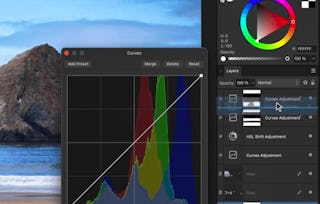
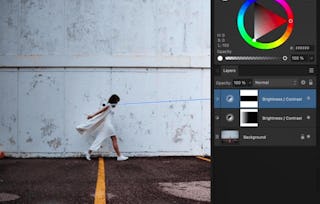
If you’ve ever wanted to combine multiple photos into one seamless image, this course, taught by Ally, the creator of Affinity Revolution, is your step-by-step guide to mastering professional compositing in Affinity Photo. From masking and lighting to shadows and final polish, you'll learn how to blend images like a pro.
This course is for learners who already know the basics of Affinity Photo and want to level up their skills with creative, real-world projects. We’ll break down the full compositing workflow into simple, manageable steps—and practice each one through hands-on projects like wedding scenes, cityscapes, and street composites.
By the end of this course, you’ll be able to:
* Plan and build a composite from start to finish
* Match lighting, color, clarity, and shadows across multiple photos
* Add realistic contact points, highlights, and environmental effects
* Create stunning, professional-quality composites
If you're excited to bring your photo editing to a whole new level of creativity and realism, then come join Affinity Revolution. These tutorials are fun, practical, and packed with skills you’ll use again and again!
Instructor bio:
Ally, the creator of Affinity Revolution, has been teaching people how to use the Affinity creative suite since 2016. Through her easy-to-follow tutorials on Affinity Photo, Designer, and Publisher, she focuses on delivering maximum value in minimal time—making complex tools feel simple and approachable. Ally knows that learning Affinity can feel overwhelming at first, but with her step-by-step guidance, you’ll quickly gain confidence and master the skills to bring your creative projects to life.
This module introduces the essential steps of the compositing process. You'll begin by identifying suitable photos, masking the subject, and learning how to place them into your project. The module continues with core techniques for blending through lighting and color matching to build a realistic composite foundation.
Das ist alles enthalten
6 Videos2 Lektüren1 Aufgabe1 Diskussionsthema
Infos zu Modulinhalt anzeigen
6 Videos•Insgesamt 17 Minuten
Compositing Skills•2 Minuten
Step 1 - Find the Photos•6 Minuten
Step 2 - Mask the Subject•1 Minute
Step 3 - Resize & Position•2 Minuten
Step 4 - Match Global Lighting•2 Minuten
Step 5 - Match Global Color•4 Minuten
2 Lektüren•Insgesamt 60 Minuten
Intro Reading•30 Minuten
Project Instructions•30 Minuten
1 Aufgabe•Insgesamt 30 Minuten
Module 1 Quiz•30 Minuten
1 Diskussionsthema•Insgesamt 10 Minuten
New Discussion Prompt•10 Minuten
Enhancing and Finalizing the Composite
Modul 2•1 Stunde abzuschließen
Moduldetails
In this module, you'll refine your composite with techniques that add realism and visual impact. From shadowing and highlights to clarity and contact points, you'll learn how to bring cohesion to your design. You'll finish by applying all techniques to a sample compositing project.
Das ist alles enthalten
6 Videos1 Aufgabe1 Diskussionsthema
Infos zu Modulinhalt anzeigen
6 Videos•Insgesamt 16 Minuten
Step 6 - Add the Shadow•2 Minuten
Step 7 - Create the Contact Point•3 Minuten
Step 8 - Add the Shadows & Highlights•5 Minuten
Step 9 - Match Clarity•3 Minuten
Step 10 - Continue Editing•3 Minuten
Compositing Projects•1 Minute
1 Aufgabe•Insgesamt 30 Minuten
Module 2 Quiz•30 Minuten
1 Diskussionsthema•Insgesamt 10 Minuten
New Discussion Prompt•10 Minuten
Practice Project – Wedding Composite
Modul 3•1 Stunde abzuschließen
Moduldetails
Put your knowledge to the test by working through a real-world wedding-themed compositing project. This guided project walks you through each stage, reinforcing techniques like color matching, masking, lighting, and final edits. By the end, you'll have a professionally composed romantic visual.
Das ist alles enthalten
10 Videos1 Aufgabe1 Diskussionsthema
Infos zu Modulinhalt anzeigen
10 Videos•Insgesamt 25 Minuten
Wedding Composite - Find the Photos•1 Minute
Wedding Composite - Mask the Subject•3 Minuten
Wedding Composite - Resize & Position•3 Minuten
Wedding Composite - Match Global Lighting•1 Minute
Wedding Composite - Match Global Color•4 Minuten
Wedding Composite - Add the Shadow•1 Minute
Wedding Composite - Create the Contact Point•3 Minuten
Wedding Composite - Add the Shadows & Highlights•3 Minuten
Wedding Composite - Match Clarity•1 Minute
Wedding Composite - Continue Editing•5 Minuten
1 Aufgabe•Insgesamt 30 Minuten
Module 3 Quiz•30 Minuten
1 Diskussionsthema•Insgesamt 10 Minuten
New Discussion Prompt•10 Minuten
Practice Project – City & Street Composites
Modul 4•1 Stunde abzuschließen
Moduldetails
This module focuses on building composites in varied urban settings. Starting with the city environment and moving into a street scene, you’ll gain insight into adapting your workflow to different backgrounds and ambient styles while reinforcing key skills.
Das ist alles enthalten
10 Videos1 Aufgabe1 Diskussionsthema
Infos zu Modulinhalt anzeigen
10 Videos•Insgesamt 27 Minuten
City Composite - Find the Photos•2 Minuten
City Composite - Mask the Subject•3 Minuten
City Composite - Resize & Position•1 Minute
City Composite - Match Global Lighting•1 Minute
City Composite - Match Global Color•4 Minuten
City Composite - Add the Shadows & Highlights•5 Minuten
City Composite - Match Clarity•2 Minuten
City Composite - Continue Editing•7 Minuten
Street Composite - Find the Photos•1 Minute
Street Composite - Mask the Subject•1 Minute
1 Aufgabe•Insgesamt 30 Minuten
Module 4 Quiz•30 Minuten
1 Diskussionsthema•Insgesamt 10 Minuten
New Discussion Prompt•10 Minuten
Practice Project – Street Composite (Continued) & Wrap-up
Modul 5•2 Stunden abzuschließen
Moduldetails
You’ll finish your final project with a full street scene composite. This module emphasizes refining your final visuals through highlights, shadows, and clarity adjustments. A concluding lesson provides closure to the course and helps solidify your learning experience.
Das ist alles enthalten
9 Videos1 Aufgabe1 peer review1 Diskussionsthema
Infos zu Modulinhalt anzeigen
9 Videos•Insgesamt 26 Minuten
Street Composite - Resize & Position•2 Minuten
Street Composite - Match Global Lighting•1 Minute
Street Composite - Match Global Color•3 Minuten
Street Composite - Add the Shadow•2 Minuten
Street Composite - Create the Contact Point•4 Minuten
Street Composite - Add the Shadows & Highlights•6 Minuten
Street Composite - Match Clarity•2 Minuten
Street Composite - Continue Editing•6 Minuten
Conclusion•0 Minuten
1 Aufgabe•Insgesamt 30 Minuten
Module 5 Quiz•30 Minuten
1 peer review•Insgesamt 60 Minuten
Course Project•60 Minuten
1 Diskussionsthema•Insgesamt 10 Minuten
New Discussion Prompt•10 Minuten
Erwerben Sie ein Karrierezertifikat.
Fügen Sie dieses Zeugnis Ihrem LinkedIn-Profil, Lebenslauf oder CV hinzu. Teilen Sie sie in Social Media und in Ihrer Leistungsbeurteilung.
Skillshare is an online learning community where you can take classes from real working creatives. Unlock personal and professional growth, build your skills, make connections, and find your happy place.
When will I have access to the lectures and assignments?
To access the course materials, assignments and to earn a Certificate, you will need to purchase the Certificate experience when you enroll in a course. You can try a Free Trial instead, or apply for Financial Aid. The course may offer 'Full Course, No Certificate' instead. This option lets you see all course materials, submit required assessments, and get a final grade. This also means that you will not be able to purchase a Certificate experience.
What will I get if I subscribe to this Specialization?
When you enroll in the course, you get access to all of the courses in the Specialization, and you earn a certificate when you complete the work. Your electronic Certificate will be added to your Accomplishments page - from there, you can print your Certificate or add it to your LinkedIn profile.
Is financial aid available?
Yes. In select learning programs, you can apply for financial aid or a scholarship if you can’t afford the enrollment fee. If fin aid or scholarship is available for your learning program selection, you’ll find a link to apply on the description page.