Wenn Sie sich für diesen Kurs anmelden, werden Sie auch für diese Spezialisierung angemeldet.
Lernen Sie neue Konzepte von Branchenexperten
Gewinnen Sie ein Grundverständnis bestimmter Themen oder Tools
Erwerben Sie berufsrelevante Kompetenzen durch praktische Projekte
Erwerben Sie ein Berufszertifikat zur Vorlage
In diesem Kurs gibt es 6 Module
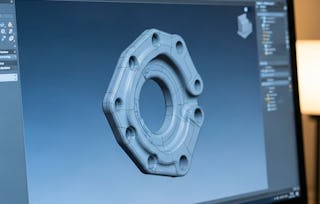
In this course, learners will be introduced to the fundamental concepts of computer-aided design and its implementation through computer graphics. The course involves topics related to the CAD foundation, 3D Graphics pipeline and its stages, OpenGL programming to implement the stages, and hands-on experience with the SolidWorks CAD tool.
This course is best suited for post-graduate university students in computed science and mechanical engineering and Professionals who started working in the manufacturing industry, mainly in design,
After completing this course, a learner will be able to
(i) Get an overview of the CAD
(ii) Learn about the 3D computer graphics pipeline - essential to implement CAD systems
(iii) Understand the stages of the pipeline
(iv) Master programming with OpenGL, a graphics library.
In this course, learners will be introduced to the fundamental concepts of computer-aided design and its implementation through computer graphics. The course involves topics related to the CAD foundation, 3D Graphics pipeline and its stages, OpenGL programming to implement the stages, and hands-on experience with the SolidWorks CAD tool.
Das ist alles enthalten
5 Lektüren1 Diskussionsthema
Infos zu Modulinhalt anzeigen
5 Lektüren•Insgesamt 50 Minuten
Meet Your Instructor - Dr. Samit Bhattacharya•10 Minuten
Meet Your Instructor - Dr. Sajan Kapil•10 Minuten
Course Structure and Planning•10 Minuten
Reference Books and Journals•10 Minuten
Honor Code•10 Minuten
1 Diskussionsthema•Insgesamt 10 Minuten
Introduce Yourself•10 Minuten
Introduction to CAD
Modul 2•3 Stunden abzuschließen
Moduldetails
In this module, we are going to get introduced to the idea of virtual prototypes and CAD. The module explains the CAD software and their types. At the end of the module, we will learn about the 3D computer graphics pipeline, which is required to understand the working of a CAD software.
Das ist alles enthalten
6 Videos5 Lektüren4 Aufgaben
Infos zu Modulinhalt anzeigen
6 Videos•Insgesamt 39 Minuten
Virtual Prototyping and computer graphics: Outline•2 Minuten
Prototyping•11 Minuten
Virtual Prototyping•5 Minuten
CAD Introduction•9 Minuten
Introduction to 3D Graphics Pipeline•10 Minuten
Review 1 (Lesson 2 -4)•2 Minuten
5 Lektüren•Insgesamt 65 Minuten
A Review of the Virtual Prototyping Approaches for User Testing of Design Solutions.•25 Minuten
Definition & Review of Virtual Prototyping•10 Minuten
The CAD Guidebook: A Basic Manual for Understanding & Improving Computer-Aided Design•10 Minuten
Comprehensive understanding of the topic, how it works, and its real-time applications in virtual prototyping.•10 Minuten
4 Aufgaben•Insgesamt 65 Minuten
Know about prototypes - Quiz•15 Minuten
Basics of CAD - Quiz•15 Minuten
Computer Graphics - Quiz•5 Minuten
CAD basics - Quiz•30 Minuten
3D Scene Synthesis
Modul 3•5 Stunden abzuschließen
Moduldetails
In this module, we are going to learn about the first three stages of the 3D graphics pipeline, namely, object description, modeling transformation and coloring of surface points.
Das ist alles enthalten
10 Videos5 Lektüren6 Aufgaben
Infos zu Modulinhalt anzeigen
10 Videos•Insgesamt 122 Minuten
3D Scene Synthesis: an outline•3 Minuten
Generic System•23 Minuten
Boundary Representation•18 Minuten
Space Representation•10 Minuten
Modeling Transformation•15 Minuten
Lighting & Simple Lighting Model•20 Minuten
Shading Technique•11 Minuten
Texture Synthesis•8 Minuten
Intensity Mapping•12 Minuten
Review 1 (Lesson 2-6)•1 Minute
5 Lektüren•Insgesamt 50 Minuten
Enrich your understanding in graphics systems•10 Minuten
Solid Modeling and Polygonal / Mesh Modeling•10 Minuten
Benefits of Modeling Transformations •10 Minuten
Illumination, Lighting Models, and Intensity Representation•10 Minuten
A cosmological technique that used to study the universe's large-scale structure•10 Minuten
6 Aufgaben•Insgesamt 155 Minuten
Computer Graphics - Quiz II•20 Minuten
3D Object Representation - Quiz•15 Minuten
Modeling Transformation - Quiz•30 Minuten
How to add Color to Objects - Quiz•30 Minuten
Intensity Mapping - Quiz•30 Minuten
Quiz - 2•30 Minuten
Rendering of Image
Modul 4•4 Stunden abzuschließen
Moduldetails
In this module, we shall learn about the final two stages of the 3D graphics pipeline, namely the view transformation stage and the rendering stage.
Das ist alles enthalten
11 Videos3 Lektüren4 Aufgaben
Infos zu Modulinhalt anzeigen
11 Videos•Insgesamt 105 Minuten
Rendering of Image: An brief outline•2 Minuten
World to View Coordinate Transformation•10 Minuten
Projection Transformation•13 Minuten
Viewport Transformation•8 Minuten
Clipping•13 Minuten
Hidden Surface Removal•12 Minuten
Rendering•18 Minuten
Aliasing•6 Minuten
Anti-Aliasing•14 Minuten
Conclusion•7 Minuten
Review 1 (Lesson 2-4)•2 Minuten
3 Lektüren•Insgesamt 30 Minuten
Transformation detailing •10 Minuten
Clipping and HSR•10 Minuten
Rendering is the process of finalizing a digital image•10 Minuten
4 Aufgaben•Insgesamt 120 Minuten
Projection Transformation - Quiz•30 Minuten
Clipping and HSR - Quiz•30 Minuten
Know aliasing - Quiz•30 Minuten
Graded Quiz•30 Minuten
Graphics Programming with OpenGL
Modul 5•4 Stunden abzuschließen
Moduldetails
In this module, we shall learn about the use of the OpenGL, an open source library, to implement the 3D graphics pipeline stages as a computer program.
Das ist alles enthalten
9 Videos4 Lektüren5 Aufgaben
Infos zu Modulinhalt anzeigen
9 Videos•Insgesamt 52 Minuten
Programming tools•2 Minuten
Graphics Hardware & Software•15 Minuten
OpenGL Introduction•5 Minuten
Include Library•5 Minuten
The main() function•7 Minuten
OpenGL Syntax•3 Minuten
The init() function•5 Minuten
The CreateLine() Function•5 Minuten
Review 1 (Lesson 2-5)•6 Minuten
4 Lektüren•Insgesamt 40 Minuten
Follow the referred guidebook•10 Minuten
Graphics Hardware and Software - I•10 Minuten
Graphics Hardware and Software - II•10 Minuten
Functions : A widely used API for rendering 2D and 3D graphics. •10 Minuten
5 Aufgaben•Insgesamt 130 Minuten
Quiz - III•30 Minuten
Quiz - IV•10 Minuten
Quiz - V•30 Minuten
Quiz - VI•30 Minuten
Functions - Quiz•30 Minuten
Introduction to a CAD Tool
Modul 6•5 Stunden abzuschließen
Moduldetails
This module introduces a solid modeling software ‘SolidWorks.’ This tool, as presented in the current module, enables students to design and analyze mechanical systems. It enables part modeling, assembly, motion study, and engineering drawing of machine components and commercial/ engineering products. Furthermore, its use in the synthesis of planar kinematic mechanisms/ linkages is demonstrated using several examples.
Das ist alles enthalten
22 Videos1 Lektüre1 Aufgabe
Infos zu Modulinhalt anzeigen
22 Videos•Insgesamt 252 Minuten
Introduction to Constrained Parametric Feature-Based Modeling•5 Minuten
Getting Familiar with Solidworks GUI and Navigation•13 Minuten
Creating a Sketch in Solidworks with Appropriately Assigned Constraints•38 Minuten
Creating and Editing a Feature from a Sketch in Solidworks•22 Minuten
Concept of Applied Features in Solidworks•12 Minuten
Evaluating and Assigning Material Properties to the Modeled Part•4 Minuten
Practice Problem and Conclusion to Part Design•1 Minute
Introduction to Assemblies in Solidworks•2 Minuten
Inserting Components and Standard Assembly Mates in SolidWorks•11 Minuten
Example Demostration on Assigning Mates to Components in SolidWorks•5 Minuten
Patterns and Exploded view of Assemblies•11 Minuten
Mechanical Mates and Basic Animation in solidworks Assemblies•24 Minuten
Introduction to Motion Study in Solidworks•3 Minuten
Basic Animation changing Camera Orientations, Views and Adding Movement to Components•12 Minuten
Basic Animation Using Assembly Mates and Introduction to Motion Study•18 Minuten
Motion Study and Kinematic Analysis of Assemblies•11 Minuten
Resolving Contact in Motion Analysis and Exporting Animations•10 Minuten
Introduction to Drafting in Solidworks and Page Setup•6 Minuten
Standard, Model, and Projected Views in Solidworks•8 Minuten
Creating a Sectional and Auxillary Views of Components•11 Minuten
Adding Dimensions and Annotations to a Drawing•12 Minuten
Study of Planar Linkages/Mechanisms Using Solidworks Drawing•12 Minuten
1 Lektüre•Insgesamt 10 Minuten
Course conclusion•10 Minuten
1 Aufgabe•Insgesamt 45 Minuten
Test your CAD journey - Quiz•45 Minuten
Erwerben Sie ein Karrierezertifikat.
Fügen Sie dieses Zeugnis Ihrem LinkedIn-Profil, Lebenslauf oder CV hinzu. Teilen Sie sie in Social Media und in Ihrer Leistungsbeurteilung.
The Indian Institute of Technology Guwahati is a premier institute engaged in higher education and research in engineering, design, basic sciences, applied sciences, and humanities. It is recognized as an institute of national importance by the Government of India for its overall excellence in teaching and research. IIT Guwahati is regarded as one of the best institutions, distinguished by its commitment to promoting innovation through advanced science and technology.

When will I have access to the lectures and assignments?
To access the course materials, assignments and to earn a Certificate, you will need to purchase the Certificate experience when you enroll in a course. You can try a Free Trial instead, or apply for Financial Aid. The course may offer 'Full Course, No Certificate' instead. This option lets you see all course materials, submit required assessments, and get a final grade. This also means that you will not be able to purchase a Certificate experience.
What will I get if I subscribe to this Specialization?
When you enroll in the course, you get access to all of the courses in the Specialization, and you earn a certificate when you complete the work. Your electronic Certificate will be added to your Accomplishments page - from there, you can print your Certificate or add it to your LinkedIn profile.
Is financial aid available?
Yes. In select learning programs, you can apply for financial aid or a scholarship if you can’t afford the enrollment fee. If fin aid or scholarship is available for your learning program selection, you’ll find a link to apply on the description page.