Welcome to SOLIDWORKS Advanced Sketching and Reference Geometry, the second course in the SOLIDWORKS 3D CAD for Education Specialization. We recommend completing Course 1(SOLIDWORKS Foundations: Sketching and Extrusion) before starting this course.

SOLIDWORKS Advanced Sketching and Reference Geometry

SOLIDWORKS Advanced Sketching and Reference Geometry
Dieser Kurs ist Teil von Spezialisierung „SOLIDWORKS 3D CAD for Education“

Dozent: SOLIDWORKS
4.474 bereits angemeldet
Bei enthalten
Verschaffen Sie sich einen Einblick in ein Thema und lernen Sie die Grundlagen.
43 Bewertungen
Stufe Anfänger
Empfohlene Erfahrung
8 Stunden zu vervollständigen
Flexibler Zeitplan
In Ihrem eigenen Lerntempo lernen
Kompetenzen, die Sie erwerben
- Kategorie: Drafting and Engineering Design
- Kategorie: Mechanical Engineering
- Kategorie: Computer-Aided Design
Werkzeuge, die Sie lernen werden
- Kategorie: SolidWorks (CAD)
Wichtige Details

Zertifikat zur Vorlage
Zu Ihrem LinkedIn-Profil hinzufügen
Bewertungen
2 Aufgaben
Unterrichtet in Englisch
Erfahren Sie, wie Mitarbeiter führender Unternehmen gefragte Kompetenzen erwerben.

Erweitern Sie Ihre Fachkenntnisse
Dieser Kurs ist Teil der Spezialisierung Spezialisierung „SOLIDWORKS 3D CAD for Education“
Wenn Sie sich für diesen Kurs anmelden, werden Sie auch für diese Spezialisierung angemeldet.
- Lernen Sie neue Konzepte von Branchenexperten
- Gewinnen Sie ein Grundverständnis bestimmter Themen oder Tools
- Erwerben Sie berufsrelevante Kompetenzen durch praktische Projekte
- Erwerben Sie ein Berufszertifikat zur Vorlage

In diesem Kurs gibt es 3 Module
Erwerben Sie ein Karrierezertifikat.
Fügen Sie dieses Zeugnis Ihrem LinkedIn-Profil, Lebenslauf oder CV hinzu. Teilen Sie sie in Social Media und in Ihrer Leistungsbeurteilung.
Dozent
Lehrkraftbewertungen
(10 Bewertungen)

Mehr von Mechanical Engineering entdecken
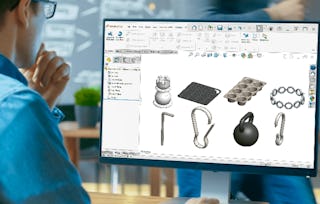
Dassault Systèmes
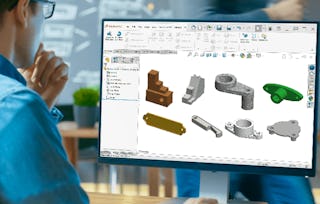
Dassault Systèmes
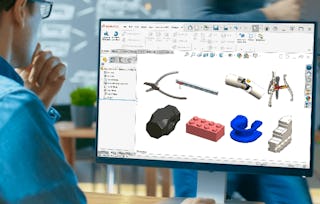
Dassault Systèmes
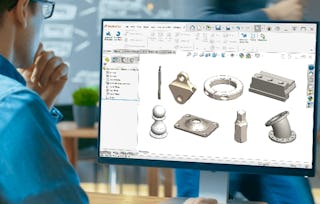
Dassault Systèmes
Warum entscheiden sich Menschen für Coursera für ihre Karriere?

Felipe M.
Lernender seit 2018
„Es ist eine großartige Erfahrung, in meinem eigenen Tempo zu lernen. Ich kann lernen, wenn ich Zeit und Nerven dazu habe.“

Jennifer J.
Lernender seit 2020
„Bei einem spannenden neuen Projekt konnte ich die neuen Kenntnisse und Kompetenzen aus den Kursen direkt bei der Arbeit anwenden.“

Larry W.
Lernender seit 2021
„Wenn mir Kurse zu Themen fehlen, die meine Universität nicht anbietet, ist Coursera mit die beste Alternative.“

Chaitanya A.
„Man lernt nicht nur, um bei der Arbeit besser zu werden. Es geht noch um viel mehr. Bei Coursera kann ich ohne Grenzen lernen.“
Bewertungen von Lernenden
- 5 stars
86,04 %
- 4 stars
11,62 %
- 3 stars
2,32 %
- 2 stars
0 %
- 1 star
0 %
Zeigt 3 von 43 an
DG
Geprüft am 2. Sep. 2025
Overall great, some of the instructions were not clear and sometimes the instruction lack measurements or mixed up lines.
Bringen Sie Ihre Karriere mit einem Online-Abschluss voran.
Erwerben Sie einen Abschluss von erstklassigen Universitäten – 100 % online




Häufig gestellte Fragen
Weitere Fragen
Finanzielle Unterstützung verfügbar,