Wenn Sie sich für diesen Kurs anmelden, werden Sie auch für diese Spezialisierung angemeldet.
Lernen Sie neue Konzepte von Branchenexperten
Gewinnen Sie ein Grundverständnis bestimmter Themen oder Tools
Erwerben Sie berufsrelevante Kompetenzen durch praktische Projekte
Erwerben Sie ein Berufszertifikat zur Vorlage
In diesem Kurs gibt es 3 Module
By the end of this course, learners will be able to navigate the ZBrush interface, apply transformation and symmetry tools, manage geometry with subdivisions and layers, and implement advanced rendering, morphing, and skinning techniques.
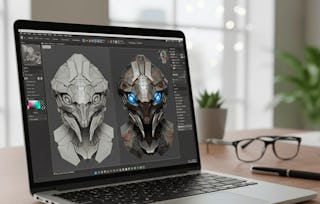
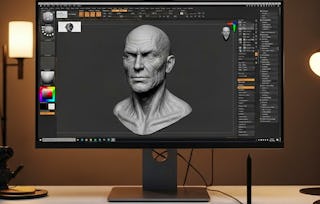
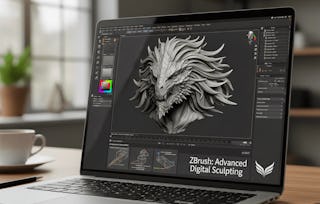
This course provides a complete foundation in ZBrush, guiding learners from introduction to advanced features. Starting with ZBrush’s unique role in digital sculpting and painting, you will explore its interface, menus, and workflow customization. As you progress, you will master tools such as Shadowbox, XYZ planes, and subdivisions to create detailed, non-destructive models. In the advanced modules, you will gain hands-on practice with spotlight projection, clone painting, shader mixing, Morph UV, and unified skinning to finalize high-quality models for professional use.
What makes this course unique is its step-by-step approach that blends fundamental interface skills with advanced creative workflows, ensuring learners not only understand the software but also apply techniques used in movies and gaming industries. Whether you are a beginner or aspiring 3D artist, this course equips you with the skills to sculpt, refine, and render models confidently in ZBrush.
This module introduces learners to the foundations of ZBrush, covering its origins, unique interface, and essential tools for sculpting. Learners will explore the evolution of ZBrush, its role in modern industries, and gain hands-on understanding of navigation, menus, and transformation controls to build a solid starting point for digital sculpting.
Das ist alles enthalten
9 Videos4 Aufgaben
Infos zu Modulinhalt anzeigen
9 Videos•Insgesamt 62 Minuten
Zbrush intro & Developer Name•7 Minuten
Modern Need - History & OS•7 Minuten
User interface covered•8 Minuten
Zbrush emerging software•3 Minuten
User interface menu bar & top option buttons•9 Minuten
New menus in new version•9 Minuten
Transforming objects info•6 Minuten
Additional options for draw size•6 Minuten
New options of symmetry•7 Minuten
4 Aufgaben•Insgesamt 60 Minuten
Graded-Introduction and Interface Basics•30 Minuten
Getting Started with ZBrush•10 Minuten
Exploring ZBrush Software and Menus•10 Minuten
Transformations and Object Controls•10 Minuten
Menus, Tools, and Geometry
Modul 2•2 Stunden abzuschließen
Moduldetails
This module focuses on intermediate ZBrush tools, including palettes, rendering options, and geometry management. Learners will understand how to customize palettes, utilize Shadowbox and XYZ planes, and implement subdivision and layers to create complex yet organized 3D models.
Das ist alles enthalten
9 Videos4 Aufgaben
Infos zu Modulinhalt anzeigen
9 Videos•Insgesamt 72 Minuten
New rotate & toggling of tools pallet•5 Minuten
Moving pallet zbrush new features•9 Minuten
Zbrush new additions•7 Minuten
Rendering Timeline Gradient•9 Minuten
Shadowbox•9 Minuten
XYZ planes•9 Minuten
Circle polygon elastic•9 Minuten
Tools pallet sub division•7 Minuten
layer management•8 Minuten
4 Aufgaben•Insgesamt 60 Minuten
Graded-Menus, Tools, and Geometry•30 Minuten
Pallets and Interface Options•10 Minuten
Rendering and Shadowbox Basics•10 Minuten
Geometry, Subdivision, and Layers•10 Minuten
Advanced Rendering and Specialized Features
Modul 3•3 Stunden abzuschließen
Moduldetails
This module introduces advanced ZBrush features for professional workflows, including spotlight projection, clone painting, shader mixing, Morph UV, and unified skinning. Learners will practice blending noise, managing symmetry in sketching, and adjusting mesh resolution to achieve polished, production-ready results.
Das ist alles enthalten
8 Videos4 Aufgaben
Infos zu Modulinhalt anzeigen
8 Videos•Insgesamt 65 Minuten
Rendering tiling spotlight•8 Minuten
Clone painting & brushes•8 Minuten
Timeline key frame audio•8 Minuten
Bpr SSS Shader mixer•7 Minuten
Morph UV zsphere•8 Minuten
Quick sketch symmetry•9 Minuten
Blending mask noise tools•8 Minuten
Unified skin & resolutions•9 Minuten
4 Aufgaben•Insgesamt 60 Minuten
Graded-Advanced Rendering and Specialized Features•30 Minuten
Rendering Spotlight and Brushes•10 Minuten
Shader, Morphing, and Sketching•10 Minuten
Noise, Skinning, and Finalization•10 Minuten
Erwerben Sie ein Karrierezertifikat.
Fügen Sie dieses Zeugnis Ihrem LinkedIn-Profil, Lebenslauf oder CV hinzu. Teilen Sie sie in Social Media und in Ihrer Leistungsbeurteilung.
Dozent
Lehrkraftbewertungen
Wir haben alle Lernenden um Feedback zu unseren Dozenten gebeten, ausgehend von der Qualität ihres Unterrichtsstils.
Welcome to EDUCBA, a place where knowledge is limitless! We provide a wide selection of instructive and engaging programmes designed to empower students of all ages and experiences. From the convenience of your home, start a revolutionary educational experience with our cutting-edge technologies courses and experienced instructors.
Warum entscheiden sich Menschen für Coursera für ihre Karriere?
Felipe M.
Lernender seit 2018
„Es ist eine großartige Erfahrung, in meinem eigenen Tempo zu lernen. Ich kann lernen, wenn ich Zeit und Nerven dazu habe.“
Jennifer J.
Lernender seit 2020
„Bei einem spannenden neuen Projekt konnte ich die neuen Kenntnisse und Kompetenzen aus den Kursen direkt bei der Arbeit anwenden.“
Larry W.
Lernender seit 2021
„Wenn mir Kurse zu Themen fehlen, die meine Universität nicht anbietet, ist Coursera mit die beste Alternative.“
Chaitanya A.
„Man lernt nicht nur, um bei der Arbeit besser zu werden. Es geht noch um viel mehr. Bei Coursera kann ich ohne Grenzen lernen.“
Bewertungen von Lernenden
4.9
13 Bewertungen
5 stars
92,30 %
4 stars
7,69 %
3 stars
0 %
2 stars
0 %
1 star
0 %
Zeigt 3 von 13 an
A
AS
5·
Geprüft am 7. März 2026
A very useful course for anyone interested in 3D sculpting, animation, or game asset creation. It gives practical knowledge of modeling, rendering, and refining 3D designs.
S
ST
5·
Geprüft am 3. März 2026
Highly recommended course for beginners as well as professionals. The content quality is great and the learning experience is very smooth.
A
AS
5·
Geprüft am 5. März 2026
Great course for anyone interested in 3D sculpting. It covers everything from basic interface navigation to advanced rendering features, helping learners create professional-looking models.
When will I have access to the lectures and assignments?
To access the course materials, assignments and to earn a Certificate, you will need to purchase the Certificate experience when you enroll in a course. You can try a Free Trial instead, or apply for Financial Aid. The course may offer 'Full Course, No Certificate' instead. This option lets you see all course materials, submit required assessments, and get a final grade. This also means that you will not be able to purchase a Certificate experience.
What will I get if I subscribe to this Specialization?
When you enroll in the course, you get access to all of the courses in the Specialization, and you earn a certificate when you complete the work. Your electronic Certificate will be added to your Accomplishments page - from there, you can print your Certificate or add it to your LinkedIn profile.
Is financial aid available?
Yes. In select learning programs, you can apply for financial aid or a scholarship if you can’t afford the enrollment fee. If fin aid or scholarship is available for your learning program selection, you’ll find a link to apply on the description page.