In Adobe® InDesign® CC: Part 1 you were introduced to the many features that help you create professional looking documents. Now you need to create much lengthier interactive documents that need to be accessed across a range of devices. In Adobe® InDesign® CC: Part 2, you will learn advanced InDesign techniques to enhance the look and functionality of your documents.
Using Adobe InDesign, you can create interactive documents and export them for viewing in a web browser with various features such as buttons, page transitions, movies and audio files, hyperlinks, and animation. You have the ability to assign color profiles and establish print presets. In creating longer documents, you'll be able to include such features as a table of contents, footnotes, cross-references, and an index.
This course is a great component of your preparation for the Adobe Certified Professional Print & Digital Media Publication Using Adobe InDesign CC exam.
This course is intended for students who want to expand their entry-level knowledge of Adobe InDesign by using advanced features and collaboration tools. It's also for anyone interested in working toward the Print & Digital Media Publication Using Adobe InDesign certification.
In this course, you will: prepare documents for multiple formats, manage advanced page layouts, manage styles, build complex paths, manage external files and create dynamic documents, manage long documents, and publish InDesign files for other formats and customize print settings.
This course requires that you have Adobe InDesign installed on a Windows PC. The course setup instructions provided in the first module of the course go into more detail about the hardware and software requirements.
As technology advances, you'll find you have more and more ways in which you can deliver your documents. Gone are the days when print was the only option. Designers must take into account the various formats in which people will access the material. In this lesson, you will build layout versions and link content.
Inclus
6 plugins
Afficher les informations sur le contenu du module
6 plugins•Total 65 minutes
Getting Started with This Course•15 minutes
Lesson Introduction•5 minutes
Build Layout Versions•15 minutes
Link Content•15 minutes
Mastery Builder: Preparing a Document for the iPad•10 minutes
Lesson Summary•5 minutes
Managing Advanced Page Elements
Module 2•1 heure à terminer
Détails du module
Adobe® InDesign® CC: Part 1 introduced you to the software and got you started creating documents, but there's so much more to discover that can bring those documents to the next level. As a designer, you'll want to spend more time enhancing the formatting of the text in your document, as well as possibly include graphic motifs that repeat throughout the document. Additionally, the graphics in your documents can be adjusted to include transparency effects, such as drop shadows and embossing, and be anchored to flow with the text. Once you've created these graphics, you can build a library to use them in future documents. This lesson will discuss repeating elements, typography, building transparency, anchoring objects, and using a library.
Inclus
7 plugins
Afficher les informations sur le contenu du module
7 plugins•Total 80 minutes
Lesson Introduction•5 minutes
Create Repeating Content•15 minutes
Change Text Layouts•15 minutes
Create Transparency•15 minutes
Anchor Objects and Manage a Library•15 minutes
Mastery Builder: Placing a Graphic in a Document Footer•10 minutes
Lesson Summary•5 minutes
Managing Styles
Module 3•1 heure à terminer
Détails du module
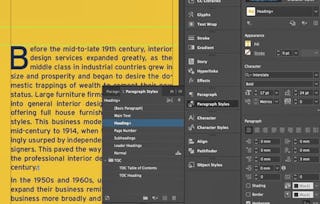
In Part 1 of this series, you learned how Adobe® InDesign® gives you the ability to create and save formatting for paragraphs, characters, and objects. It goes beyond these, of course. InDesign also lets you import styles from Microsoft® Word documents, build nested styles, apply styles in a sequence, as well as redefine and override styles. In this lesson, you will manage styles.
Inclus
5 plugins
Afficher les informations sur le contenu du module
5 plugins•Total 70 minutes
Lesson Introduction•5 minutes
Import Styles from Microsoft Word Documents•25 minutes
Manage Styles•25 minutes
Mastery Builder: Importing Word Styles into InDesign•10 minutes
Lesson Summary•5 minutes
Building Complex Paths
Module 4•1 heure à terminer
Détails du module
As part of the Adobe® Creative Cloud® Suite, InDesign® offers designers some of the same advanced graphics creation tools that are built into Illustrator® and Photoshop®. The ability to work with paths within InDesign is a convenient, time-saving feature. In this lesson, you will build complex paths.
Inclus
6 plugins
Afficher les informations sur le contenu du module
6 plugins•Total 65 minutes
Lesson Introduction•5 minutes
Create Bezier Paths•15 minutes
Create Clipping Paths•15 minutes
Create Compound Paths•15 minutes
Mastery Builder: Creating a Bezier Path•10 minutes
Lesson Summary•5 minutes
Managing External Files and Creating Dynamic Documents
Module 5•1 heure à terminer
Détails du module
As you build a document, you'll no doubt have to work with some external files. These may have layers or contain large amounts of data. Adobe® InDesign® allows you to manage the job of including content from these files efficiently. There are also features offered in Adobe InDesign that allow your documents to become dynamic. These include interactive behaviors, text variables, and automatic numbering, to name just a few. In this lesson, you will manage external files and create dynamic documents.
Inclus
7 plugins
Afficher les informations sur le contenu du module
7 plugins•Total 80 minutes
Lesson Introduction•5 minutes
Import External Files•15 minutes
Create Document Sections•15 minutes
Insert Text Variables•15 minutes
Create Interactive Documents•15 minutes
Mastery Builder: Performing a Data Merge•10 minutes
Lesson Summary•5 minutes
Managing Long Documents
Module 6•1 heure à terminer
Détails du module
Creating great looking documents is one thing, but building a book requires a whole different set of tools and Adobe® InDesign® has them. There are features for configuring the pagination, assembling the table of contents and the index, as well as footnotes and hyperlinks. In this lesson, you will manage long documents.
Inclus
7 plugins
Afficher les informations sur le contenu du module
7 plugins•Total 80 minutes
Lesson Introduction•5 minutes
Create a Book•15 minutes
Build a Table of Contents•15 minutes
Create Hyperlinks and Cross-References•15 minutes
Generate an Index and Insert Footnotes•15 minutes
Mastery Builder: Managing Long Documents•10 minutes
Lesson Summary•5 minutes
Publishing InDesign Files for Other Formats and Customizing Print Settings
Module 7•2 heures à terminer
Détails du module
As you develop your document, you must be cognizant of the various ways in which you may need to deliver it. Printers will require that you export it as a PDF file with printer marks and other necessary settings in place. If your document features interactivity, you'll need to know how to export it as an interactive PDF file. You should also consider that your document may need to be made available for e-readers in an EPUB format. As you make final preparations for printing your document, you have a wide range of print settings that you can choose from to customize the printing process to your specifications. You can manage color settings and profiles, preview the print output, and create print presets. In this lesson, you will publish Adobe® InDesign® files for other formats and customize print settings.
Inclus
9 plugins
Afficher les informations sur le contenu du module
9 plugins•Total 110 minutes
Lesson Introduction•5 minutes
Export PDF Files for Print•15 minutes
Export Interactive PDF Files•15 minutes
Export Files for the Web•15 minutes
Manage Colors•15 minutes
Preview the Print Output•15 minutes
Create Print Presets•15 minutes
Mastery Builder: Exporting PDF Files for Print•10 minutes
Lesson Summary•5 minutes
Completing the Course
Module 8•1 heure à terminer
Détails du module
You'll wrap things up and then validate what you've learned in this course by taking an assessment.
Inclus
1 devoir2 plugins
Afficher les informations sur le contenu du module
Logical Operations is the world's largest general publisher of instructor-led technology curriculum, and a leader in the technical training community for over 40 years. We employ a rigorous, expert-driven authoring process that, for decades, has produced successful results for learners the world over. Our courseware aligns with real-world business needs and objectives, ensuring learners are able to apply their newly developed skills while on the job.
Pour quelles raisons les étudiants sur Coursera nous choisissent-ils pour leur carrière ?
Felipe M.
Étudiant(e) depuis 2018
’Pouvoir suivre des cours à mon rythme à été une expérience extraordinaire. Je peux apprendre chaque fois que mon emploi du temps me le permet et en fonction de mon humeur.’
Jennifer J.
Étudiant(e) depuis 2020
’J'ai directement appliqué les concepts et les compétences que j'ai appris de mes cours à un nouveau projet passionnant au travail.’
Larry W.
Étudiant(e) depuis 2021
’Lorsque j'ai besoin de cours sur des sujets que mon université ne propose pas, Coursera est l'un des meilleurs endroits où se rendre.’
Chaitanya A.
’Apprendre, ce n'est pas seulement s'améliorer dans son travail : c'est bien plus que cela. Coursera me permet d'apprendre sans limites.’
When will I have access to the lectures and assignments?
To access the course materials, assignments and to earn a Certificate, you will need to purchase the Certificate experience when you enroll in a course. You can try a Free Trial instead, or apply for Financial Aid. The course may offer 'Full Course, No Certificate' instead. This option lets you see all course materials, submit required assessments, and get a final grade. This also means that you will not be able to purchase a Certificate experience.
What will I get if I purchase the Certificate?
When you purchase a Certificate you get access to all course materials, including graded assignments. Upon completing the course, your electronic Certificate will be added to your Accomplishments page - from there, you can print your Certificate or add it to your LinkedIn profile.
Is financial aid available?
Yes. In select learning programs, you can apply for financial aid or a scholarship if you can’t afford the enrollment fee. If fin aid or scholarship is available for your learning program selection, you’ll find a link to apply on the description page.