Lorsque vous vous inscrivez à ce cours, vous êtes également inscrit(e) à cette Spécialisation.
Apprenez de nouveaux concepts auprès d'experts du secteur
Acquérez une compréhension de base d'un sujet ou d'un outil
Développez des compétences professionnelles avec des projets pratiques
Obtenez un certificat professionnel partageable
Il y a 4 modules dans ce cours
Are you ready to take your Affinity Photo skills to the next level? In this course, taught by Ally, the creator of Affinity Revolution, we’ll dive into two of the most powerful tools in Affinity Photo: masking and color adjustments. These are essential skills for anyone wanting to create stunning photo edits, remove backgrounds, or achieve professional-level control over tone and color.
This class is designed for learners who already know the basics of Affinity Photo—things like layers, selections, and basic adjustments—but want to push further. Even though this isn’t a beginner class, every concept is clearly explained step by step, so you’ll never feel lost.
By the end of this course, you’ll be able to:
* Create clean and accurate masks using a variety of methods
* Blend images seamlessly by refining edges and tones
* Master global and local color adjustments
* Use adjustment layers to dramatically improve the look of your photos
If you’re looking to gain more control and confidence in your photo editing process, this course is the perfect next step. join your instructor Affinity Revolution and let’s unlock the real power of Affinity Photo—together!
Instructor bio:
Ally, the creator of Affinity Revolution, has been teaching people how to use the Affinity creative suite since 2016. Through her easy-to-follow tutorials on Affinity Photo, Designer, and Publisher, she focuses on delivering maximum value in minimal time—making complex tools feel simple and approachable. Ally knows that learning Affinity can feel overwhelming at first, but with her step-by-step guidance, you’ll quickly gain confidence and master the skills to bring your creative projects to life.
This first module lays the groundwork for powerful photo edits with Affinity Photo’s masking tools. You’ll explore how to create selections, apply masks, and remove backgrounds using both gradient and group-based techniques—equipping you with essential tools for non-destructive editing.
Inclus
6 vidéos1 lecture1 devoir1 sujet de discussion
Afficher les informations sur le contenu du module
6 vidéos•Total 26 minutes
Class Introduction•3 minutes
Selections & Masks•0 minutes
Masking Update•1 minute
Removing Backgrounds•7 minutes
Gradient Masks•7 minutes
Masking Groups•8 minutes
1 lecture•Total 30 minutes
Project Instructions•30 minutes
1 devoir•Total 30 minutes
Module 1 Quiz•30 minutes
1 sujet de discussion•Total 10 minutes
New Discussion Prompt•10 minutes
Advanced Masking & Selections
Module 2•1 heure à terminer
Détails du module
Dive deeper into advanced selection and masking techniques in this module. Learn to use hue and luminosity data for complex masks, fine-tune with blend ranges, and master the Pen Tool for precise cutouts. You’ll finish with the skills needed for high-control, detailed selections.
Inclus
6 vidéos1 devoir1 sujet de discussion
Afficher les informations sur le contenu du module
6 vidéos•Total 45 minutes
Hue Masks•12 minutes
Luminosity Masks•6 minutes
Blend Ranges•4 minutes
Pen Tool•9 minutes
Softening a Mask•2 minutes
Combining Selection Tools•11 minutes
1 devoir•Total 30 minutes
Module 2 Quiz•30 minutes
1 sujet de discussion•Total 10 minutes
New Discussion Prompt•10 minutes
Enhancing Light, Color & Mood
Module 3•1 heure à terminer
Détails du module
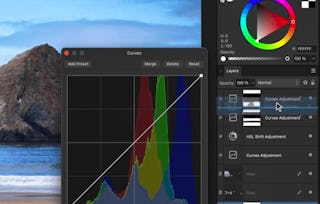
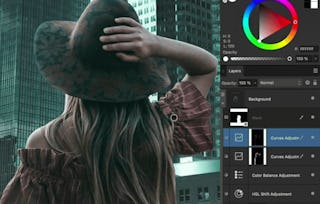
Now that you can isolate image areas with precision, it's time to enhance them. This module covers how to adjust light and color with professional control. You’ll use curves, color balance, HSL tools, and blend modes to bring your visuals to life.
Inclus
6 vidéos1 devoir1 sujet de discussion
Afficher les informations sur le contenu du module
6 vidéos•Total 34 minutes
Color & Lighting•0 minutes
Curves for Light•9 minutes
Curves for Color•5 minutes
Color Balance•3 minutes
Advanced HSL•10 minutes
Blend Modes•6 minutes
1 devoir•Total 30 minutes
Module 3 Quiz•30 minutes
1 sujet de discussion•Total 10 minutes
New Discussion Prompt•10 minutes
Creative Color Correction Project
Module 4•2 heures à terminer
Détails du module
In the final module, you'll put everything into practice. You’ll work through global and targeted color corrections before completing a guided project that challenges you to bring together selections, masks, and advanced color tools for professional-level results.
Inclus
3 vidéos1 devoir1 évaluation par les pairs1 sujet de discussion
Afficher les informations sur le contenu du module
3 vidéos•Total 22 minutes
Global Color Correction•8 minutes
Targeted Color Correction•4 minutes
Color & Lighting Project•10 minutes
1 devoir•Total 30 minutes
Module 4 Quiz•30 minutes
1 évaluation par les pairs•Total 60 minutes
Course Project•60 minutes
1 sujet de discussion•Total 10 minutes
New Discussion Prompt•10 minutes
Obtenez un certificat professionnel
Ajoutez ce titre à votre profil LinkedIn, à votre curriculum vitae ou à votre CV. Partagez-le sur les médias sociaux et dans votre évaluation des performances.
Skillshare is an online learning community where you can take classes from real working creatives. Unlock personal and professional growth, build your skills, make connections, and find your happy place.
Pour quelles raisons les étudiants sur Coursera nous choisissent-ils pour leur carrière ?
Felipe M.
Étudiant(e) depuis 2018
’Pouvoir suivre des cours à mon rythme à été une expérience extraordinaire. Je peux apprendre chaque fois que mon emploi du temps me le permet et en fonction de mon humeur.’
Jennifer J.
Étudiant(e) depuis 2020
’J'ai directement appliqué les concepts et les compétences que j'ai appris de mes cours à un nouveau projet passionnant au travail.’
Larry W.
Étudiant(e) depuis 2021
’Lorsque j'ai besoin de cours sur des sujets que mon université ne propose pas, Coursera est l'un des meilleurs endroits où se rendre.’
Chaitanya A.
’Apprendre, ce n'est pas seulement s'améliorer dans son travail : c'est bien plus que cela. Coursera me permet d'apprendre sans limites.’

When will I have access to the lectures and assignments?
To access the course materials, assignments and to earn a Certificate, you will need to purchase the Certificate experience when you enroll in a course. You can try a Free Trial instead, or apply for Financial Aid. The course may offer 'Full Course, No Certificate' instead. This option lets you see all course materials, submit required assessments, and get a final grade. This also means that you will not be able to purchase a Certificate experience.
What will I get if I subscribe to this Specialization?
When you enroll in the course, you get access to all of the courses in the Specialization, and you earn a certificate when you complete the work. Your electronic Certificate will be added to your Accomplishments page - from there, you can print your Certificate or add it to your LinkedIn profile.
Is financial aid available?
Yes. In select learning programs, you can apply for financial aid or a scholarship if you can’t afford the enrollment fee. If fin aid or scholarship is available for your learning program selection, you’ll find a link to apply on the description page.