Microsoft

HR Dashboards, Narratives & Workforce Planning

Développez des compétences très recherchées grâce à un abonnement d'un an à Coursera Plus, désormais à 239 $. Profitez-en dès maintenant.

Ce cours n'est pas disponible en Français (France)

Nous sommes actuellement en train de le traduire dans plus de langues.
Microsoft

HR Dashboards, Narratives & Workforce Planning

 Microsoft

Instructeur : Microsoft

Inclus avec Coursera PlusEn savoir plus

Obtenez un aperçu d'un sujet et apprenez les principes fondamentaux.
niveau Intermédiaire

Expérience recommandée

1 semaine à compléter
à 10 heures par semaine
Planning flexible
Apprenez à votre propre rythme
Obtenez un aperçu d'un sujet et apprenez les principes fondamentaux.
niveau Intermédiaire

Expérience recommandée

1 semaine à compléter
à 10 heures par semaine
Planning flexible
Apprenez à votre propre rythme

Ce que vous apprendrez

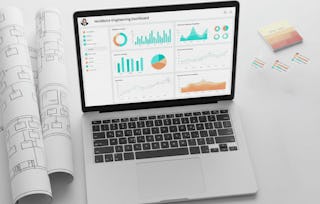
  • Build and evaluate interactive Power BI dashboards for HR workforce reporting

  • Craft executive-ready narratives and respond to ad hoc requests using Copilot

  • Develop workforce-planning summaries that connect staffing scenarios to business actions

Compétences que vous acquerrez

  • Catégorie : People Analytics
  • Catégorie : Prompt Engineering
  • Catégorie : Workforce Planning
  • Catégorie : Business Writing
  • Catégorie : Dashboard
  • Catégorie : Workforce Management
  • Catégorie : Interactive Data Visualization
  • Catégorie : Management Reporting
  • Catégorie : Report Writing
  • Catégorie : Concision
  • Catégorie : Writing
  • Catégorie : Dashboard Creation
  • Catégorie : Data Presentation
  • Catégorie : Storytelling
  • Catégorie : Human Resources Management and Planning
  • Catégorie : Capacity Planning
  • Catégorie : Data Storytelling

Outils que vous découvrirez

  • Catégorie : Microsoft Copilot
  • Catégorie : Human Resources Information System (HRIS)
  • Catégorie : Power BI

Détails à connaître

Certificat partageable

Ajouter à votre profil LinkedIn

Récemment mis à jour !

novembre 2026

Enseigné en Anglais

Découvrez comment les employés des entreprises prestigieuses maîtrisent des compétences recherchées

 logos de Petrobras, TATA, Danone, Capgemini, P&G et L'Oreal

Élaborez votre expertise du sujet

Ce cours fait partie de la Spécialisation "Microsoft AI for HR: AI-Powered People Insights"
Lorsque vous vous inscrivez à ce cours, vous êtes également inscrit(e) à cette Spécialisation.
  • Apprenez de nouveaux concepts auprès d'experts du secteur
  • Acquérez une compréhension de base d'un sujet ou d'un outil
  • Développez des compétences professionnelles avec des projets pratiques
  • Obtenez un certificat professionnel partageable

Il y a 13 modules dans ce cours

An interactive workforce report depends on a model and interaction design that lets users explore the intended population without silently changing metric meaning. You will configure a prepared Power BI workforce model, add slicers for department, location, and reporting period, and control visual interactions so filters behave predictably.

Inclus

2 vidéos1 lecture2 devoirs

Changing an HR outcome is not the same as explaining it. You will use a published-style Power BI report to trace where a workforce movement is concentrated, compare filter states, and separate a visible driver from an unsupported causal explanation. The emphasis is analytical reasoning with visible report evidence rather than dashboard construction. This matters professionally because evidence-based driver statements help prevent leaders from acting on a visually prominent but unsupported explanation.

Inclus

1 vidéo2 lectures2 devoirs

Dashboard design begins with the workforce question and user role, not with a chart gallery. You will use Microsoft Power BI to choose visual forms and page layouts for specific HR decisions, prioritize what a manager needs to notice first, and organize detail so the page supports action without visual overload. This matters professionally because role-specific design helps leaders find the relevant signal quickly and reduces the risk of delayed or misdirected decisions.

Inclus

2 vidéos1 lecture2 devoirs

AI-assisted dashboard suggestions can accelerate drafting, but publication still requires human evaluation of metric meaning, usability, visual integrity, and whether the output actually responds to the prompt. You will use Microsoft Power BI and Microsoft Copilot evidence to audit a dashboard, trace each important output back to trusted evidence, and decide what to accept, revise, or reject. This matters professionally because publishing an unverified visual or narrative can mislead decision-makers and weaken trust in HR reporting.

Inclus

2 lectures3 devoirs

A leadership narrative is not a chronological summary of every finding. You will use completed Microsoft Excel and Microsoft Power BI evidence to identify the decision, prioritize the few findings that materially affect it, and arrange them into a clear narrative arc. Microsoft Copilot can help surface candidate storylines, but you will verify which one is best supported and most relevant. This matters professionally because a focused narrative helps leaders see the decision, evidence, and implications without being distracted by accurate but nonmaterial findings.

Inclus

1 vidéo2 lectures2 devoirs

Executive-ready HR writing connects evidence to likely drivers, actions, and material risks without turning correlation into certainty. You will draft and refine a concise leadership summary with Microsoft Copilot, then verify each claim against the underlying Microsoft Excel or Microsoft Power BI evidence and revise language that overstates cause or confidence. This matters professionally because leaders need concise recommendations that remain traceable to evidence and transparent about uncertainty.

Inclus

1 vidéo2 lectures2 devoirs

A report can be accurate and still be poor leadership material if it is too long, strategically unfocused, or unclear about the decision it supports. You will use Microsoft Excel and Microsoft Power BI source evidence to evaluate narrative and ad hoc outputs against a leadership-readiness rubric and make evidence-based editing decisions before review. This matters professionally because leadership-ready reporting reduces decision friction while preserving the evidence, risks, and limitations that leaders need.

Inclus

1 vidéo2 lectures2 devoirs

Ad hoc HR requests create pressure to answer quickly, but speed does not remove the need for source grounding and metric discipline. You will use trusted Microsoft Excel and Microsoft Power BI evidence to frame a bounded Copilot prompt, draft a first-pass response, and verify the output before sharing. This matters professionally because a fast but ungrounded answer can misdirect staffing decisions and undermine confidence in HR analysis.

Inclus

1 vidéo2 lectures3 devoirs

Workforce plans depend on clear assumptions about demand, available capacity, role requirements, and timing. In this module, you’ll use Microsoft Excel to identify the core inputs in a workforce-planning cycle, distinguish observed HR evidence from business assumptions, and document the constraints that shape feasible staffing options. Making these inputs explicit and traceable helps business partners understand, challenge, and update the assumptions behind staffing recommendations.

Inclus

1 vidéo2 lectures2 devoirs

Planning analysis compares a defined future demand with the workforce supply expected to be available. You will use Microsoft Excel to calculate scenario gaps and surpluses, compare alternative assumptions, and identify which roles or periods require the most attention without treating one forecast as certain. This matters professionally because scenario comparison helps leaders act on material staffing risks without mistaking a forecast for a guaranteed outcome.

Inclus

2 vidéos1 lecture2 devoirs

A planning summary must connect scenario evidence to actions that business partners can discuss and own. You will use Microsoft Excel evidence and Microsoft Copilot to draft a concise workforce-planning summary, then verify that hiring or redeployment recommendations are proportionate to the scenario and explicit about assumptions. This matters professionally because proportionate, evidence-based actions help control staffing cost and avoid premature hiring or redeployment decisions.

Inclus

3 lectures2 devoirs

Prompt quality improves when the request makes the HR context, metric definitions, audience, and desired analytical output explicit. You will use Microsoft Excel evidence to create structured Microsoft Copilot prompts for workforce-planning analysis, compare weak and strong prompt designs, and evaluate whether the returned output stays within the supplied evidence. This matters professionally because well-bounded prompts make AI-assisted analysis more reviewable and reduce the risk of unsupported recommendations.

Inclus

1 vidéo2 lectures3 devoirs

You will create an executive HR insight package that combines a decision-ready Power BI dashboard, a concise Copilot-assisted narrative briefing, and an Excel-based workforce-planning recommendation. You will integrate dashboard design, evidence-based storytelling, metric discipline, workforce-planning logic, and structured prompting into one leadership deliverable. The project emphasizes traceability: every material narrative claim and planning action must be supported by visible evidence and verified before submission. This matters professionally because leaders may use the package to approve targeted hiring, redeploy capacity, or monitor the situation until the next review. Unsupported claims or inconsistent metrics could lead to unnecessary staffing costs or delayed action. Who this is for: This project is for you if you need to package workforce analysis for a leadership or HR business-partner audience. It is especially useful if your role requires you to move from validated metrics to a polished dashboard, concise briefing, and practical staffing recommendation.

Inclus

2 lectures1 devoir

Obtenez un certificat professionnel

Ajoutez ce titre à votre profil LinkedIn, à votre curriculum vitae ou à votre CV. Partagez-le sur les médias sociaux et dans votre évaluation des performances.

Instructeur

 Microsoft
502 Cours3 056 905 apprenants

Offert par

Microsoft

En savoir plus sur Data Analysis

Pour quelles raisons les étudiants sur Coursera nous choisissent-ils pour leur carrière ?

Felipe M.

Étudiant(e) depuis 2018
’Pouvoir suivre des cours à mon rythme à été une expérience extraordinaire. Je peux apprendre chaque fois que mon emploi du temps me le permet et en fonction de mon humeur.’

Jennifer J.

Étudiant(e) depuis 2020
’J'ai directement appliqué les concepts et les compétences que j'ai appris de mes cours à un nouveau projet passionnant au travail.’

Larry W.

Étudiant(e) depuis 2021
’Lorsque j'ai besoin de cours sur des sujets que mon université ne propose pas, Coursera est l'un des meilleurs endroits où se rendre.’

Chaitanya A.

’Apprendre, ce n'est pas seulement s'améliorer dans son travail : c'est bien plus que cela. Coursera me permet d'apprendre sans limites.’

Qu’est-ce qui vous amène sur Coursera aujourd’hui ?

Foire Aux Questions

¹ Certains travaux de ce cours sont notés par l'IA. Pour ces travaux, vos Données internes seront utilisées conformément à Notification de confidentialité de Coursera.