Lorsque vous vous inscrivez à ce cours, vous êtes également inscrit(e) à cette Spécialisation.
Apprenez de nouveaux concepts auprès d'experts du secteur
Acquérez une compréhension de base d'un sujet ou d'un outil
Développez des compétences professionnelles avec des projets pratiques
Obtenez un certificat professionnel partageable
Il y a 4 modules dans ce cours
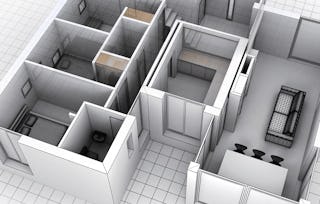
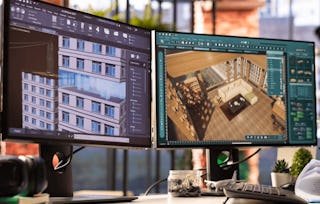
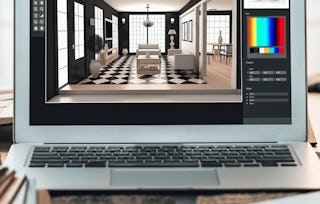
This hands-on course dives into the core techniques of shading, texturing, and spatial layout design within Autodesk Maya for architectural visualization. Learners will explore practical workflows for applying realistic materials to a wide range of interior assets, including furniture, walls, doors, and appliances. The course systematically builds from organizing scene layers and assigning shaders, to texturing complex objects like sofas, kitchen sets, and bathroom fixtures, and finally to constructing room-specific floor layouts. Through guided exercises, students gain essential skills in UV mapping, shader management, and modular design, equipping them to deliver photorealistic interiors in professional visualization projects.
This module introduces students to the foundational practices of organizing and preparing a 3D interior scene in Autodesk Maya for texturing workflows. Learners will start by understanding how to categorize and manage assets through efficient layer structuring. Then, they will move into the initial stages of shader assignment, texture mapping, and UV correction, focusing on common furniture objects such as sofas, tables, and cabinets. The module emphasizes clarity in scene organization, hands-on familiarity with Hypershade, and the application of surface materials to achieve visual realism.
Inclus
5 vidéos3 devoirs
Afficher les informations sur le contenu du module
5 vidéos•Total 43 minutes
Introduction to Topics•12 minutes
Putting All Elements In Different Layers•6 minutes
Texturing the Sofaset•8 minutes
Texturing the Center Table and Corner Desk•8 minutes
This module focuses on applying detailed texturing workflows to key interior furniture and kitchen elements within a residential Maya scene. Learners will explore shader selection, texture node creation, and UV mapping techniques to enhance the realism of models such as dining chairs, kitchen cabinetry, and appliances. Practical usage of the Hypershade editor, texture refinement, and surface material adaptation will enable students to build consistent, visually accurate interior environments.
Inclus
8 vidéos3 devoirs
Afficher les informations sur le contenu du module
This module focuses on the advanced texturing of core architectural elements within an interior scene, including doors, walls, and key living spaces such as bedrooms and bathrooms. Learners will explore efficient workflows for UV unwrapping, shader reuse, and applying bump maps and surface variation techniques. Special emphasis is placed on maintaining texture continuity across spaces while adding character and realism to individual rooms.
Inclus
9 vidéos4 devoirs
Afficher les informations sur le contenu du module
9 vidéos•Total 88 minutes
Texturing All the Doors•6 minutes
Texturing Base Color for the Walls•14 minutes
Texturing the Living Room Walls•13 minutes
Texturing the Inner walls of the Bathroom•8 minutes
Texturing Main Walls•8 minutes
Texturing Main Walls Continues•8 minutes
Texturing Master Bedroom•10 minutes
More on Master Bedroom•10 minutes
Texturing Kids Room•13 minutes
4 devoirs•Total 60 minutes
Graded - Architectural and Surface Detailing•30 minutes
Texturing Structural Elements•10 minutes
Wall Texturing Across Rooms•10 minutes
Bedroom and Kids Room•10 minutes
Flooring and Final Layout Design
Module 4•2 heures à terminer
Détails du module
This module focuses on the final stages of interior texturing, guiding learners through the creation and layout of floor structures within a 3D architectural scene. It covers foundational techniques for building base floor geometry, dividing spaces into functional room areas, and applying room-specific floor materials to enhance realism. Through practical examples, learners gain experience in shader application, UV alignment, and modular layout organization to complete a textured living space.
Inclus
3 vidéos2 devoirs
Afficher les informations sur le contenu du module
3 vidéos•Total 28 minutes
Creating Floor for the Flat•11 minutes
Making Divisions•7 minutes
Texturing Individual Room Floors•10 minutes
2 devoirs•Total 40 minutes
Graded - Flooring and Final Layout Design•30 minutes
Creating and Texturing Floors•10 minutes
Obtenez un certificat professionnel
Ajoutez ce titre à votre profil LinkedIn, à votre curriculum vitae ou à votre CV. Partagez-le sur les médias sociaux et dans votre évaluation des performances.
Instructeur
Évaluations de l’enseignant
Nous avons demandé à tous les étudiants de fournir des commentaires sur nos enseignants au sujet de la qualité de leur pédagogie.
Welcome to EDUCBA, a place where knowledge is limitless! We provide a wide selection of instructive and engaging programmes designed to empower students of all ages and experiences. From the convenience of your home, start a revolutionary educational experience with our cutting-edge technologies courses and experienced instructors.
Pour quelles raisons les étudiants sur Coursera nous choisissent-ils pour leur carrière ?
Felipe M.
Étudiant(e) depuis 2018
’Pouvoir suivre des cours à mon rythme à été une expérience extraordinaire. Je peux apprendre chaque fois que mon emploi du temps me le permet et en fonction de mon humeur.’
Jennifer J.
Étudiant(e) depuis 2020
’J'ai directement appliqué les concepts et les compétences que j'ai appris de mes cours à un nouveau projet passionnant au travail.’
Larry W.
Étudiant(e) depuis 2021
’Lorsque j'ai besoin de cours sur des sujets que mon université ne propose pas, Coursera est l'un des meilleurs endroits où se rendre.’
Chaitanya A.
’Apprendre, ce n'est pas seulement s'améliorer dans son travail : c'est bien plus que cela. Coursera me permet d'apprendre sans limites.’
Avis des étudiants
5.0
23 avis
5 stars
100 %
4 stars
0 %
3 stars
0 %
2 stars
0 %
1 star
0 %
Affichage de 3 sur 23
D
DD
5·
Révisé le 18 juil. 2025
Comprehensive maya course, excellent shaders, texture and architecture coverage through out.
J
J
5·
Révisé le 15 mars 2026
I gained practical knowledge about architectural shaders and textures. Very helpful course. Thank you.
A
AA
5·
Révisé le 12 mars 2026
Simple and useful course for mastering shaders and textures in architectural visualization with Maya.
When will I have access to the lectures and assignments?
To access the course materials, assignments and to earn a Certificate, you will need to purchase the Certificate experience when you enroll in a course. You can try a Free Trial instead, or apply for Financial Aid. The course may offer 'Full Course, No Certificate' instead. This option lets you see all course materials, submit required assessments, and get a final grade. This also means that you will not be able to purchase a Certificate experience.
What will I get if I subscribe to this Specialization?
When you enroll in the course, you get access to all of the courses in the Specialization, and you earn a certificate when you complete the work. Your electronic Certificate will be added to your Accomplishments page - from there, you can print your Certificate or add it to your LinkedIn profile.
Is financial aid available?
Yes. In select learning programs, you can apply for financial aid or a scholarship if you can’t afford the enrollment fee. If fin aid or scholarship is available for your learning program selection, you’ll find a link to apply on the description page.