Welcome to SOLIDWORKS Assemblies and Exam Level Part Modeling, the final course in the SOLIDWORKS 3D CAD for Education Specialization. Make sure to complete the first four courses for a smooth experience.

SOLIDWORKS Assemblies and Exam Level Part Modeling

SOLIDWORKS Assemblies and Exam Level Part Modeling
Ce cours fait partie de Spécialisation "SOLIDWORKS 3D CAD for Education"

Instructeur : SOLIDWORKS
2 851 déjà inscrits
Inclus avec
Obtenez un aperçu d'un sujet et apprenez les principes fondamentaux.
56 avis
niveau Débutant
Expérience recommandée
1 semaine à compléter
à 10 heures par semaine
Planning flexible
Apprenez à votre propre rythme
Compétences que vous acquerrez
- Catégorie : Simulation and Simulation Software
- Catégorie : Computer-Aided Design
- Catégorie : Mechanical Design
- Catégorie : 3D Modeling
- Catégorie : Drafting and Engineering Design
- Catégorie : Assembly Drawing
- Catégorie : Engineering Drawings
Outils que vous découvrirez
- Catégorie : SolidWorks (CAD)
Détails à connaître

Certificat partageable
Ajouter à votre profil LinkedIn
Évaluations
2 devoirs
Enseigné en Anglais
91%
of learners achieved a positive career outcome
Découvrez comment les employés des entreprises prestigieuses maîtrisent des compétences recherchées

Élaborez votre expertise du sujet
Ce cours fait partie de la Spécialisation "SOLIDWORKS 3D CAD for Education"
Lorsque vous vous inscrivez à ce cours, vous êtes également inscrit(e) à cette Spécialisation.
- Apprenez de nouveaux concepts auprès d'experts du secteur
- Acquérez une compréhension de base d'un sujet ou d'un outil
- Développez des compétences professionnelles avec des projets pratiques
- Obtenez un certificat professionnel partageable

Il y a 3 modules dans ce cours
Obtenez un certificat professionnel
Ajoutez ce titre à votre profil LinkedIn, à votre curriculum vitae ou à votre CV. Partagez-le sur les médias sociaux et dans votre évaluation des performances.
Instructeur
Évaluations de l’enseignant
(19 évaluations)Offert par


En savoir plus sur Mechanical Engineering
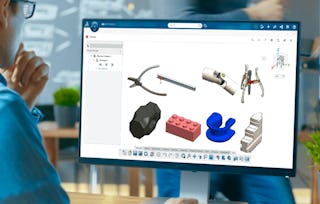
Dassault Systèmes
Dassault Systèmes
Siemens
Pour quelles raisons les étudiants sur Coursera nous choisissent-ils pour leur carrière ?

Felipe M.
Étudiant(e) depuis 2018
’Pouvoir suivre des cours à mon rythme à été une expérience extraordinaire. Je peux apprendre chaque fois que mon emploi du temps me le permet et en fonction de mon humeur.’

Jennifer J.
Étudiant(e) depuis 2020
’J'ai directement appliqué les concepts et les compétences que j'ai appris de mes cours à un nouveau projet passionnant au travail.’

Larry W.
Étudiant(e) depuis 2021
’Lorsque j'ai besoin de cours sur des sujets que mon université ne propose pas, Coursera est l'un des meilleurs endroits où se rendre.’

Chaitanya A.
’Apprendre, ce n'est pas seulement s'améliorer dans son travail : c'est bien plus que cela. Coursera me permet d'apprendre sans limites.’
Avis des étudiants
- 5 stars
73,21 %
- 4 stars
21,42 %
- 3 stars
3,57 %
- 2 stars
1,78 %
- 1 star
0 %
Affichage de 3 sur 56
PP
Révisé le 22 nov. 2025
IF U DONT KNOW WHERE TO START UR SOLIDWORKS JOURNEY THIS WILL GUIDE YOU COMPLETELY AND ONLY DRAW BACK IS THE LAG AND FULL SCREEN ISSUSE BUT AN PROPER ROAD MAP IS THIS COURSE
KK
Révisé le 3 déc. 2025
im very much satisfied with the course content. but there are some mistakes in the questions like units, problem statements. try to correct it soon
MK
Révisé le 6 oct. 2025
Thank you for giving us this opportunity to improve drawing in SolidWorks.




Foire Aux Questions
Plus de questions
Aide financière disponible,