Lorsque vous vous inscrivez à ce cours, vous êtes également inscrit(e) à cette Spécialisation.
Apprenez de nouveaux concepts auprès d'experts du secteur
Acquérez une compréhension de base d'un sujet ou d'un outil
Développez des compétences professionnelles avec des projets pratiques
Obtenez un certificat professionnel partageable
Il y a 3 modules dans ce cours
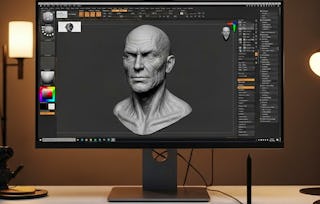
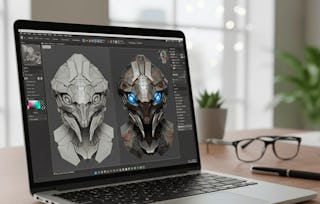
By the end of this course, learners will be able to navigate the ZBrush interface, apply transformation and symmetry tools, manage geometry with subdivisions and layers, and implement advanced rendering, morphing, and skinning techniques.
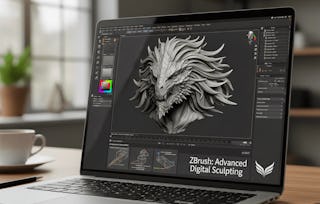
This course provides a complete foundation in ZBrush, guiding learners from introduction to advanced features. Starting with ZBrush’s unique role in digital sculpting and painting, you will explore its interface, menus, and workflow customization. As you progress, you will master tools such as Shadowbox, XYZ planes, and subdivisions to create detailed, non-destructive models. In the advanced modules, you will gain hands-on practice with spotlight projection, clone painting, shader mixing, Morph UV, and unified skinning to finalize high-quality models for professional use.
What makes this course unique is its step-by-step approach that blends fundamental interface skills with advanced creative workflows, ensuring learners not only understand the software but also apply techniques used in movies and gaming industries. Whether you are a beginner or aspiring 3D artist, this course equips you with the skills to sculpt, refine, and render models confidently in ZBrush.
This module introduces learners to the foundations of ZBrush, covering its origins, unique interface, and essential tools for sculpting. Learners will explore the evolution of ZBrush, its role in modern industries, and gain hands-on understanding of navigation, menus, and transformation controls to build a solid starting point for digital sculpting.
Inclus
9 vidéos4 devoirs
Afficher les informations sur le contenu du module
9 vidéos•Total 62 minutes
Zbrush intro & Developer Name•7 minutes
Modern Need - History & OS•7 minutes
User interface covered•8 minutes
Zbrush emerging software•3 minutes
User interface menu bar & top option buttons•9 minutes
New menus in new version•9 minutes
Transforming objects info•6 minutes
Additional options for draw size•6 minutes
New options of symmetry•7 minutes
4 devoirs•Total 60 minutes
Getting Started with ZBrush•10 minutes
Exploring ZBrush Software and Menus•10 minutes
Transformations and Object Controls•10 minutes
Graded-Introduction and Interface Basics•30 minutes
Menus, Tools, and Geometry
Module 2•2 heures à terminer
Détails du module
This module focuses on intermediate ZBrush tools, including palettes, rendering options, and geometry management. Learners will understand how to customize palettes, utilize Shadowbox and XYZ planes, and implement subdivision and layers to create complex yet organized 3D models.
Inclus
9 vidéos4 devoirs
Afficher les informations sur le contenu du module
9 vidéos•Total 72 minutes
New rotate & toggling of tools pallet•5 minutes
Moving pallet zbrush new features•9 minutes
Zbrush new additions•7 minutes
Rendering Timeline Gradient•9 minutes
Shadowbox•9 minutes
XYZ planes•9 minutes
Circle polygon elastic•9 minutes
Tools pallet sub division•7 minutes
layer management•8 minutes
4 devoirs•Total 60 minutes
Pallets and Interface Options•10 minutes
Rendering and Shadowbox Basics•10 minutes
Geometry, Subdivision, and Layers•10 minutes
Graded-Menus, Tools, and Geometry•30 minutes
Advanced Rendering and Specialized Features
Module 3•3 heures à terminer
Détails du module
This module introduces advanced ZBrush features for professional workflows, including spotlight projection, clone painting, shader mixing, Morph UV, and unified skinning. Learners will practice blending noise, managing symmetry in sketching, and adjusting mesh resolution to achieve polished, production-ready results.
Inclus
8 vidéos4 devoirs
Afficher les informations sur le contenu du module
8 vidéos•Total 65 minutes
Rendering tiling spotlight•8 minutes
Clone painting & brushes•8 minutes
Timeline key frame audio•8 minutes
Bpr SSS Shader mixer•7 minutes
Morph UV zsphere•8 minutes
Quick sketch symmetry•9 minutes
Blending mask noise tools•8 minutes
Unified skin & resolutions•9 minutes
4 devoirs•Total 60 minutes
Rendering Spotlight and Brushes•10 minutes
Shader, Morphing, and Sketching•10 minutes
Noise, Skinning, and Finalization•10 minutes
Graded-Advanced Rendering and Specialized Features•30 minutes
Obtenez un certificat professionnel
Ajoutez ce titre à votre profil LinkedIn, à votre curriculum vitae ou à votre CV. Partagez-le sur les médias sociaux et dans votre évaluation des performances.
Instructeur
Évaluations de l’enseignant
Nous avons demandé à tous les étudiants de fournir des commentaires sur nos enseignants au sujet de la qualité de leur pédagogie.
Welcome to EDUCBA, a place where knowledge is limitless! We provide a wide selection of instructive and engaging programmes designed to empower students of all ages and experiences. From the convenience of your home, start a revolutionary educational experience with our cutting-edge technologies courses and experienced instructors.
Pour quelles raisons les étudiants sur Coursera nous choisissent-ils pour leur carrière ?
Felipe M.
Étudiant(e) depuis 2018
’Pouvoir suivre des cours à mon rythme à été une expérience extraordinaire. Je peux apprendre chaque fois que mon emploi du temps me le permet et en fonction de mon humeur.’
Jennifer J.
Étudiant(e) depuis 2020
’J'ai directement appliqué les concepts et les compétences que j'ai appris de mes cours à un nouveau projet passionnant au travail.’
Larry W.
Étudiant(e) depuis 2021
’Lorsque j'ai besoin de cours sur des sujets que mon université ne propose pas, Coursera est l'un des meilleurs endroits où se rendre.’
Chaitanya A.
’Apprendre, ce n'est pas seulement s'améliorer dans son travail : c'est bien plus que cela. Coursera me permet d'apprendre sans limites.’
Avis des étudiants
4.9
13 avis
5 stars
92,30 %
4 stars
7,69 %
3 stars
0 %
2 stars
0 %
1 star
0 %
Affichage de 3 sur 13
S
ST
5·
Révisé le 3 mars 2026
Highly recommended course for beginners as well as professionals. The content quality is great and the learning experience is very smooth.
T
TI
5·
Révisé le 16 mars 2026
A great course that provides valuable knowledge in a short time.
A
AS
5·
Révisé le 7 mars 2026
A very useful course for anyone interested in 3D sculpting, animation, or game asset creation. It gives practical knowledge of modeling, rendering, and refining 3D designs.
When will I have access to the lectures and assignments?
To access the course materials, assignments and to earn a Certificate, you will need to purchase the Certificate experience when you enroll in a course. You can try a Free Trial instead, or apply for Financial Aid. The course may offer 'Full Course, No Certificate' instead. This option lets you see all course materials, submit required assessments, and get a final grade. This also means that you will not be able to purchase a Certificate experience.
What will I get if I subscribe to this Specialization?
When you enroll in the course, you get access to all of the courses in the Specialization, and you earn a certificate when you complete the work. Your electronic Certificate will be added to your Accomplishments page - from there, you can print your Certificate or add it to your LinkedIn profile.
Is financial aid available?
Yes. In select learning programs, you can apply for financial aid or a scholarship if you can’t afford the enrollment fee. If fin aid or scholarship is available for your learning program selection, you’ll find a link to apply on the description page.