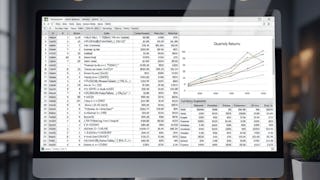
Master Advanced Excel Functions to Analyze & Automate Data
Learners will apply advanced Excel financial functions, analyze data using conditional logic, and execute dynamic lookup and sorting operations to solve real-world analytical challenges. This course equips professionals with the ability to calculate complex financial metrics, perform multi-criteria summations, build powerful Pivot Table summaries, and retrieve information efficiently using modern functions like SORT and VLOOKUP.
By completing this course, learners will gain practical, industry-relevant skills to enhance productivity, strengthen decision-making, and streamline data workflows across financial analysis, reporting, and business intelligence tasks. The hands-on demonstrations, real-dataset examples, and step-by-step walkthroughs ensure that learners not only understand each function but can confidently integrate them into daily work.
What makes this course unique is its function-by-function mastery approach—each lesson transforms a challenging Excel formula into an easy-to-apply tool. With structured modules, clear learning paths, and practice-ready examples, learners rapidly progress from foundational formulas to advanced analytical techniques. Whether preparing reports, evaluating financial performance, or building automated sheets, learners finish the course ready to excel with Excel.
Status: Financial Data
Financial Data
Status: Financial Analysis
Financial Analysis
Beginner·Course·5 hours
All reviews
Showing: 11 of 11
All Learners
All Stars
Most Helpful
Z
Zelda avalos
5.0
·Reviewed Jan 21, 2026
This course really helped me move beyond basic Excel formulas. The explanations of advanced functions like VLOOKUP, SORT, and conditional logic were very clear. I liked how each lesson focused on a specific function and showed real use cases. The hands-on examples made it easy to apply the formulas at work. After completing the course, I feel much more confident handling large datasets and automating reports.
R
Ravi Vishwakarma
5.0
·Reviewed Feb 12, 2026
This course exceeded my expectations. The instructor explains advanced Excel formulas clearly and demonstrates how to use them in real scenarios. I particularly liked the financial calculations and Pivot Table summaries. The function-by-function approach made complex concepts easier to grasp. I now use these techniques regularly in my reporting and analysis tasks.
E
Eloisa ballero
5.0
·Reviewed Jan 26, 2026
I’ve used Excel for years, but this course helped me understand it at a deeper level. The step-by-step walkthroughs made complex formulas easy to follow. I especially liked the financial function examples and multi-criteria calculations. The Pivot Table section was very practical. This course helped me work faster and make better data-driven decisions in my job.
K
Komal Vishwakarma
5.0
·Reviewed Feb 16, 2026
What I liked most about this course is its practical focus. Instead of theory, each lesson shows exactly how to apply functions to real datasets. The multi-criteria summation and sorting functions were very helpful. The step-by-step explanations made everything easy to understand. This course helped me streamline my Excel workflows significantly.
C
Calestine cabral
5.0
·Reviewed Jan 30, 2026
This course is perfect for professionals who want to improve their Excel skills. The lessons are concise, clear, and focused on real-world problems. I appreciated how each function was explained with practical examples. The SORT and lookup functions were especially useful. By the end, I felt confident creating dynamic and automated Excel sheets.
R
Rocio Barlow
5.0
·Reviewed Feb 4, 2026
I found this course extremely useful for my daily work. The advanced Excel functions are explained in a simple and structured way. The conditional logic and lookup lessons helped me solve problems I struggled with earlier. The hands-on examples made learning easy. This course significantly improved my efficiency and confidence in Excel.
A
Aman Shaikh
5.0
·Reviewed Feb 24, 2026
I really appreciated the clarity of this course. The instructor explains each function in a straightforward way. The real-world examples made the lessons practical and relatable. I found the lookup and sorting functions particularly useful. After completing the course, I feel much more confident analyzing and automating data in Excel.
R
rupam mishra
5.0
·Reviewed Mar 1, 2026
This course is well structured and very practical. The lessons focus on one function at a time, which made learning easier. I liked how the instructor uses real datasets to explain concepts. The financial functions and conditional logic sections were very helpful. This course helped me improve both speed and accuracy in Excel.
F
Firdaus Khan
5.0
·Reviewed Feb 20, 2026
This course helped me finally understand advanced Excel formulas. The lessons are well organized and easy to follow. I liked how each function is broken down and applied to real problems. The Pivot Table section was especially useful for summarizing data. This course is a great investment for anyone who uses Excel regularly.
K
Kalpesh jain
5.0
·Reviewed Mar 5, 2026
I took this course to improve my Excel skills for work, and it delivered exactly that. The advanced functions are explained clearly with step-by-step examples. I especially liked the Pivot Table and lookup sections. The course helped me automate repetitive tasks and analyze data more effectively.