RR
Reviewed Jun 17, 2026
My editing speed improved noticeably after taking this The focus on efficient tools and modern UI is exactly what's needed.

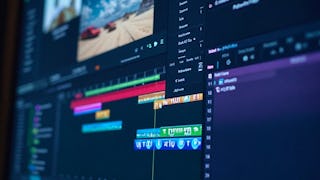
By the end of this course, learners will apply advanced editing workflows, analyze and enhance video visuals using professional color grading tools, optimize audio using intelligent sound features, and produce polished, accessible video content using captions and finishing techniques in Premiere Pro CC. This course empowers learners to confidently work with the latest features of Premiere Pro CC through a structured, hands-on approach. Starting with interface navigation, transitions, and graphics, learners progressively master color correction, cinematic grading, audio enhancement, transcription, and captioning workflows. Each module builds practical skills that can be immediately applied to real-world video projects. Learners benefit by gaining job-ready expertise in modern post-production techniques that improve efficiency, creativity, and output quality. The course uniquely combines visual storytelling, technical accuracy, and workflow optimization—bridging the gap between basic editing and professional production standards. What sets this course apart is its feature-focused, workflow-driven design, reinforced with practice quizzes and graded assessments aligned to real editing scenarios. Whether creating content for marketing, education, or media platforms, learners finish the course with the confidence to deliver professional-quality videos efficiently and creatively.
RR
My editing speed improved noticeably after taking this The focus on efficient tools and modern UI is exactly what's needed.
UP
Instead of retreading basic timeline editing, this course jumps right into modern CC features—like automated speech-to-text transcription, auto-captioning, and AI-assisted audio balancing.
RK
Brilliant instruction on new workflows My editing speed has doubled since applying the advanced techniques taught in this excellent course.
RR
Apply New Features in Premiere Pro CC is an outstanding course with clear explanations practical demonstrations and professional guidance.
RP
The course helped me discover some features that can make the editing workflow more efficient.
PV
The hands-on lessons on Lumetri Color tools, color matching across multi-cam clips, and cinematic grading curves make polishing footage fast and intuitive.
GA
Mastering advanced tools like video scopes, color wheels, and HSL controls makes cinematic color correction and multi-shot balancing straightforward.
UC
I feel much more confident using the new tools This course is a must-have for leveling up your editing speed.
Showing: 11 of 11
Apply New Features in Premiere Pro CC is an excellent course with practical editing techniques and clear explanations It helps creators master new Premiere Pro tools efficiently while improving professional video editing skills confidently
Instead of retreading basic timeline editing, this course jumps right into modern CC features—like automated speech-to-text transcription, auto-captioning, and AI-assisted audio balancing.
The hands-on lessons on Lumetri Color tools, color matching across multi-cam clips, and cinematic grading curves make polishing footage fast and intuitive.
Mastering advanced tools like video scopes, color wheels, and HSL controls makes cinematic color correction and multi-shot balancing straightforward.
Brilliant instruction on new workflows My editing speed has doubled since applying the advanced techniques taught in this excellent course.
Apply New Features in Premiere Pro CC is an outstanding course with clear explanations practical demonstrations and professional guidance.
My editing speed improved noticeably after taking this The focus on efficient tools and modern UI is exactly what's needed.
I feel much more confident using the new tools This course is a must-have for leveling up your editing speed.
The course helped me discover some features that can make the editing workflow more efficient.
I stopped the course after some minutes. Hardly to understand, bad sound quality overall. Trying around himself, sometimes nothing happens on screen for 20 seconds, I tought my machine freezed, but it was just nothing happening, haha
I would like to share my honest feedback about this video editing course. The instructor is not clear with the content, and the overall teaching quality is quite poor. A lot of time is spent explaining very basic concepts, but without clarity or proper structure. The pacing is extremely slow, and it feels like the instructor takes too long to communicate simple ideas. The teaching style is not effective. There is no clear starting point, and the instructor often just explains what is visible on the screen instead of providing structured guidance. This makes the lessons difficult to follow, especially for beginners who need a clear and guided approach. The delivery is another issue. The English is not very fluent, and the communication lacks clarity. Combined with the slow pace, this makes the lessons hard to stay engaged with. The videos are not enjoyable to watch and feel unnecessarily long. The technical quality also needs improvement. The instructor’s system appears to be very slow, which affects the overall learning experience. The audio quality is poor, with a weak voiceover and lack of proper microphone usage, making it uncomfortable to listen for extended periods. For new learners, this course may actually be confusing rather than helpful due to the lack of clarity and structure. As someone who has been using the software for over five years, I find the teaching approach ineffective and difficult to follow. Overall, the course needs major improvements in content clarity, teaching style, pacing, and production quality. In its current state, it is not engaging and is difficult to complete.