VV
5.0Reviewed Jun 9, 2026
The lessons are well-structured and gradually progress from beginner concepts to more advanced Unity features, making learning smooth and enjoyable.

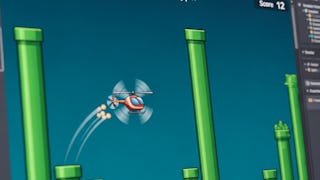
Create engaging and interactive game interfaces with Unity by learning how to design, animate, and script professional-quality GUI systems. In this course, you will build a strong foundation in Unity GUI development, beginning with project setup, UI panels, canvas render modes, Rect Transforms, and anchor points for responsive layouts. You will then progress to creating interactive UI elements by animating buttons, implementing sliders, integrating scripts with UI components, and refining interface design with headers, scaling, and color adjustments. Finally, you will bring everything together by designing a complete main menu system featuring animated panels, scripted event triggers, smooth menu navigation, and a functional high score menu. Designed for aspiring game developers and Unity learners who want to strengthen their UI development skills, this project-based course emphasizes practical application at every stage. Each module builds on the previous one, allowing you to develop confidence as you create increasingly interactive and polished user interfaces. By the end of the course, you will be able to design responsive Unity interfaces, connect scripts with UI elements, implement menu animations, and build a complete, functional main menu that enhances usability and player engagement in your own game projects.
VV
The lessons are well-structured and gradually progress from beginner concepts to more advanced Unity features, making learning smooth and enjoyable.
SS
Helped me move from basic concepts to real game creation smoothly.
AB
Easy to follow and packed with practical game development examples
TT
An amazing course that makes unity game development easy and enjoyable to learn.
YY
Well-paced and easy to follow, perfect for aspiring game developers.
JJ
The step-by-step lessons helped me understand both the fundamentals and intermediate concepts with confidence.
SS
A great course that made Unity feel simple and exciting to learn.
SS
Very practical training with clear steps for building games in Unity.
NV
This course provides a perfect balance of theory and hands-on practice. The step-by-step projects and coding exercises made it easy to understand game mechanics, scripting, and scene design in Unity.
KK
The instructor explains game mechanics, physics, UI design, and animations in a simple and practical way, which made the entire learning experience very effective.
DD
A solid course that boosted my confidence in Unity development.
Showing: 13 of 13
An excellent course that makes Unity game development easy to follow for beginners while still offering enough depth to grow into intermediate concepts. The hands-on projects and clear explanations helped me understand both the engine and the workflow much better.
This course provides a perfect balance of theory and hands-on practice. The step-by-step projects and coding exercises made it easy to understand game mechanics, scripting, and scene design in Unity.
The instructor explains game mechanics, physics, UI design, and animations in a simple and practical way, which made the entire learning experience very effective.
The lessons are well-structured and gradually progress from beginner concepts to more advanced Unity features, making learning smooth and enjoyable.
The step-by-step lessons helped me understand both the fundamentals and intermediate concepts with confidence.
An amazing course that makes unity game development easy and enjoyable to learn.
Very practical training with clear steps for building games in Unity.
Well-paced and easy to follow, perfect for aspiring game developers.
Easy to follow and packed with practical game development examples
Helped me move from basic concepts to real game creation smoothly.
A great course that made Unity feel simple and exciting to learn.
A solid course that boosted my confidence in Unity development.
Perfect course for starting with unity.