LL
5.0Reviewed Jan 15, 2026
Gradual progression from basic mechanics to more practical gameplay systems keeps the learning curve smooth.

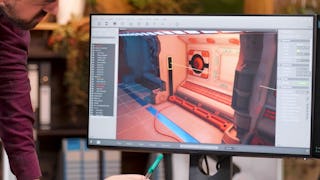
Bring your game ideas to life with Unreal Engine Blueprints by learning how to build interactive gameplay without traditional programming. In this hands-on course, you'll explore the core and intermediate concepts of Unreal Engine's Blueprint visual scripting system through practical, project-based learning. You'll begin by understanding the Blueprint Editor, Blueprint classes, nodes, graphs, variables, events, and conditionals before progressing to reusable scripting techniques using construction scripts, actor references, and Timelines. As you advance, you'll create responsive gameplay systems with dynamic lighting, interactive pickup mechanics, editable Blueprint properties, mesh components, and actor rotation. The course concludes with implementing runtime actor spawning, material assignments, keyboard input, particle emitters, sound cues, and dynamic lighting to create engaging gameplay experiences. Designed for aspiring game developers and game designers, this course emphasizes applying Blueprint logic to build interactive environments and dynamic in-game behavior. Each module builds on the previous one, helping you develop practical visual scripting skills through progressively more advanced gameplay scenarios. By the end of the course, you'll be able to create interactive gameplay systems, control actor behavior, implement Blueprint-driven interactions, and build dynamic Unreal Engine environments using Blueprint visual scripting.
LL
Gradual progression from basic mechanics to more practical gameplay systems keeps the learning curve smooth.
KK
Core concepts such as nodes, variables, events, functions, and Blueprint logic are explained clearly and practically.
MM
The course does a good job of connecting theory with hands-on practice, so you’re not just watching—you’re building.
VV
The visuals and step-by-step demos made concepts click. A few sections felt repetitive, but overall it was a solid starting point.
EE
The teaching style is straightforward, and the Blueprint demonstrations are practical and beginner-focused. This course really helped me understand how to build mechanics the right way.
AA
The course focuses more on foundations than advanced mechanics, so it works best as a starting point rather than a complete Blueprint guide.
CC
Practical mechanics like player movement, interactions, and basic gameplay logic are well covered with clear examples.
EE
Reviewers highlight that the pacing feels neither too rushed nor too slow—great for people who need time to absorb visual scripting logic.
LL
Really helpful for anyone starting with Unreal Engine. The lessons on event-driven logic and variables were explained in a very approachable way.
SS
Blueprints feel more intuitive now I can prototype logic without waiting on programmers. confidence boost noted by some learners.
KK
I now use Blueprints to prototype gameplay ideas without waiting for programmers.
GD
Great pacing for beginners — I liked how it gradually moved from fundamentals to real mechanics. A few concepts felt glossed over, but overall it boosted my confidence.
Showing: 17 of 17
The teaching style is straightforward, and the Blueprint demonstrations are practical and beginner-focused. This course really helped me understand how to build mechanics the right way.
People new to game dev often feel more confident after completing the early modules — it’s often described as “actually making something that works, not just watching videos."
Really helpful for anyone starting with Unreal Engine. The lessons on event-driven logic and variables were explained in a very approachable way.
Practical mechanics like player movement, interactions, and basic gameplay logic are well covered with clear examples.
Core concepts such as nodes, variables, events, functions, and Blueprint logic are explained clearly and practically.
Core concepts like nodes, variables, events, and logic flow are explained in a clear and beginner-friendly way.
Gradual progression from basic mechanics to more practical gameplay systems keeps the learning curve smooth.
Encourages understanding how nodes affect gameplay, not just how to connect them.
I now use Blueprints to prototype gameplay ideas without waiting for programmers.
After a few modules, many learners feel more confident navigating the UE editor and blueprint graphs, making custom gameplay interactions without having to memorize every node upfront.
Great pacing for beginners — I liked how it gradually moved from fundamentals to real mechanics. A few concepts felt glossed over, but overall it boosted my confidence.
The course focuses more on foundations than advanced mechanics, so it works best as a starting point rather than a complete Blueprint guide.
Reviewers highlight that the pacing feels neither too rushed nor too slow—great for people who need time to absorb visual scripting logic.
The visuals and step-by-step demos made concepts click. A few sections felt repetitive, but overall it was a solid starting point.
Blueprints feel more intuitive now I can prototype logic without waiting on programmers. confidence boost noted by some learners.
The course does a good job of connecting theory with hands-on practice, so you’re not just watching—you’re building.
The pacing is well balanced, allowing time to absorb concepts and try them out independently.