AQ
5.0Reviewed Jun 24, 2026
For basic is best one but need to add more widget in Basic

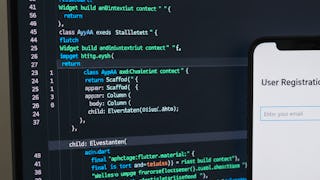
By the end of this course, learners will identify core Flutter concepts, apply essential widgets, and build interactive, cross-platform user interfaces using industry-standard Flutter practices. They will construct responsive layouts, manage widget state, handle asynchronous data, and implement user input and interaction patterns confidently. This beginner-friendly course is designed to help learners move from zero Flutter knowledge to building real, functional UI components. Through hands-on examples and clearly structured lessons, learners gain practical experience with layouts, buttons, lists, dropdowns, forms, sliders, steppers, and drag-and-drop interactions. Each concept is demonstrated with focused examples that make complex ideas easy to understand and apply. What makes this course unique is its progressive, example-driven approach—each module builds logically on the previous one, ensuring steady skill development without overwhelming beginners. The course emphasizes practical UI development, not just theory, making it ideal for students, aspiring app developers, and professionals transitioning into Flutter. By completing this course, learners will be equipped with the foundational Flutter skills needed to confidently create interactive mobile applications and continue advancing toward full-scale Flutter development.
AQ
For basic is best one but need to add more widget in Basic
Showing: 12 of 12
I took this Flutter fundamentals course to strengthen my mobile development skills, and it turned out to be very practical. The four modules are structured well and gradually build your understanding of Flutter concepts. The lessons explain how interactive components work and how to structure an application properly. I appreciated the hands-on approach because it helped me practice what I was learning immediately. By the end of the course, I felt much more confident building simple interactive apps with Flutter.
This course provides a clear introduction to Flutter for anyone interested in mobile app development. The modules are organized logically and explain core Flutter concepts step by step. I especially liked how the instructor demonstrated building UI components and connecting them with functionality. The practical examples made it easier to understand how real Flutter apps are structured. It’s a good starting point for beginners who want to learn how interactive mobile apps are developed.
As someone new to Flutter, I found this course very approachable. The explanations are simple and the examples make the learning process smoother. The four-module structure helps you progress gradually from understanding the basics to applying them in building small interactive features. I particularly liked the hands-on exercises that allow you to practice coding while learning. It helped me get comfortable with Flutter widgets and basic app structure.
This course was a great introduction to Flutter development. The modules cover important topics such as user interface design, interactive elements, and application structure. I appreciated how the instructor explains each concept before demonstrating it in code. The exercises helped reinforce what I learned and made the course engaging. After finishing the course, I felt more confident experimenting with Flutter and creating my own simple apps.
What I liked most about this course is the practical teaching style. Instead of only explaining concepts, the instructor shows how to apply them while building an app interface. The examples help you understand how Flutter widgets work together to create responsive layouts. The modules are concise but informative, making the learning experience efficient. Overall, this course helped me develop a good foundation in Flutter development.
I found this Flutter fundamentals course very informative and beginner friendly. The modules explain important Flutter concepts step by step. I particularly appreciated the practical examples that demonstrate how different widgets can be combined to create interactive app interfaces. The instructor’s explanations are clear and easy to follow. It’s a great starting point for anyone interested in Flutter development.
This course helped me understand how Flutter works from a practical perspective. The instructor explains widgets, layouts, and user interaction very clearly. I liked the way the course demonstrates real coding examples rather than just theory. It made it easier for me to understand how to structure Flutter apps. By the end of the course, I was able to build a simple interactive application on my own.
I enrolled in this course to learn Flutter basics and it definitely helped me get started. The instructor explains Flutter widgets and layouts in a way that’s easy to follow. I liked the way the course gradually introduces interactive elements and shows how they work inside an application. The lessons are practical and focused on real development tasks, which made it easier to apply what I learned.
The four-module structure of this course makes learning Flutter very organized. Each module introduces new concepts while building on the previous lessons. I especially enjoyed learning how to create responsive UI layouts and interactive components. The coding examples are clear and easy to replicate. This course is a good choice for beginners who want to start building apps using Flutter
This course gives a solid introduction to building interactive apps with Flutter. The lessons focus on real development tasks and explain how different components work together in an application. I liked the emphasis on practical coding exercises because it helped reinforce the concepts. The instructor also explains common mistakes and best practices, which was very helpful.
For basic is best one but need to add more widget in Basic
Some of the content in this course is outdated because it teaches old theming approaches, and many of those concepts have already been deprecated in Flutter.