CB
Reviewed Aug 7, 2022
Not too heavy syllable, to the point topics. The tutor is good!
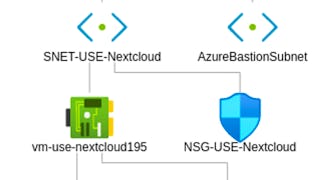
In this Guided Project, you will create a Virtual Machine in Azure to deploy a web server, specifically a Nextcloud server. Instead of using just the presets, you will explore how the basic architecture of Azure works, by creating a Virtual Machine, connecting it to a subnet, protected by inbound and outbound rules thanks to Network Security Groups, in a Virtual Network. You'll also learn how to use Bastion to connect to the machine via SSH, without exposing an external port to the Internet, and then installing a simple Nextcloud server and make the Virtual Machine available to you by opening a public IP and a DNS label. Note: before taking this Guided Project, if you don't have an Azure subscription yet, please create an Azure Free Trial beforehand at https://portal.azure.com
CB
Not too heavy syllable, to the point topics. The tutor is good!
AS
It was awesome and well explained. Thanks Coursera
RL
Very clear guided project. But the Azure version used in the video guide is old, so when we practice it in the current Azure version, there will be some differences.
SS
Its actually cloud security with proper network security but the portal https not function like it should.
NT
Great and informative hands-on project. Very basic hands-on project on the Azure Portal, but need to have Microsoft account.
TL
Clear and concise explanations and good lectures.
Showing: 19 of 54
Great and informative hands-on project. Very basic hands-on project on the Azure Portal, but need to have Microsoft account.
Clear and concise explanations and good lectures.
it was informative
This is an excellent guided project for those who want to make an Azure server for themselves. However, your azure workplace will not match up with the Instructors version due to Microsoft Azure regular updates
very practical. Just one drawback : it is not using the very latest azure and I had to trooblshoot IP connectivity and create a NAT gateway
Its actually cloud security with proper network security but the portal https not function like it should.
Not too heavy syllable, to the point topics. The tutor is good!
It was awesome and well explained. Thanks Coursera
Very helpful! Thanks to the instructor!
I highly recommend this cours
Simple and great learning
Great contents. Thanks.
Expected at this course
Thanks! Good course...
Muito Explicativo.
this is awesome
Good to Learn
good project
All good!!