SS
5.0Reviewed Dec 22, 2025
The step-by-step approach helps learners build a complete Breakout-style game from scratch, reinforcing learning through practice.

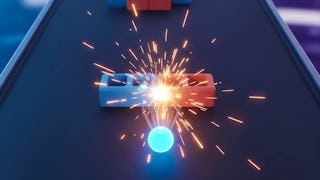
Create a complete 2D Breakout game while building practical Unity game development skills from the ground up. In this course, you will learn how to design the game environment, organize a structured Unity hierarchy, implement physics-based ball movement, and script the core gameplay systems that drive an engaging arcade-style experience. As you progress, you will build a Game Manager to control scoring, game states, and win/lose conditions, develop modular brick classes for dynamic gameplay, and add particle effects that enhance visual feedback. Through a hands-on, project-based approach, you will gain experience with Unity physics, collision detection, object hierarchy, and modular game architecture while creating a polished game from start to finish. This course is ideal for beginners exploring Unity as well as aspiring game developers who want to strengthen their understanding of 2D game design and scripting. By the end of the course, you will be able to build a fully functional Breakout game, implement reusable gameplay systems, create interactive visual effects, and apply structured development practices that can be carried into future Unity game projects. If you want practical experience creating a complete arcade game while developing strong Unity fundamentals, this course provides a clear, step-by-step learning path.
SS
The step-by-step approach helps learners build a complete Breakout-style game from scratch, reinforcing learning through practice.
SS
Seeing the game slowly come together made learning feel rewarding and motivating.”
NC
Recreating a Breakout-style game makes the lessons more hands-on, though at times the steps feel a bit too guided.
LL
The pacing is comfortable, giving enough time to grasp each concept without feeling rushed.
TB
The instructor explains concepts in a simple and practical way, making it easy to follow even if you’re new to Unity or C# scripting.
CC
Understanding physics components and game events helped me see how real games are built.
DD
The breakdown of scripting and physics is helpful, but I wished there were more guided debugging scenarios or explanations of why certain code choices are better than others.
PS
A bit more focus on UI polish and sound effects would improve the final result.
YK
Super clear video lessons and quality examples. I appreciated the emphasis on reusable code patterns — I can apply them to other projects now.
DP
The course does a nice job highlighting problem-solving techniques, helping learners understand how to debug issues and structure scripts cleanly.
SV
The classic Breakout game format makes it easier to understand core concepts without feeling overwhelmed.
AM
Game mechanics such as ball movement, brick destruction, scoring, and level progression are implemented logically.
Showing: 12 of 12
The course does a nice job highlighting problem-solving techniques, helping learners understand how to debug issues and structure scripts cleanly.
Super clear video lessons and quality examples. I appreciated the emphasis on reusable code patterns — I can apply them to other projects now.
The instructor explains concepts in a simple and practical way, making it easy to follow even if you’re new to Unity or C# scripting.
The step-by-step approach helps learners build a complete Breakout-style game from scratch, reinforcing learning through practice.
Game mechanics such as ball movement, brick destruction, scoring, and level progression are implemented logically.
The breakdown of scripting and physics is helpful, but I wished there were more guided debugging scenarios or explanations of why certain code choices are better than others.
Recreating a Breakout-style game makes the lessons more hands-on, though at times the steps feel a bit too guided.
The classic Breakout game format makes it easier to understand core concepts without feeling overwhelmed.
The pacing is comfortable, giving enough time to grasp each concept without feeling rushed.
Understanding physics components and game events helped me see how real games are built.
Seeing the game slowly come together made learning feel rewarding and motivating.”
A bit more focus on UI polish and sound effects would improve the final result.