RC
Reviewed Mar 24, 2026
Clear explanations and hands-on examples make building Python GUIs smooth and engaging.

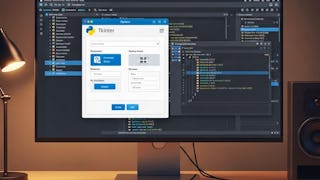
Build practical Python GUI development skills and learn to create interactive desktop applications with Tkinter, Python’s standard GUI library. You’ll begin with core GUI concepts and essential Tkinter widgets, including buttons, canvases, checkboxes, frames, labels, entry fields, and list boxes. Through guided examples and exercises, you’ll learn to display information, collect user input, and organize interface elements using structured layouts. As you progress, you’ll work with advanced Python GUI components such as menus, messages, radio buttons, scales, scrollbars, text areas, top-level windows, spin boxes, paned windows, label frames, and message boxes. You’ll apply these components to create effective navigation, improve user interaction, structure application layouts, and deliver clear alerts. Designed for learners who want to strengthen their Python programming skills or build interactive desktop projects, this course combines progressive instruction with practical widget applications. Its structured pathway takes you from GUI foundations to advanced interface development while emphasizing both coding and practical design thinking. Enroll to gain the confidence to design and build dynamic, organized, and user-friendly Python applications with Tkinter.
RC
Clear explanations and hands-on examples make building Python GUIs smooth and engaging.
Showing: 13 of 13
Clear explanations and hands-on examples make building Python GUIs smooth and engaging.
step by step teaching course.
extremely informative.
Best learning course.
Good course
Good course
Good course
Good course
Good course
Good course
Good course
Good course
tareas faciles como introduccion , pero no explican mucho de las opciones de uso y atributos. el instructor se equivoca muy seguido , no inspira mucha confianza.