AT
Reviewed May 31, 2026
The practical exercises helped me learn useful design and editing techniques that I can apply in my own work.
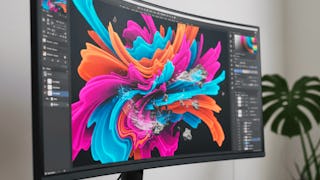
This Specialization provides an in-depth, practical exploration of modern Photoshop features used in professional visual design, image editing, and creative production. Learners progress from mastering intelligent selection tools and non-destructive editing workflows to applying advanced compositing, color harmony, typography refinement, and AI-powered enhancements for realistic and visually cohesive results. Across the courses, learners build strong technical accuracy while developing creative confidence through real-world workflows such as background replacement, perspective correction, depth effects, and content-aware image cleanup. By the end of the Specialization, learners are equipped with industry-relevant Photoshop skills applicable to graphic design, digital marketing, photography, and content creation, enabling them to produce polished, professional-quality visual assets efficiently.
AT
The practical exercises helped me learn useful design and editing techniques that I can apply in my own work.
HK
I enjoyed practicing real editing techniques and workflows, which helped me work more efficiently and confidently on creative projects.
SR
I'm learning techniques that make editing more efficient and precise.
SR
I learned several useful editing and design techniques that improved my creativity and workflow. The explanations were simple and practical, making it a great choice for beginners and learners alike.
OS
The step-by-step demonstrations helped me better understand different editing and design tools. I learned useful techniques that improved my creativity and workflow.
SO
I am applying the techniques through real design tasks rather than just learning the tools. The course helped me work more efficiently and improved the quality of my edits.
NR
I gained skills that have made my design work faster and more polished
VP
I enjoyed learning techniques that made image editing more efficient and precise. The skills I gained have already helped me improve the quality of my design work.
FK
The practical projects helped me better understand advanced editing tools and workflows. I picked up several useful methods that have made my design process smoother and more effective.
SV
I found the editing techniques very useful and relevant to real projects. The course helped me work more efficiently and improved my ability to create cleaner, more polished designs.
AK
I enjoyed learning different selection and design techniques through real editing tasks. The tips and tools covered in the lessons were very useful for improving my creative work.
SS
I practiced with different design tasks, which helped me develop stronger editing and selection skills. The techniques I learned have made my creative work more efficient and enjoyable.
Showing: 15 of 15
I really appreciated how the ideas were broken down with practical examples, which made complex concepts much easier to understand. I now feel more confident in analyzing and working with strategic retail decisions, and I’d recommend it to anyone who wants a clearer, real-world understanding of the topic.
Apply Smart Selection & Design Tools. What I liked most was the focus on real editing workflows rather than just tools. I picked up several time-saving techniques and creative skills that I can immediately use in my own projects.
I learned several useful editing and design techniques that improved my creativity and workflow. The explanations were simple and practical, making it a great choice for beginners and learners alike.
The practical projects helped me better understand advanced editing tools and workflows. I picked up several useful methods that have made my design process smoother and more effective.
I practiced with different design tasks, which helped me develop stronger editing and selection skills. The techniques I learned have made my creative work more efficient and enjoyable.
I found the editing techniques very useful and relevant to real projects. The course helped me work more efficiently and improved my ability to create cleaner, more polished designs.
I enjoyed learning new editing and selection techniques through hands-on practice. The lessons helped improve my creativity and made working on design projects much more efficient.
I enjoyed learning different selection and design techniques through real editing tasks. The tips and tools covered in the lessons were very useful for improving my creative work.
I am applying the techniques through real design tasks rather than just learning the tools. The course helped me work more efficiently and improved the quality of my edits.
The step-by-step demonstrations helped me better understand different editing and design tools. I learned useful techniques that improved my creativity and workflow.
I enjoyed learning techniques that made image editing more efficient and precise. The skills I gained have already helped me improve the quality of my design work.
I enjoyed practicing real editing techniques and workflows, which helped me work more efficiently and confidently on creative projects.
The practical exercises helped me learn useful design and editing techniques that I can apply in my own work.
I gained skills that have made my design work faster and more polished
I'm learning techniques that make editing more efficient and precise.