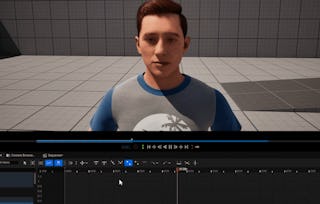
Build practical skills in importing, configuring, and animating skeletal meshes with Applying and Demonstrating Skeletal Mesh Animation in Unreal Engine 4. Designed for game developers, technical artists, and animators, this course guides you through a hands-on character integration workflow using Unreal Engine 4.

Unreal Engine: Apply & Demonstrate Skeletal Animation

Unreal Engine: Apply & Demonstrate Skeletal Animation

Instructor: EDUCBA
Access provided by Universidad de Las Palmas de Gran Canaria
Gain insight into a topic and learn the fundamentals.
Beginner level
Recommended experience
3 hours to complete
Flexible schedule
Learn at your own pace
What you'll learn
Import skeletal meshes and configure FBX import settings to prepare character assets in Unreal Engine 4.
Manage skeleton hierarchies and use the Persona Editor to manipulate skeletal meshes and edit animation sequences.
Control basic animation playback and apply skeletal mesh animation techniques within Unreal Engine workflows.
Skills you'll gain
Tools you'll learn
Details to know

Shareable certificate
Add to your LinkedIn profile
Assessments
3 assignments
Taught in English
See how employees at top companies are mastering in-demand skills


Why people choose Coursera for their career

Felipe M.
Learner since 2018
"To be able to take courses at my own pace and rhythm has been an amazing experience. I can learn whenever it fits my schedule and mood."

Jennifer J.
Learner since 2020
"I directly applied the concepts and skills I learned from my courses to an exciting new project at work."

Larry W.
Learner since 2021
"When I need courses on topics that my university doesn't offer, Coursera is one of the best places to go."

Chaitanya A.
"Learning isn't just about being better at your job: it's so much more than that. Coursera allows me to learn without limits."