OB
Reviewed Feb 25, 2025
Very concise and well executed, very relevant with the key elements of a presentation.
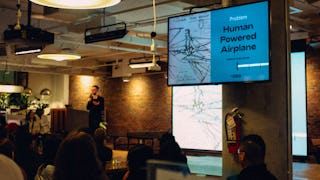
At the end of this project you will be able to create a successful and informative PowerPoint presentation that will keep your audience’s attention. First, you will learn how to start a basic PowerPoint presentation. Then, you will learn how to add informative content to your presentation before you will also learn how to add engaging visual support to your presentation. Additionally, you will learn a few easy methods to make your slide transitions smoother and more appealing to your audience. Creating an informative Microsoft PowerPoint will ensure your audience stays attentive and engaged during your presentation and retains as much information as possible.
OB
Very concise and well executed, very relevant with the key elements of a presentation.
MN
I really like this course, very easy to understand.
RS
I'm glad to gain the skill so that I can complete this presentation.
SG
course videos are excellent and easily understandable. Thankyou Coursera 😊
LK
Good, clear instructions. The teacher is easy to understand.
Showing: 20 of 24
Very beginner level
Too basic
Veryyyy basic!
Have a nice day, my teacher. Thank you for this course. This is nice work, teacher! I have completed this course, which is like full gratification! Employers appreciate these kinds of classes and can appreciate what's needed. I have developed during my learning. There is an opportunity to feature this project in my portfolio and add details to illustrate my rational thinking and skills. My recently completed course would look great on my profile. I appreciate you, and I am very grateful for the knowledge that you give to people.
Good, clear instructions. The teacher is easy to understand.
I really like this course, very easy to understand.
I found it such a wonderful program
I found it such a wonderful program
Πολύ καλό μάθημα.
very nice course
NICE COURSE....
Very good
superb!
хорошо
good
-
-
Very concise and well executed, very relevant with the key elements of a presentation.
course videos are excellent and easily understandable. Thankyou Coursera 😊
I'm glad to gain the skill so that I can complete this presentation.