VD
Reviewed Mar 11, 2026
This course strikes a perfect balance between beginner-friendly guidance and advanced Excel techniques. It builds your skills step by step.
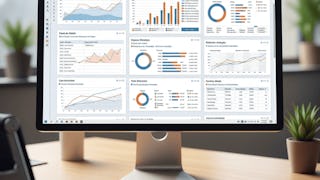
This Specialization equips learners with advanced, job-ready Excel skills used across finance, analytics, and business roles. Learners progress from mastering powerful formulas and dynamic lookups to automating workflows with macros and performing statistical analysis using Excel’s analytical tools. Through hands-on instruction and real datasets, participants gain the confidence to build automated models, insightful dashboards, and data-driven reports aligned with real industry practices.
VD
This course strikes a perfect balance between beginner-friendly guidance and advanced Excel techniques. It builds your skills step by step.
DK
Good for beginners who want to learn data interpretation in Excel.
RR
I loved how practical and hands-on the lessons were. Every concept was explained clearly and immediately applied to real-world scenarios
AD
Good for beginners who want to learn data interpretation in Excel.
AW
This course completely transformed the way I use Excel. I now feel confident analyzing large datasets and creating meaningful insights with ease.
US
This course teaches basic data analysis and statistics using Excel tools.
SM
I appreciate how well-structured and organized the course content is. It made learning Excel both efficient and enjoyable.
SS
The course follows a step-by-step, application-focused approach that helps learners analyze real-world datasets using Excel tools.
HP
Thanks to this course, I’ve improved my productivity significantly. Tasks that used to take hours now take minutes.
NS
Nice Course! Clear voice, simple explanations, and an excellent teaching method make this course outstanding.
AP
The data visualization section is fantastic. I can now create professional dashboards and charts that make my reports stand out.
DR
Very useful course, content is well explained and easy to understand.
Showing: 11 of 11
This course really helped me move beyond basic Excel formulas. The explanations of advanced functions like VLOOKUP, SORT, and conditional logic were very clear. I liked how each lesson focused on a specific function and showed real use cases. The hands-on examples made it easy to apply the formulas at work. After completing the course, I feel much more confident handling large datasets and automating reports.
This course exceeded my expectations. The instructor explains advanced Excel formulas clearly and demonstrates how to use them in real scenarios. I particularly liked the financial calculations and Pivot Table summaries. The function-by-function approach made complex concepts easier to grasp. I now use these techniques regularly in my reporting and analysis tasks.
I’ve used Excel for years, but this course helped me understand it at a deeper level. The step-by-step walkthroughs made complex formulas easy to follow. I especially liked the financial function examples and multi-criteria calculations. The Pivot Table section was very practical. This course helped me work faster and make better data-driven decisions in my job.
What I liked most about this course is its practical focus. Instead of theory, each lesson shows exactly how to apply functions to real datasets. The multi-criteria summation and sorting functions were very helpful. The step-by-step explanations made everything easy to understand. This course helped me streamline my Excel workflows significantly.
This course is perfect for professionals who want to improve their Excel skills. The lessons are concise, clear, and focused on real-world problems. I appreciated how each function was explained with practical examples. The SORT and lookup functions were especially useful. By the end, I felt confident creating dynamic and automated Excel sheets.
I found this course extremely useful for my daily work. The advanced Excel functions are explained in a simple and structured way. The conditional logic and lookup lessons helped me solve problems I struggled with earlier. The hands-on examples made learning easy. This course significantly improved my efficiency and confidence in Excel.
I really appreciated the clarity of this course. The instructor explains each function in a straightforward way. The real-world examples made the lessons practical and relatable. I found the lookup and sorting functions particularly useful. After completing the course, I feel much more confident analyzing and automating data in Excel.
This course is well structured and very practical. The lessons focus on one function at a time, which made learning easier. I liked how the instructor uses real datasets to explain concepts. The financial functions and conditional logic sections were very helpful. This course helped me improve both speed and accuracy in Excel.
This course helped me finally understand advanced Excel formulas. The lessons are well organized and easy to follow. I liked how each function is broken down and applied to real problems. The Pivot Table section was especially useful for summarizing data. This course is a great investment for anyone who uses Excel regularly.
I took this course to improve my Excel skills for work, and it delivered exactly that. The advanced functions are explained clearly with step-by-step examples. I especially liked the Pivot Table and lookup sections. The course helped me automate repetitive tasks and analyze data more effectively.
Best learning course.