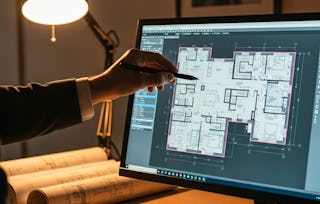
Step into the world of architectural drafting with AutoCAD! In this beginner-friendly guided project, you’ll learn how to create professional blueprints and schematics for a house. From precise technical drawings to polished layouts ready for printing, this course will help you master the essential tools of the trade.

AutoCAD for beginners: Drafting blueprints and schematics
Zum Labor Day gibt es bei Coursera Plus Rabatte von über 70 $. Sparen Sie 3 Monate lang 40 %.

AutoCAD for beginners: Drafting blueprints and schematics

Dozent: razane kabbani
14.325 bereits angemeldet
Bei Mehr erfahren enthalten
Erwerben Sie praxisrelevante Kompetenzen unter Anleitung von Experten, üben Sie sich in ihrer Anwendung und wenden Sie sie schließlich an.
4.3
(75 Bewertungen)
Stufe Anfänger
Empfohlene Erfahrung
2 hours
In Ihrem eigenen Lerntempo lernen
Was Sie lernen werden
Setup a new project in AutoCAD and organize the model space
Use AutoCAD's drafting and annotations commands.
Setup the project's template space and plotting settings.
Kompetenzen, die Sie festigen
- Kategorie: Technical Communication
- Kategorie: Drafting and Engineering Design
- Kategorie: Plot (Graphics)
- Kategorie: Blueprinting
- Kategorie: Computer-Aided Design
- Kategorie: Engineering Documentation
- Kategorie: Architecture and Construction
- Kategorie: Building Design
- Kategorie: Engineering Plans And Specifications
- Kategorie: Engineering Drawings
- Kategorie: Technical Drawing
- Kategorie: Architectural Drawing
- Kategorie: Technical Documentation
Tools, die Sie verwenden werden
- Kategorie: AutoCAD
Wichtige Details

Zertifikat zur Vorlage
Zu Ihrem LinkedIn-Profil hinzufügen
Unterrichtet in Englisch
Keine Downloads oder Installation erforderlich
Nur als Desktop-Version verfügbar
Praktisches Lernen
Erfahren Sie, wie Mitarbeiter führender Unternehmen gefragte Kompetenzen erwerben.

Lernen, Üben und Anwenden von berufsrelevanten Fähigkeiten in weniger als 2 Stunden
- Nehmen Sie an Schulungen von Branchenexperten teil
- Sammeln Sie mit Aufgaben aus der realen Welt praktische Erfahrung
- Schaffen Sie Vertrauen durch neueste Tools und Technologien

Über dieses begleitete Projekt
Schritt für Schritt lernen
In einem Video, das auf einer Hälfte Ihres Arbeitsbereichs abgespielt wird, führt Sie Ihr Dozent durch diese Schritte:
Learners will open a new project in AutoCAD and set the project's units using the Units settings. In addition, they will insert the external file of a picture and scale it.
Learners will create Layers using Layer properties manager. Afterwards, they will rename the layers properly, manage their properties, and use them to draft properly.
Learners will use drawing and modifying commands to create the walls of the Prefab House's plan.
Learners will apply their skills to real life scenarios. By managing layers, setting project units, inserting external references, using draft tools to create walls, and hatching.
Learners will turn the walls they created into a block, insert blocks, and manage blocks properties. In addition, they will create detailed schemas using annotation commands and Text.
Insert templates and edit it using "edit Mtext" to enter the Project's specifications, they will navigate the Layout space, set up viewports, and edit plotting settings using Plot style table.
Work on a real life scenario of creating an extension for a client house. They will use drawing commands, modifying commands, and annotation commands.
Empfohlene Erfahrung
Architectural or Engineering drafting concepts and vocabulary such as: Plan, Line weights, Hatch, openings, tiling layout..
9 Projektbilder
Dozent
Lehrkraftbewertungen
(6 Bewertungen)1 Kurs14.325 Lernende
von

Was Sie beim Lernen erwartet
Auf Kompetenzen basierendes, praktisches Lernen
Üben Sie die Anwendung neuer Kompetenzen anhand von berufsbezogenen Aufgabenstellungen.
Anleitung durch Experten
Lernen Sie mit vorab von Experten aufgezeichneten Videos in einer einzigartigen aufgeteilten Oberfläche.
Keine Downloads oder Installation erforderlich
Greifen Sie in einem vordefinierten Cloud-Arbeitsbereich auf die Tools und Ressourcen zu.
Nur für Desktop verfügbar
Dieses begleitete Projekt ist für die Bearbeitung an einem Laptop oder Desktop-Computer mit stabiler Internetverbindung konzipiert und nicht für Mobilgeräte.
Warum entscheiden sich Menschen für Coursera für ihre Karriere?

Felipe M.
Lernender seit 2018
„Es ist eine großartige Erfahrung, in meinem eigenen Tempo zu lernen. Ich kann lernen, wenn ich Zeit und Nerven dazu habe.“

Jennifer J.
Lernender seit 2020
„Bei einem spannenden neuen Projekt konnte ich die neuen Kenntnisse und Kompetenzen aus den Kursen direkt bei der Arbeit anwenden.“

Larry W.
Lernender seit 2021
„Wenn mir Kurse zu Themen fehlen, die meine Universität nicht anbietet, ist Coursera mit die beste Alternative.“

Chaitanya A.
„Man lernt nicht nur, um bei der Arbeit besser zu werden. Es geht noch um viel mehr. Bei Coursera kann ich ohne Grenzen lernen.“
Bewertungen von Lernenden
- 5 Sterne
66,66 %
- 4 Sterne
17,33 %
- 3 Sterne
4 %
- 2 Sterne
2,66 %
- 1 Stern
9,33 %
Zeigt 3 von 75 an
KP
4.0
Geprüft am 14. Juni 2026
It is good course for the beginners who want to learn AUTOCAD.
DM
5.0
Geprüft am 18. Jan. 2026
It’s very helpful for beginners and the instructor is perfect I really appreciate her effort and explanation is clear I’m glad to learn with her
MM
5.0
Geprüft am 26. Juli 2025
The tutor was really good, She explained all the thing very well and on very easy way, it was my first time using AutoCAD and it helps me really well to use autocad by this project.