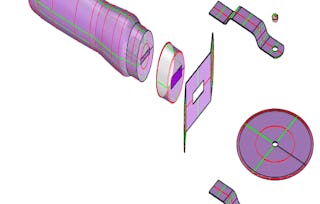
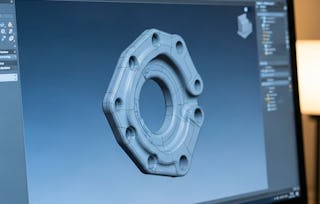
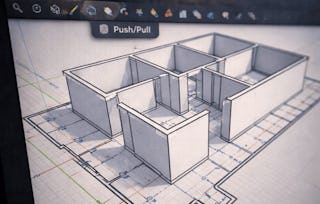
There have many three-dimensional shape of the object in your brain that are wanted to share, but do not know how to express? How to "sketch" the three-dimensional image in your mind? 3D modeling technology can help us construct the most intuitive and understandable three-dimensional model. The use of floor plan interpret the three-dimensional object process-the most direct and effective expression of our ideas. We have designed many paradigms so that people can quickly understand the logic of using 3D CAD software Sketchup and drawing skills, from introduction to advanced, and introduce SketchUp 3D modeling technologies. After completing "3D CAD Fundamental", it is no longer difficult to draw ideas that are beyond imagination with 3D modeling technology! The goal of this course is to construct a three-dimensional model, with the computer as the main teaching material, to enrich the fun paradigm and the complete drawing process. Step-by-step teach you how to use Sketchup's 3D modeling software technology. With the completion of "3D CAD Fundamental", you will be able to realize the 3D objects that exist in the imagination through 3D modeling!
This module includes the course syllabus, grading policy and tips to learn Sketchup well. It also includes the first step of learning, installation of Sketchup.
Inclus
4 vidéos2 lectures
Afficher les informations sur le contenu du module
4 vidéos•Total 9 minutes
Welcome to CAD&BIM specialization•4 minutes
101 Course overview•2 minutes
103 Install SketchUp step by step•2 minutes
104 Set unit in SketchUp•1 minute
2 lectures•Total 15 minutes
102 Syllabus and grading policy•10 minutes
Common Questions•5 minutes
Magic Cube: familiar with [Line], [Divide], [Push/Pull], [Tape Measure] and [Guides]
Module 2•2 heures à terminer
Détails du module
Here comes the first example, magic cube. The purpose of this module is to help learners be familiar with basic tools in Sketchup, including [Line], [Divide], [Push/Pull], [Tape Measure] and [Guides]. In this module, we will start drawing a cube, then reformed it into steps by using [Divide], create another cube by using [Push/Pull], and finally make a hole on the cube by combining [Push/Pull], [Tape Measure] and [Guides].
Inclus
6 vidéos1 devoir1 évaluation par les pairs
Afficher les informations sur le contenu du module
6 vidéos•Total 27 minutes
201 Use [Line] to draw a cube•6 minutes
202 Use [Divide] to draw steps•7 minutes
203 Use [Rectangle] and [Push/Pull] to draw a cube•4 minutes
204 Use [Tap Measure], [Guides] and [Push/Pull] to make holes•5 minutes
Draw a line parallel to arbitrary ones•2 minutes
More details about making a hole using [Push/Pull] tools•3 minutes
The second example, toy house is designed for learners to be familiar with [Move] and [Arcs]. Inclined roof is a highlight in the example. Learners will understand how to add objects not perpendicular to the reference surface. The module also includes the methods of using [Arcs].
Inclus
6 vidéos1 devoir1 évaluation par les pairs
Afficher les informations sur le contenu du module
6 vidéos•Total 22 minutes
301 Use [Move] to draw house frame•4 minutes
302 Use [Arcs] to draw ridge and roof•4 minutes
303 Draw lines on an inclined plane, roof window•3 minutes
Match the slope of an inclined surface•3 minutes
Four ways to draw an arc•5 minutes
Make objects towards three axises by arrow keys•2 minutes
1 devoir•Total 30 minutes
304 Quiz 2: Using [Move] and [Arcs]•30 minutes
1 évaluation par les pairs•Total 60 minutes
305 Develop House Model•60 minutes
Beach Ball: familiar with [Circle], [Follow me], [Rotate] and [Paint Bucket]
Module 4•2 heures à terminer
Détails du module
The third example, Beach ball is designed for learners to be familiar with [Circle], [Follow me], [Rotate] and [Paint Bucket]. Learners will understand how to draw a sphere using [Circle] and [Follow Me], how to use [Rotate] and [Copy] to draw the surface of the sphere and how to use selection tricks to delete all the unnecessary planes. The module also includes the methods of using [Paint bucket] to finish the beach ball.
Inclus
8 vidéos1 devoir1 évaluation par les pairs
Afficher les informations sur le contenu du module
8 vidéos•Total 24 minutes
401 Draw a Sphere using [Circle] and [Follow Me]•5 minutes
402 3D [Rotate] and [Copy]•3 minutes
403 Dissection ball surface•2 minutes
404 Color beach ball with [Paint Bucket]•1 minute
More details about [Follow me]•3 minutes
More details about [Rotate]•4 minutes
More details about [Rotate] and [Copy]•3 minutes
Trick of selecting objects•3 minutes
1 devoir•Total 40 minutes
405 Quiz 3: Using [Circle], [Follow me], [Rotate] and [Paint Bucket]•40 minutes
1 évaluation par les pairs•Total 60 minutes
406 Develop a Wheel Model•60 minutes
Curtain: familiar with [Scale], [Arcs], [Copy] and [Mirror]
Module 5•2 heures à terminer
Détails du module
Here comes the fourth example. This module, curtain, includes more decoration skills. Learners will learn how to create deformations on the curtain by combining [Move], [Measurements box] and [Scale], and how to decorate it by using [Mirror] and [Soften effect].
Inclus
8 vidéos1 devoir1 évaluation par les pairs
Afficher les informations sur le contenu du module
8 vidéos•Total 23 minutes
501 Use [Scale] to set boundary•3 minutes
502 Use [Arcs] and [Copy] to draw a curtain•3 minutes
503 Use [Mirror] and [Scale] to complete a curtain•4 minutes
Mirror objects by [Flip along]•3 minutes
[Move] and [Copy]-1: use [Move] to copy objects one by one•3 minutes
[Move] and [Copy]-2: use [Move] to copy objects by hot key•3 minutes
Reverse faces-1: definition of plane orientation•3 minutes
Reverse faces-2: change orientation of a plane•2 minutes
1 devoir•Total 40 minutes
504 Quiz 4: Using [Scale], [Arcs], [Copy] and [Mirror]•40 minutes
1 évaluation par les pairs•Total 60 minutes
505 Develop Taipei 101 Model•60 minutes
Solid Tool: familiar with [Subtract], [Union], [Intersect] and [Split]
Module 6•1 heure à terminer
Détails du module
The last example is coming! This module, solid tool, is designed for learners to be familiar with [Subtract], [Union], [Intersect] and [Split]. Learners will learn how to create different shaped objects, by using one object to add or remove a piece of volume to another object.
Inclus
3 vidéos1 évaluation par les pairs
Afficher les informations sur le contenu du module
3 vidéos•Total 14 minutes
601 [Subtract] and [Union]•4 minutes
602 [Intersect] and [Split]•3 minutes
Six functions of solid tools•8 minutes
1 évaluation par les pairs•Total 60 minutes
603 Develop Tee Pipe Model (Optional)•60 minutes
Closure: Review and preview
Module 7•5 minutes à terminer
Détails du module
This module includes course review and a short introduction of next course: 3D CAD Application.
Inclus
2 vidéos
Afficher les informations sur le contenu du module
2 vidéos•Total 5 minutes
701 Review•3 minutes
702 Move on your journey of 3D modeling•1 minute
Instructeur
Évaluations de l’enseignant
Nous avons demandé à tous les étudiants de fournir des commentaires sur nos enseignants au sujet de la qualité de leur pédagogie.
We firmly believe that open access to learning is a powerful socioeconomic equalizer. NTU is especially delighted to join other world-class universities on Coursera and to offer quality university courses to the Chinese-speaking population. We hope to transform the rich rewards of learning from a limited commodity to an experience available to all.
Pour quelles raisons les étudiants sur Coursera nous choisissent-ils pour leur carrière ?
Felipe M.
Étudiant(e) depuis 2018
’Pouvoir suivre des cours à mon rythme à été une expérience extraordinaire. Je peux apprendre chaque fois que mon emploi du temps me le permet et en fonction de mon humeur.’
Jennifer J.
Étudiant(e) depuis 2020
’J'ai directement appliqué les concepts et les compétences que j'ai appris de mes cours à un nouveau projet passionnant au travail.’
Larry W.
Étudiant(e) depuis 2021
’Lorsque j'ai besoin de cours sur des sujets que mon université ne propose pas, Coursera est l'un des meilleurs endroits où se rendre.’
Chaitanya A.
’Apprendre, ce n'est pas seulement s'améliorer dans son travail : c'est bien plus que cela. Coursera me permet d'apprendre sans limites.’
Avis des étudiants
4.6
682 avis
5 stars
77,56 %
4 stars
13,19 %
3 stars
3,66 %
2 stars
1,90 %
1 star
3,66 %
Affichage de 3 sur 682
K
KL
5·
Révisé le 6 oct. 2020
Basic is a must. Using Sketchup was overwhelming for me until I enrolled in this course. I am now more capable of exploring and enjoying my creativity with Sketchup. Thank you for a fruitful course.
D
DR
5·
Révisé le 3 avr. 2024
This an excellent course for a someone who just started learning SketchUp for 3D Modelling, the instructions are clear and the assignment helped improve the skills of the students.
J
JD
4·
Révisé le 26 juil. 2020
excellent course. I would say that some of the quiz/assignment directions were lacking or a bit lost in translation for me, but I am very glad I took this course.
When will I have access to the lectures and assignments?
To access the course materials, assignments and to earn a Certificate, you will need to purchase the Certificate experience when you enroll in a course. You can try a Free Trial instead, or apply for Financial Aid. The course may offer 'Full Course, No Certificate' instead. This option lets you see all course materials, submit required assessments, and get a final grade. This also means that you will not be able to purchase a Certificate experience.
What will I get if I subscribe to this Specialization?
When you enroll in the course, you get access to all of the courses in the Specialization, and you earn a certificate when you complete the work. Your electronic Certificate will be added to your Accomplishments page - from there, you can print your Certificate or add it to your LinkedIn profile.
Is financial aid available?
Yes. In select learning programs, you can apply for financial aid or a scholarship if you can’t afford the enrollment fee. If fin aid or scholarship is available for your learning program selection, you’ll find a link to apply on the description page.