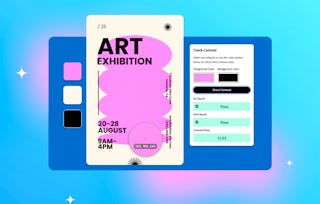
Advanced Accessibility for Digital Products is an intermediate-to-advanced course designed to equip experienced designers, developers, QA professionals, and product managers with the tools and strategies needed to create fully inclusive, accessible digital experiences. As digital products grow in complexity, accessibility must evolve from a compliance checkbox to a core product value.
In this course, you’ll learn how to implement advanced accessibility practices—such as ARIA roles, screen reader optimization, focus management, and automated testing—into real-world workflows. Through concise videos, scenario-based readings, hands-on labs, and AI-powered coaching, you’ll master how to audit accessibility at scale, integrate inclusive design into CI/CD pipelines, and resolve violations using both technical and human-centered approaches. Drawing from legal frameworks, live case studies, and multi-tool testing strategies, this course helps you embed accessibility into every stage of product development—ensuring your work is both compliant and genuinely usable for all.
In this introductory lesson, learners will shift from baseline accessibility to advanced design patterns that improve real usability. They'll work hands-on with ARIA roles, dynamic content behaviors, and semantic focus strategies, using real-world examples like Apple’s VoiceOver approach and Slack’s design systems to ground their understanding in best-in-class implementations.
Inclus
3 vidéos2 lectures1 devoir
Afficher les informations sur le contenu du module
3 vidéos•Total 13 minutes
Meet Your Course Guide•3 minutes
From Semantics to Behavior: Building Assistive-Ready Components•5 minutes
Managing Focus and Keyboard Navigation in Dynamic Interfaces•5 minutes
2 lectures•Total 13 minutes
Welcome to the Course: Course Overview•5 minutes
Complex Widgets, Simplified: Accessibility Patterns for Modals, Tabs, and Menus•8 minutes
1 devoir•Total 25 minutes
HOL: Refactor a Dynamic UI Component to be Fully Accessible•25 minutes
Lesson 2: Automating Accessibility: Testing, Compliance, and Workflow Integration
Module 2•26 minutes à terminer
Détails du module
This lesson equips learners to bring accessibility testing into the heart of product delivery. It explores how to layer automation with manual checks, interpret results, and prioritize fixes. Real-world failures—like the Domino’s Pizza lawsuit—demonstrate why incomplete automation is risky and how to embed smarter workflows across design and dev teams.
Inclus
2 vidéos1 lecture1 devoir
Afficher les informations sur le contenu du module
2 vidéos•Total 8 minutes
Beyond Scanning: Integrating axe-core and Lighthouse into Your CI/CD Pipeline•4 minutes
Avoiding False Confidence: Pairing Automation with Manual Testing•4 minutes
1 lecture•Total 10 minutes
What’s New in WCAG 2.2 and What It Means for Front-End Workflows•10 minutes
1 devoir•Total 8 minutes
HOL: Run an Automated Scan on a Staging Site and Identify Key Violations•8 minutes
Lesson 3: Auditing for Inclusion: Real-World Evaluation and Remediation
Module 3•2 heures à terminer
Détails du module
This final lesson teaches learners how to conduct and act on accessibility audits with a compliance and inclusion lens. They'll explore audit templates, ethical risk analysis, and get hands-on with screen reader testing. With real examples from GOV. UK and Netflix, learners will finalize their skills in a capstone that simulates leading accessibility improvements across a product suite.
Inclus
3 vidéos1 lecture3 devoirs
Afficher les informations sur le contenu du module
3 vidéos•Total 11 minutes
Auditing with Purpose: From Compliance to Inclusion•4 minutes
Using Screen Readers and Manual Testing to Identify Gaps•5 minutes
Congratulations and Continuous Learning Journey•2 minutes
1 lecture•Total 10 minutes
Legal Frameworks Overview: ADA, Section 508, EN 301 549—What Product Teams Need to Know•10 minutes
3 devoirs•Total 120 minutes
HOL: Audit a Real or Sample Product Page for Accessibility Failures•30 minutes
Project: Accessibility Integration Blueprint for a Digital Product Team•60 minutes
Coursera brings together a diverse network of subject matter experts who have demonstrated their expertise through professional industry experience or strong academic backgrounds. These instructors design and teach courses that make practical, career-relevant skills accessible to learners worldwide.
Pour quelles raisons les étudiants sur Coursera nous choisissent-ils pour leur carrière ?
Felipe M.
Étudiant(e) depuis 2018
’Pouvoir suivre des cours à mon rythme à été une expérience extraordinaire. Je peux apprendre chaque fois que mon emploi du temps me le permet et en fonction de mon humeur.’
Jennifer J.
Étudiant(e) depuis 2020
’J'ai directement appliqué les concepts et les compétences que j'ai appris de mes cours à un nouveau projet passionnant au travail.’
Larry W.
Étudiant(e) depuis 2021
’Lorsque j'ai besoin de cours sur des sujets que mon université ne propose pas, Coursera est l'un des meilleurs endroits où se rendre.’
Chaitanya A.
’Apprendre, ce n'est pas seulement s'améliorer dans son travail : c'est bien plus que cela. Coursera me permet d'apprendre sans limites.’
When will I have access to the lectures and assignments?
To access the course materials, assignments and to earn a Certificate, you will need to purchase the Certificate experience when you enroll in a course. You can try a Free Trial instead, or apply for Financial Aid. The course may offer 'Full Course, No Certificate' instead. This option lets you see all course materials, submit required assessments, and get a final grade. This also means that you will not be able to purchase a Certificate experience.
What will I get if I purchase the Certificate?
When you purchase a Certificate you get access to all course materials, including graded assignments. Upon completing the course, your electronic Certificate will be added to your Accomplishments page - from there, you can print your Certificate or add it to your LinkedIn profile.
Is financial aid available?
Yes. In select learning programs, you can apply for financial aid or a scholarship if you can’t afford the enrollment fee. If fin aid or scholarship is available for your learning program selection, you’ll find a link to apply on the description page.