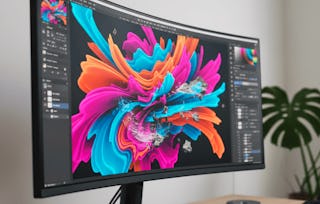
The Digital Painting Specialization is a course especially tailored to improve your drawing and painting skills. Using digital media, students will be challenged to apply key artistic concepts and techniques, addressed over 5 modules, on their own digital creations, finding unique means of expression. The topics discussed will provide students with a complete overview of the Digital Painting process. Students who successfully complete the Specialization can potentially work on areas such as: digital painting, illustration, concept art, comic books, visual development, among a few others.
Please Note:
All demonstrations and course materials use Adobe Photoshop. While Adobe Photoshop is strongly recommended for this course, you may use alternative painting or photo-editing software if you are already familiar with it and are able to replicate the techniques presented.
This module provides an introduction to using Photoshop as a digital painting tool. You'll learn how to set up and customize the Photoshop workspace, master essential painting tools like brushes, the mixer brush, and the smudge tool, and harness selection and masking techniques for efficient, non-destructive editing. The module emphasizes fundamental painting techniques such as working on an off-white canvas, building expressive brushwork, and employing brushwork topology to create convincing forms and volume. Through practical demonstrations and creative exercises, you’ll gain the foundational skills and workflow strategies to begin making digital paintings in an expressive and purposeful way, setting the stage for more advanced modules.
Inclus
11 vidéos8 lectures1 évaluation par les pairs
Afficher les informations sur le contenu du module
11 vidéos•Total 93 minutes
Module One Intro Video•1 minute
Configuring Photoshop•6 minutes
Brushes•10 minutes
Mixer Brush•8 minutes
Smudge Tool•4 minutes
The Selection Tools•10 minutes
Masks•6 minutes
Off White Canvas•7 minutes
Brushwork Buildup•8 minutes
Brushwork Topology•9 minutes
Demonstration 01•24 minutes
8 lectures•Total 95 minutes
File for 1.01 - Brushes•1 minute
File for 1.06 - Off White Canvas•1 minute
Workout for 1.06 - Off White Canvas•30 minutes
File for 1.07 - Brushwork Buildup•1 minute
Workout for 1.07 - Brushwork Buildup•30 minutes
File for 1.08 - Brushwork Topology•1 minute
Workout for 1.08 - Brushwork Topology•30 minutes
Files for 1.09 - Demonstration 01•1 minute
1 évaluation par les pairs•Total 60 minutes
Module One Project•60 minutes
Module Two: Drawing and Composition
Module 2•5 heures à terminer
Détails du module
This module guides you through key foundational processes in representational painting, focusing on establishing accurate drawings (roadmaps), composing dynamic images, and selecting approaches to style. You will learn to identify and use compositional principles, differentiate between "loose" and "sloppy" sketches, and apply classic strategies such as the rule of thirds and unequal spacing to create visual interest. Through examples and demonstrations, you will compare major painting styles (linear and pictorial), and gain practical insight into working with different subjects: still life, portrait, and landscape. The module culminates in understanding how to bring a painting to a finished state with appropriate detail and coherence.
Inclus
14 vidéos8 lectures1 évaluation par les pairs
Afficher les informations sur le contenu du module
14 vidéos•Total 127 minutes
Module Two Intro Video•1 minute
Defining a Roadmap•11 minutes
Loose, Not Sloppy•6 minutes
Composition•8 minutes
The One Rule You Need•4 minutes
Compositional Studies•6 minutes
Subjects – Still Life•5 minutes
Subjects – Portraits•4 minutes
Subjects – Landscapes•7 minutes
Styles – Linear vs Pictorial•10 minutes
Linear vs Pictorial Demonstration•11 minutes
2.10 Raw Recording (No Audio, Real Time)•29 minutes
Details and Finishing•10 minutes
2.11 Raw Recording (No Audio, Real Time)•16 minutes
8 lectures•Total 95 minutes
File for 2.01 - Defining a Roadmap•1 minute
Workout for 2.01 - Defining a Roadmap•30 minutes
File for 2.07 - Subjects – Portraits•1 minute
Files for 2.09 - Styles – Linear vs Pictorial•1 minute
File for 2.10 - Linear vs Pictorial Demonstration•1 minute
Workout for 2.10 - Linear vs Pictorial Demonstration•30 minutes
File for 2.11 - Details and Finishing•1 minute
Workout for 2.11 - Details and Finishing•30 minutes
1 évaluation par les pairs•Total 60 minutes
Module Two Project•60 minutes
Module Three: Values and Shapes
Module 3•4 heures à terminer
Détails du module
This module explores the essential role of values in art, guiding you to understand how lightness and darkness define shape, structure, and mood in a painting. Through video lectures and hands-on demonstrations, you'll discover how values underpin composition, influence edges, and can be manipulated through compression and keying to support your artistic intentions. You will apply practical techniques for analyzing, selecting, and organizing values to create visually compelling images and evocative atmospheres, building a foundation that enhances both your grayscale and color work.
Inclus
8 vidéos6 lectures1 évaluation par les pairs
Afficher les informations sur le contenu du module
8 vidéos•Total 96 minutes
Module Three Intro Video•1 minute
Value and Shapes•11 minutes
Value Range and Scale•12 minutes
Edges•16 minutes
Compressing Values•7 minutes
Understanding Keys•8 minutes
Keying the Field•13 minutes
3.06 Raw Recording (No Audio, Real Time)•28 minutes
6 lectures•Total 64 minutes
File for 3.01 - Value and Shapes•1 minute
File for 3.03 - Edges•1 minute
Workout for 3.03 - Edges•30 minutes
Files for 3.04 - Compressing Values•1 minute
Files for 3.06 - Keying the Field•1 minute
Workout for 3.06 - Keying the Field•30 minutes
1 évaluation par les pairs•Total 60 minutes
Module Three Project•60 minutes
Module Four: Color
Module 4•5 heures à terminer
Détails du module
This module explores the fundamental relationship between color and value and examines how these elements work together to create convincing, expressive paintings. Through practical demonstrations and in-depth analysis, you'll learn how to accurately evaluate, select, and adjust colors to fit your compositional needs. You will master the properties of color, including hue, saturation, brightness (value), and temperature. You will also discover the importance of grays and chromatic grays in naturalistic painting. The module covers various color wheels and schemes, the psychology of color for mood, and hands-on techniques for painting with vibrant, balanced colors. By the end, you will be equipped with professional strategies to manipulate color and value for dynamic, engaging artwork.
Inclus
14 vidéos9 lectures1 évaluation par les pairs
Afficher les informations sur le contenu du module
14 vidéos•Total 130 minutes
Module Four Intro Video•1 minute
Color and Value•6 minutes
Adjusting Color to Value•9 minutes
Color Relationships•8 minutes
Properties of Color•13 minutes
Color Wheels•7 minutes
Using Color Wheels•10 minutes
Psychology of Color•9 minutes
Color and Mood•5 minutes
Understanding Grays•8 minutes
Chromatic Grays•6 minutes
Creating Grays•7 minutes
Demonstration•9 minutes
4.12 Raw Recording (No Audio, Real Time)•32 minutes
9 lectures•Total 96 minutes
File for 4.03 - Color Relationships•1 minute
Workout for 4.03 - Color Relationships•30 minutes
File for 4.04 - Properties of Color•1 minute
Web Links for 4.06 - Using Color Wheels•1 minute
Workout for 4.06 - Using Color Wheels•30 minutes
File for 4.07 - Psychology of Color•1 minute
File for 4.10 - Chromatic Grays•1 minute
Workout for 4.10 - Chromatic Grays•30 minutes
Files for 4.12 - Demonstration•1 minute
1 évaluation par les pairs•Total 60 minutes
Module Four Project•60 minutes
Module Five: Thinking Like A Painter
Module 5•4 heures à terminer
Détails du module
This module explores advanced techniques and workflows in digital painting, focusing on both the unique possibilities and the inherent limitations of the medium. Through comparative analysis with traditional painting, you will learn to maximize digital tools such as layers, textures, and specialty brushes. The module also addresses ways to overcome challenges related to expressiveness in digital artwork. Practical demonstrations of both "alla prima" (direct painting) and layered approaches will deepen your understanding of painting strategies. The module concludes with a comprehensive digital painting demonstration that combines all concepts covered. By the end, you will be prepared to make informed choices in digital painting methods and optimize your creative process.
Inclus
9 vidéos3 lectures1 évaluation par les pairs
Afficher les informations sur le contenu du module
9 vidéos•Total 88 minutes
Module Five Intro Video•1 minute
Possibilities of Digital Media•7 minutes
Limitations of Digital Media•5 minutes
Digital vs Traditional•5 minutes
Alla Prima•11 minutes
Layers•8 minutes
Specialty Brushes•8 minutes
Demonstration•11 minutes
5.07 Raw Recording (No Audio, Real Time)•32 minutes
3 lectures•Total 90 minutes
Workout for 5.04 - Alla Prima•30 minutes
Workout for 5.05 - Layers•30 minutes
Workout for 5.06 - Specialty Brushes•30 minutes
1 évaluation par les pairs•Total 60 minutes
Module Five Project•60 minutes
Closing Thoughts
Module 6•9 minutes à terminer
Détails du module
This video recaps key course concepts and provide practical advice and encouragement for ongoing practice and continued growth in digital painting.
Inclus
1 vidéo
Afficher les informations sur le contenu du module
Michigan State University has been advancing the common good with uncommon will for more than 150 years.
One of the top research universities in the world, MSU pushes the boundaries of discovery and forges enduring partnerships to solve the most pressing global challenges while providing life-changing opportunities to a diverse and inclusive academic community through more than 200 programs of study in 17 degree-granting colleges.
Pour quelles raisons les étudiants sur Coursera nous choisissent-ils pour leur carrière ?
Felipe M.
Étudiant(e) depuis 2018
’Pouvoir suivre des cours à mon rythme à été une expérience extraordinaire. Je peux apprendre chaque fois que mon emploi du temps me le permet et en fonction de mon humeur.’
Jennifer J.
Étudiant(e) depuis 2020
’J'ai directement appliqué les concepts et les compétences que j'ai appris de mes cours à un nouveau projet passionnant au travail.’
Larry W.
Étudiant(e) depuis 2021
’Lorsque j'ai besoin de cours sur des sujets que mon université ne propose pas, Coursera est l'un des meilleurs endroits où se rendre.’
Chaitanya A.
’Apprendre, ce n'est pas seulement s'améliorer dans son travail : c'est bien plus que cela. Coursera me permet d'apprendre sans limites.’
What kinds of assignments will I complete in each module, and how are they evaluated?
Workouts:
Each module includes 2-3 workouts. Workouts are quick, targeted exercises to help you practice specific techniques learned in each lecture. While workouts are required, they will not be graded; their purpose is to help you solidify your skills and prepare you for the project.
Project:
Each module concludes with one project, where you will apply the techniques and tools you’ve learned throughout the module. The project is mandatory and will be peer-reviewed. Successful completion of the project is required to pass the module.
Does this course require any paid software for course completion?
No paid software is required to complete this course. However, all demonstrations are performed using Adobe Photoshop. You are welcome to use any painting or photo-editing software you are comfortable with, as long as you can replicate the demonstrated techniques.
When will I have access to the lectures and assignments?
To access the course materials, assignments and to earn a Certificate, you will need to purchase the Certificate experience when you enroll in a course. You can try a Free Trial instead, or apply for Financial Aid. The course may offer 'Full Course, No Certificate' instead. This option lets you see all course materials, submit required assessments, and get a final grade. This also means that you will not be able to purchase a Certificate experience.
What will I get if I purchase the Certificate?
When you purchase a Certificate you get access to all course materials, including graded assignments. Upon completing the course, your electronic Certificate will be added to your Accomplishments page - from there, you can print your Certificate or add it to your LinkedIn profile.
Is financial aid available?
Yes. In select learning programs, you can apply for financial aid or a scholarship if you can’t afford the enrollment fee. If fin aid or scholarship is available for your learning program selection, you’ll find a link to apply on the description page.