Lorsque vous vous inscrivez à ce cours, vous êtes également inscrit(e) à ce Certificat Professionnel.
Apprenez de nouveaux concepts auprès d'experts du secteur
Acquérez une compréhension de base d'un sujet ou d'un outil
Développez des compétences professionnelles avec des projets pratiques
Obtenez un certificat professionnel partageable auprès de Microsoft
Il y a 4 modules dans ce cours
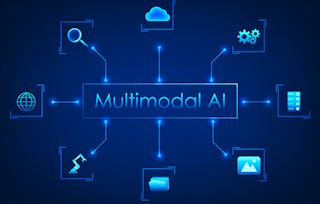
Learn to build AI that sees, hears, and understands the world in an integrated way. This course takes you beyond single-modality models, teaching you to architect applications that connect different data types like text, images, and speech.
Starting with text-to-image generation, you will progress to integrating various AI components and orchestrating the full power of Azure AI Services to build sophisticated, cross-modal solutions. By the end, you'll be equipped to design the next generation of intelligent, multi-faceted AI applications.
This module introduces the foundational concepts of multimodal AI. You will learn the architectural patterns for combining different AI components, such as text and image models, and progress from basic integration to building complex systems that can reason across multiple data types.
Important Notice on the Azure Interface: The screencast videos and screenshots were last updated in late 2025.
Please be aware that Microsoft may have updated the Azure interface since then. If the steps shown in the course materials look different from your current Azure environment, please follow the most up-to-date interface, as the underlying concepts and learning objectives remain the same.
Inclus
4 vidéos9 lectures7 devoirs
Afficher les informations sur le contenu du module
4 vidéos•Total 18 minutes
Introduction to Microsoft Generative AI engineering certification•4 minutes
Introduction to multimodal and cross-modal integrations course•3 minutes
Understanding multimodal AI•5 minutes
Advanced multimodal applications•5 minutes
9 lectures•Total 95 minutes
Course syllabus and recommended background•5 minutes
Components of multimodal AI setup•15 minutes
Visualizing a multimodal workflow•15 minutes
Architectural choices in multimodal AI: Single model vs. chained pipelines•10 minutes
Analyzing your first multimodal integration•10 minutes
Advanced integration strategies and use cases•10 minutes
Insights on advanced multimodal AI•10 minutes
Case study: Designing a multimodal product search•10 minutes
Module 1 summary: From architectural theory to practical integration•10 minutes
7 devoirs•Total 195 minutes
First steps with a true multimodal model•15 minutes
Building your first multimodal pipeline•30 minutes
Multimodal integration: Practice Quiz•30 minutes
Building a multimodal system•30 minutes
Architecting a complex multimodal solution•30 minutes
Advanced multimodal skills: Practice Quiz•30 minutes
Module 1 evaluation: Graded Quiz•30 minutes
Text-to-image generation
Module 2•4 heures à terminer
Détails du module
This module provides a deep dive into the popular and creative task of generating images from text descriptions. You will explore the models that power this technology, like DALL·E, and learn both basic and advanced prompting techniques to craft and refine specific, high-quality visual outputs.
Important Notice on the Azure Interface: The screencast videos and screenshots were last updated in late 2025.
Please be aware that Microsoft may have updated the Azure interface since then. If the steps shown in the course materials look different from your current Azure environment, please follow the most up-to-date interface, as the underlying concepts and learning objectives remain the same.
Inclus
5 vidéos5 lectures5 devoirs
Afficher les informations sur le contenu du module
5 vidéos•Total 19 minutes
Module 2 introduction: From words to worlds with text-to-image models•6 minutes
From text to image in practice•4 minutes
Text-to-image model comparisons•3 minutes
Mastering text-to-image control•3 minutes
Module 2 summary: From architecture to artistic control•3 minutes
5 lectures•Total 50 minutes
Exploration of text-to-image practices•10 minutes
Insights from text-to-image applications•10 minutes
Advanced text-to-image techniques•10 minutes
Advanced text-to-image insights•10 minutes
Case study: A creative workflow for a marketing campaign•10 minutes
5 devoirs•Total 180 minutes
Generating and refining images with text-to-image prompts•30 minutes
Solving text-to-image challenges: Practice Quiz•30 minutes
Module 2 evaluation: Graded Quiz•30 minutes
Cross-modal applications with Azure AI vision
Module 3•6 heures à terminer
Détails du module
This module focuses on practical implementation using a powerful, specialized tool. You will leverage the features of Azure AI Vision to build and optimize cross-modal applications like image captioning and visual search. You'll learn how this single service can analyze visual content to generate rich textual descriptions and extract embedded text (OCR), providing the core components for sophisticated multimodal solutions.
Important Notice on the Azure Interface: The screencast videos and screenshots were last updated in late 2025.
Please be aware that Microsoft may have updated the Azure interface since then. If the steps shown in the course materials look different from your current Azure environment, please follow the most up-to-date interface, as the underlying concepts and learning objectives remain the same.
Inclus
7 vidéos6 lectures7 devoirs
Afficher les informations sur le contenu du module
7 vidéos•Total 28 minutes
An overview of the Azure AI services toolkit•5 minutes
Module 3 introduction: The multiple applications of Azure AI Vision•3 minutes
Bringing sight to your applications with Azure AI Vision•5 minutes
Getting started with Azure AI Vision•4 minutes
Exploring cross-modal features in Vision Studio•4 minutes
Refining cross-modal applications•6 minutes
Module 3 summary: From a single feature to a complete vision solution•2 minutes
6 lectures•Total 60 minutes
Prototyping vs. production: The role of Vision Studio•10 minutes
Cross-modal AI implementation insights•10 minutes
Interpreting OCR results with the SDK•10 minutes
Advanced strategies for cross-modal AI•10 minutes
Optimizing multimodal workflows•10 minutes
Case study: Building an automated inventory checker•10 minutes
7 devoirs•Total 255 minutes
Exploring cross-modal techniques•30 minutes
Extract text from images•60 minutes
Cross-modal techniques quiz: Practice Quiz•30 minutes
Chaining vision skills with the Python SDK•30 minutes
Extending a multimodal application•45 minutes
Advanced cross-modal skills: Practice Quiz•30 minutes
Module 3 evaluation: Graded Quiz•30 minutes
Advanced AI integration with Azure services
Module 4•5 heures à terminer
Détails du module
This capstone module builds upon your deep expertise in Azure AI Vision. You will learn to integrate your vision applications with other powerful Azure AI Services, such as Language and Speech, to create comprehensive, end-to-end solutions. The focus will be on orchestrating these distinct services to develop a sophisticated application that solves a real-world business problem, demonstrating your ability to design and build a complete multimodal system from the ground up.
Important Notice on the Azure Interface: The screencast videos and screenshots were last updated in late 2025.
Please be aware that Microsoft may have updated the Azure interface since then. If the steps shown in the course materials look different from your current Azure environment, please follow the most up-to-date interface, as the underlying concepts and learning objectives remain the same.
Inclus
6 vidéos5 lectures5 devoirs
Afficher les informations sur le contenu du module
6 vidéos•Total 26 minutes
Module 4 introduction: Building an end-to-end solution•3 minutes
Orchestrating Azure AI services: A demonstration•6 minutes
Setting up your environment for integration•6 minutes
Demonstrating text-to-speech with the SDK•6 minutes
Module 4 summary: Orchestrating a full AI solution•2 minutes
Course summary•3 minutes
5 lectures•Total 60 minutes
Integrating Azure AI services•15 minutes
Managing multimodal workflows•10 minutes
Adding speech to your application•15 minutes
Analyzing your end-to-end application•10 minutes
Production considerations for multimodal apps•10 minutes
5 devoirs•Total 210 minutes
Integrating Vision with the language service•60 minutes
Designing multimodal workflows: Practice Quiz•30 minutes
Building an end-to-end multimodal application•60 minutes
Analyzing multimodal solutions: Practice Quiz•30 minutes
Module 4 evaluation: Graded Quiz•30 minutes
Obtenez un certificat professionnel
Ajoutez ce titre à votre profil LinkedIn, à votre curriculum vitae ou à votre CV. Partagez-le sur les médias sociaux et dans votre évaluation des performances.
Our goal at Microsoft is to empower every individual and organization on the planet to achieve more.
In this next revolution of digital transformation, growth is being driven by technology. Our integrated cloud approach creates an unmatched platform for digital transformation. We address the real-world needs of customers by seamlessly integrating Microsoft 365, Dynamics 365, LinkedIn, GitHub, Microsoft Power Platform, and Azure to unlock business value for every organization—from large enterprises to family-run businesses. The backbone and foundation of this is Azure.
OK
En savoir plus sur Software Development

RecommandéCertificats ProfessionnelsSpécialisationsEn rapport
Pour quelles raisons les étudiants sur Coursera nous choisissent-ils pour leur carrière ?
Felipe M.
Étudiant(e) depuis 2018
’Pouvoir suivre des cours à mon rythme à été une expérience extraordinaire. Je peux apprendre chaque fois que mon emploi du temps me le permet et en fonction de mon humeur.’
Jennifer J.
Étudiant(e) depuis 2020
’J'ai directement appliqué les concepts et les compétences que j'ai appris de mes cours à un nouveau projet passionnant au travail.’
Larry W.
Étudiant(e) depuis 2021
’Lorsque j'ai besoin de cours sur des sujets que mon université ne propose pas, Coursera est l'un des meilleurs endroits où se rendre.’
Chaitanya A.
’Apprendre, ce n'est pas seulement s'améliorer dans son travail : c'est bien plus que cela. Coursera me permet d'apprendre sans limites.’
When will I have access to the lectures and assignments?
To access the course materials, assignments and to earn a Certificate, you will need to purchase the Certificate experience when you enroll in a course. You can try a Free Trial instead, or apply for Financial Aid. The course may offer 'Full Course, No Certificate' instead. This option lets you see all course materials, submit required assessments, and get a final grade. This also means that you will not be able to purchase a Certificate experience.
What will I get if I subscribe to this Certificate?
When you enroll in the course, you get access to all of the courses in the Certificate, and you earn a certificate when you complete the work. Your electronic Certificate will be added to your Accomplishments page - from there, you can print your Certificate or add it to your LinkedIn profile.