When you enroll in this course, you'll also be enrolled in this Specialization.
Learn new concepts from industry experts
Gain a foundational understanding of a subject or tool
Develop job-relevant skills with hands-on projects
Earn a shareable career certificate
There are 4 modules in this course
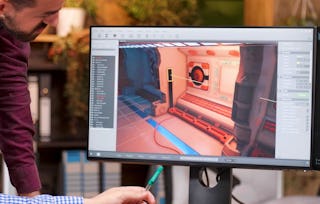
This course equips learners with practical, hands-on skills to build and refine an interactive pinball game using Unreal Engine. Designed for aspiring game developers and intermediate Unreal users, the course walks through the complete workflow—from advanced level design to final gameplay polish.
Students will begin by constructing gameplay environments with spline-based level design and modular construction scripting. They will then apply Blueprint systems to create drop targets, scoring mechanisms, and responsive event-driven gameplay using dispatchers and custom logic.
Progressing further, learners will integrate immersive audio and physics elements to simulate realistic ball movement, spinner reactions, and dynamic feedback. Visual fidelity is enhanced through lighting, material customization, and force-based gameplay adjustments.
The final module focuses on high-impact polish, including decal layering, UI animation, high score management, and particle systems to reinforce interaction clarity. Each lesson is anchored in Bloom’s Taxonomy, guiding students to apply technical knowledge, construct modular systems, and integrate polished components into a cohesive, production-ready game.
By the end of the course, students will have developed not only a visually and functionally rich pinball game, but also the critical Unreal Engine skills needed to scale and adapt these techniques to future game projects.
This module introduces learners to advanced level design techniques in Unreal Engine using Splines and Construction Scripts. Through practical, in-editor demonstrations, students will explore how to create and manipulate spline components, apply static meshes dynamically, and implement level progression logic efficiently. The module culminates in using construction scripting techniques to build interactive environments such as dynamic paths, terrain leveling systems, and target placement structures—laying a foundation for reusable, modular design workflows in Unreal Engine.
What's included
10 videos4 assignments
Show info about module content
10 videos•Total 88 minutes
Working With Splines in Unreal•10 minutes
Creation of Splines using Blueprint•9 minutes
More on Splines•6 minutes
Creating Leveling Design using Splines•10 minutes
Creating Leveling Design using Splines Continues•9 minutes
Creating Simple Collision in Splines•7 minutes
Adding Child Actors in Construction Script•10 minutes
Creating Static Mesh in construction Script•9 minutes
Creating Static Mesh in construction Script Continues•11 minutes
Creating Stop Traget using Static Mesh•9 minutes
4 assignments•Total 60 minutes
Mastering Splines•10 minutes
Leveling with Construction Scripts•10 minutes
Static Mesh Design and Drop Targets•10 minutes
Graded - Advanced Level Design with Splines•30 minutes
Drop Targets, Events, and Scoring
Module 2•3 hours to complete
Module details
This module focuses on enhancing pinball game mechanics by integrating modular drop targets, Blueprint-driven construction logic, event communication systems, and scoring functionality. Learners will build upon their knowledge of Unreal Engine's Construction Script by dynamically generating targets, creating reusable event-driven Blueprints using dispatchers, and implementing slingshot mechanics with audio feedback and real-time score updates. By the end of this module, students will be able to build interactive, responsive gameplay systems that emphasize modularity and Blueprint communication.
What's included
11 videos4 assignments
Show info about module content
11 videos•Total 98 minutes
More on Construction Script•7 minutes
Creating a Drop Targets in Construction Script•10 minutes
More on Drop Targets in Construction Script•10 minutes
More on Drop Targets in Construction Script Continues•10 minutes
Drop Target Functionality in Construction Script•7 minutes
How to Create Event Diepacthers in Drop Target•10 minutes
More on Creating Event Dispatcher•8 minutes
Adding Sling Shot Behaviour to Pinball Game•10 minutes
Creating Blueprint for Sling Shots•9 minutes
Creating Dynamic Instance for Sling Shots•10 minutes
Adding Score Blueprint for Sling Shot•7 minutes
4 assignments•Total 60 minutes
Construction Script Enhancements•10 minutes
Event Dispatchers and Sling Shots•10 minutes
Sling Shot and Audio Setup•10 minutes
Graded - Drop Targets, Events, and Scoring•30 minutes
Audio, Physics, and Environment
Module 3•3 hours to complete
Module details
This module explores the integration of environmental effects, responsive audio, and physical interaction in pinball game design using Unreal Engine. Learners will enhance game immersion by incorporating sound design tied to ball movement, implementing spinner mechanics with realistic physics responses, and refining visual appeal through dynamic lighting and texture customization. By the end of this module, students will have built a more engaging and responsive pinball table environment that reacts to gameplay inputs in visually and aurally meaningful ways.
What's included
12 videos4 assignments
Show info about module content
12 videos•Total 113 minutes
Adding Music Assets to Pinball Games•7 minutes
Adding Rolling Sound to Ball in Pinball Game•8 minutes
More on Sound to Ball in Pinball Game•9 minutes
Dynamic Rolling Sound To Ball in Pinball Game•12 minutes
Adding Spinner in Pinball Game•9 minutes
Adding Spinner in Pinball Game Continues•10 minutes
Fixing Physics in Pinball Game•8 minutes
Creating a Force Direction Volume in Pinball•10 minutes
Blueprint for Force Direction Volume•9 minutes
Adding Light to Pinball Game•10 minutes
Adding Colors and Textures to Pinball Table•11 minutes
Adding Colors and Textures to Pinball Table Cotinues•9 minutes
4 assignments•Total 60 minutes
Audio Feedback and Rolling Sounds•10 minutes
Spinner and Physics Adjustments•10 minutes
Lighting and Table Customization•10 minutes
Graded - Audio, Physics, and Environment•30 minutes
Final Visual and UI Polish
Module 4•4 hours to complete
Module details
This module focuses on refining the final presentation and user experience of the pinball game project using Unreal Engine. Learners will enhance game aesthetics through decals, polish passes, UI animations, high score systems, and dynamic particle effects. By applying these finishing touches, students will develop the skills necessary to deliver a polished, professional-quality game experience, reinforcing interactivity, clarity, and visual feedback in both the UI and game world.
Welcome to EDUCBA, a place where knowledge is limitless! We provide a wide selection of instructive and engaging programmes designed to empower students of all ages and experiences. From the convenience of your home, start a revolutionary educational experience with our cutting-edge technologies courses and experienced instructors.
When will I have access to the lectures and assignments?
To access the course materials, assignments and to earn a Certificate, you will need to purchase the Certificate experience when you enroll in a course. You can try a Free Trial instead, or apply for Financial Aid. The course may offer 'Full Course, No Certificate' instead. This option lets you see all course materials, submit required assessments, and get a final grade. This also means that you will not be able to purchase a Certificate experience.
What will I get if I subscribe to this Specialization?
When you enroll in the course, you get access to all of the courses in the Specialization, and you earn a certificate when you complete the work. Your electronic Certificate will be added to your Accomplishments page - from there, you can print your Certificate or add it to your LinkedIn profile.
Is financial aid available?
Yes. In select learning programs, you can apply for financial aid or a scholarship if you can’t afford the enrollment fee. If fin aid or scholarship is available for your learning program selection, you’ll find a link to apply on the description page.