When you enroll in this course, you'll also be enrolled in this Specialization.
Learn new concepts from industry experts
Gain a foundational understanding of a subject or tool
Develop job-relevant skills with hands-on projects
Earn a shareable career certificate
There are 5 modules in this course
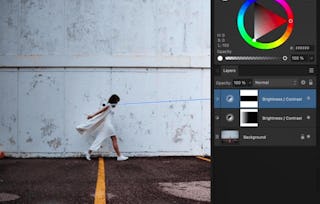
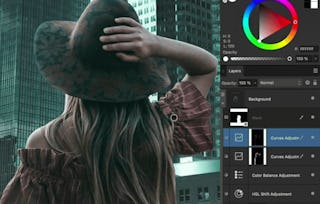
Want to create flawless photos without making them look over-edited? This course, with Ally the creator of Affinity Revolution, will teach you how to master the retouching tools in Affinity Photo so you can enhance your images naturally and professionally.
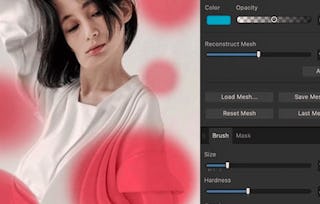
Designed for learners who already understand the basics of Affinity Photo, this course builds on that foundation with focused lessons on skin smoothing, blemish removal, object cleanup, frequency separation, dodging and burning, and more. You’ll follow along with real-world projects using downloadable files, so you can apply everything you learn right away.
By the end of this course, you’ll be able to:
* Retouch portraits while keeping skin texture intact
* Remove unwanted objects or distractions from any photo
* Brighten eyes, whiten teeth, and enhance details subtly
* Use professional techniques like frequency separation and dodge & burn
This course is perfect for photographers, hobbyists, or anyone who wants to polish their photos to a high standard. If you're ready to transform your photos without losing their natural beauty, this class is for you!
Instructor bio:
Ally, the creator of Affinity Revolution, has been teaching people how to use the Affinity creative suite since 2016. Through her easy-to-follow tutorials on Affinity Photo, Designer, and Publisher, she focuses on delivering maximum value in minimal time—making complex tools feel simple and approachable. Ally knows that learning Affinity can feel overwhelming at first, but with her step-by-step guidance, you’ll quickly gain confidence and master the skills to bring your creative projects to life.
This module introduces foundational retouching skills in Affinity Photo. Learners will explore the Clone Brush and practice using it on various types of cleanup tasks including edges, clothing, and removing visual distractions. These essential techniques serve as the building blocks for more complex retouching work later in the course.
What's included
5 videos2 readings1 assignment1 discussion prompt
Show info about module content
5 videos•Total 20 minutes
Photo Clean Up•1 minute
Clone Brush•4 minutes
Cloning Edges•3 minutes
Cloning Clothing•3 minutes
Removing Power Lines•9 minutes
2 readings•Total 60 minutes
Intro Reading•30 minutes
Project Instructions•30 minutes
1 assignment•Total 30 minutes
Module 1 Quiz•30 minutes
1 discussion prompt•Total 10 minutes
New Discussion Prompt•10 minutes
Advanced Cloning and Object Manipulation
Module 2•1 hour to complete
Module details
This module expands on the foundational cloning tools, introducing more sophisticated methods for manipulating cloned areas. Learners will work with masks and movement tools to reposition content and complete a structured clean-up project, reinforcing learned skills through practical application.
What's included
3 videos1 assignment1 discussion prompt
Show info about module content
3 videos•Total 21 minutes
Masking Cloned Areas•6 minutes
Moving Cloned Areas•9 minutes
Clean Up Project•6 minutes
1 assignment•Total 30 minutes
Module 2 Quiz•30 minutes
1 discussion prompt•Total 10 minutes
New Discussion Prompt•10 minutes
Core Retouching Foundations
Module 3•1 hour to complete
Module details
In this module, learners explore foundational retouching strategies used to enhance photo quality and composition. Techniques like dodging and burning, shadow removal, and background modifications provide the essential tools needed to prepare an image for professional-level refinement.
What's included
5 videos1 assignment1 discussion prompt
Show info about module content
5 videos•Total 26 minutes
Retouching Skills•0 minutes
Removing Shadows•4 minutes
Dodging & Burning•7 minutes
Extending Backgrounds•5 minutes
Blurring Backgrounds•9 minutes
1 assignment•Total 30 minutes
Module 3 Quiz•30 minutes
1 discussion prompt•Total 10 minutes
New Discussion Prompt•10 minutes
Professional Finishing Touches
Module 4•1 hour to complete
Module details
This module focuses on high-level finishing details that take images from good to great. Learners will tackle defringing, refine skin textures, and apply everything learned through targeted practice projects. This stage bridges the gap between technical know-how and polished final results.
What's included
3 videos1 assignment1 discussion prompt
Show info about module content
3 videos•Total 23 minutes
Defringing•11 minutes
Advanced Skin Retouching•11 minutes
Practice Projects•1 minute
1 assignment•Total 30 minutes
Module 4 Quiz•30 minutes
1 discussion prompt•Total 10 minutes
New Discussion Prompt•10 minutes
Real-World Retouching Projects
Module 5•3 hours to complete
Module details
This capstone module gives learners the opportunity to apply all their acquired skills to real-world retouching challenges. Each project represents a different scenario—portrait, landscape, and fashion—allowing learners to adapt and optimize their workflow while building confidence in their professional editing ability.
Skillshare is an online learning community where you can take classes from real working creatives. Unlock personal and professional growth, build your skills, make connections, and find your happy place.
When will I have access to the lectures and assignments?
To access the course materials, assignments and to earn a Certificate, you will need to purchase the Certificate experience when you enroll in a course. You can try a Free Trial instead, or apply for Financial Aid. The course may offer 'Full Course, No Certificate' instead. This option lets you see all course materials, submit required assessments, and get a final grade. This also means that you will not be able to purchase a Certificate experience.
What will I get if I subscribe to this Specialization?
When you enroll in the course, you get access to all of the courses in the Specialization, and you earn a certificate when you complete the work. Your electronic Certificate will be added to your Accomplishments page - from there, you can print your Certificate or add it to your LinkedIn profile.
Is financial aid available?
Yes. In select learning programs, you can apply for financial aid or a scholarship if you can’t afford the enrollment fee. If fin aid or scholarship is available for your learning program selection, you’ll find a link to apply on the description page.