When you enroll in this course, you'll also be enrolled in this Professional Certificate.
Learn new concepts from industry experts
Gain a foundational understanding of a subject or tool
Develop job-relevant skills with hands-on projects
Earn a shareable career certificate from Coursera
There are 4 modules in this course
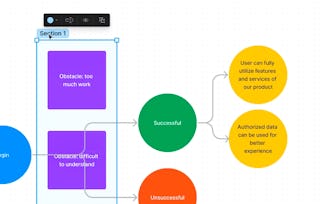
In this introductory course, you'll embark on a journey into the world of UX design with a focus on discovery and low-fidelity design using Figma. We'll demystify the concepts behind user-centered design, exploring its potential and limitations. You'll gain a clear understanding of the UX design process, from initial discovery phases to creating low-fidelity prototypes. You'll be introduced to the specific capabilities of Figma within the UX design ecosystem. We'll showcase how Figma harnesses the power of collaborative design to revolutionize your productivity across various applications. From conducting user research to developing wireframes, you'll discover the myriad ways Figma can enhance your workflow.
By the end of this course, you'll be able to:
- Understand the role of discovery in the UX design process.
- Analyze user research and gather requirements.
- Create personas and user journey maps.
- Develop wireframes and prototypes using Figma.
- Utilize Figma's collaborative features for team design.
What's included
6 videos7 readings2 assignments
Show info about module content
6 videos•Total 18 minutes
Welcome to UX Design: Course Introduction and Objectives•3 minutes
Setting Up Your Workspace: Getting Started with Figma•4 minutes
Unleashing Creative Potential: Getting Started with Figma•1 minute
Figma Basics for UX Projects: Interface, Tools, and AI Features•7 minutes
The Path to Innovative Design Solutions: Understanding the UX Design Process•1 minute
Mapping the UX Process in Figma: GreenLeaf Grocers Project Tutorial•3 minutes
7 readings•Total 130 minutes
Course Overview and Project Information•10 minutes
Introduction to Figma in UX Design•10 minutes
A Guide to the Greenleaf Grocers Project•30 minutes
Figma Fundamentals: Core Features, Tools, and AI Innovations•10 minutes
Setting Up Your GreenLeaf Grocers Project in Figma•30 minutes
The UX Design Process Explained: Key Stages, Discovery, and Low-Fidelity Design•10 minutes
Creating a UX Process Map for GreenLeaf Grocers•30 minutes
2 assignments•Total 20 minutes
Figma Tools and Features: Interface, Tools, and Best Practices Assignment•10 minutes
UX Design Process Fundamentals•10 minutes
User Personas and Journey Mapping
Module 2•4 hours to complete
Module details
What's included
8 videos8 readings4 assignments
Show info about module content
8 videos•Total 27 minutes
The Impact of User Personas in Product Design•1 minute
Designing User Personas in Figma: A Step-by-Step Tutorial•7 minutes
Why a User Journey Map is Critical: Mapping the User Journey•1 minute
Creating Interactive User Journey Maps in Figma: A Step-by-Step Tutorial•4 minutes
Translating User Insights into Solutions: Defining Problems and Identifying Opportunities•1 minute
Visualizing Problems and Opportunities in Figma Tutorial•7 minutes
From Problems to Solutions: Ideation and Concept Development•1 minute
Ideation and Concept Sketching in Figma: A Step-by-Step Tutorial•6 minutes
8 readings•Total 165 minutes
Creating Effective User Personas•15 minutes
Developing GreenLeaf Grocers User Personas•30 minutes
The Art of User Journey Mapping: Key Components and Best Practices•10 minutes
Creating a User Journey Map for GreenLeaf Grocers: Online Grocery Shopping Experience•30 minutes
From User Insights to Problem Statements: Analyzing Journeys and Identifying Pain Points•10 minutes
GreenLeaf Grocers Problem Definition: Identifying Pain Points and Opportunities in Figma•30 minutes
Ideation Techniques for UX Design: Methods, Evaluation, and Concept Sketching•10 minutes
GreenLeaf Grocers Ideation and Concept Development: Analyzing Problems and Brainstorming Solutions•30 minutes
4 assignments•Total 40 minutes
User Persona Development: Knowledge Assessment•10 minutes
User Journey Mapping Techniques: Concept and Best Practices Assessment•10 minutes
Problem Definition and Opportunity Identification: User Journey Insights Assessment•10 minutes
Ideation and Concept Development: Graded Assignment on Personas, Journeys, and Techniques•10 minutes
User Flow and Wireframing
Module 3•2 hours to complete
Module details
What's included
4 videos4 readings2 assignments
Show info about module content
4 videos•Total 15 minutes
The Impact of User Flow Design on User Satisfaction•1 minute
Designing User Flows in Figma: A Step-by-Step Tutorial•6 minutes
Why Low-Fidelity Wireframing is Essential in UX Design•1 minute
Creating Low-Fidelity Wireframes in Figma: A Step-by-Step Tutorial•7 minutes
4 readings•Total 85 minutes
Mastering User Flow Design: Principles and Best Practices•10 minutes
Creating the GreenLeaf Grocers User Flow in Figma•30 minutes
Wireframing Essentials: Principles for Effective Content Hierarchy and Layout•15 minutes
Creating Low-Fidelity Wireframes for GreenLeaf Grocers in Figma•30 minutes
2 assignments•Total 25 minutes
User Flow Fundamentals: Best Practices Assessment•10 minutes
Wireframing and User Flow Techniques: Assessment•15 minutes
Basic Prototyping and Design Critique
Module 4•3 hours to complete
Module details
What's included
7 videos7 readings3 assignments
Show info about module content
7 videos•Total 20 minutes
Bringing Design Concepts to Life: The Power of Prototyping•1 minute
Figma Prototyping: Connecting Wireframes and Adding Interactivity•7 minutes
The Value of Design Critiques in UX•1 minute
Facilitating Design Critiques in Figma: Using Presentation and Commenting Tools•4 minutes
Improving Designs Through Collaborative Critiques•1 minute
Using Figma to Document and Prioritize Design Feedback•5 minutes
Wrapping Up and Moving Forward: Key Takeaways and Next Steps•1 minute
7 readings•Total 125 minutes
Prototyping in UX Design: An Introduction to Principles and Best Practices•10 minutes
Creating a Click-Through Prototype for GreenLeaf Grocers in Figma•30 minutes
Effective Design Critiques: A Guide to Giving and Receiving Feedback•10 minutes
Preparing for GreenLeaf Grocers Design Critique: A Guide to Peer Feedback•30 minutes
Translating Feedback into Action: Analyzing and Prioritizing Design Feedback•10 minutes
Synthesizing Feedback for GreenLeaf Grocers: Creating an Iteration Plan in Figma•30 minutes
Next Steps: Continue Your Journey with Course 2•5 minutes
3 assignments•Total 30 minutes
Prototyping Basics: Key Questions on Techniques and Best Practices•10 minutes
Design Critique Best Practices: Key Questions on Effective Techniques and Feedback•10 minutes
Feedback Synthesis and Iteration Planning: Graded Assessment•10 minutes
Earn a career certificate
Add this credential to your LinkedIn profile, resume, or CV. Share it on social media and in your performance review.
Instructor
Instructor ratings
Instructor ratings
We asked all learners to give feedback on our instructors based on the quality of their teaching style.
Coursera brings together a diverse network of subject matter experts who have demonstrated their expertise through professional industry experience or strong academic backgrounds. These instructors design and teach courses that make practical, career-relevant skills accessible to learners worldwide.
When will I have access to the lectures and assignments?
To access the course materials, assignments and to earn a Certificate, you will need to purchase the Certificate experience when you enroll in a course. You can try a Free Trial instead, or apply for Financial Aid. The course may offer 'Full Course, No Certificate' instead. This option lets you see all course materials, submit required assessments, and get a final grade. This also means that you will not be able to purchase a Certificate experience.
What will I get if I subscribe to this Certificate?
When you enroll in the course, you get access to all of the courses in the Certificate, and you earn a certificate when you complete the work. Your electronic Certificate will be added to your Accomplishments page - from there, you can print your Certificate or add it to your LinkedIn profile.