EY
5.0Reviewed Dec 4, 2017
Audited the course. A quick, excellent course on the principles of making good visualizations for your data. His tutorials for Adobe Illustrator was also excellent.

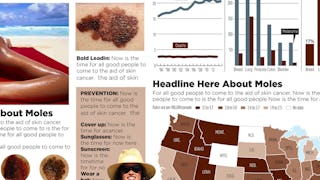
In this project-centered course*, you will create a content-rich infographic on a topic of your choice using Adobe Illustrator (which you can download for a free, 30-day trial). You might choose to create a visual representation of data from the world of sports, entertainment, politics, or science, to explain a business trend or environmental issue, or even to present a theme or development from your personal life. Your finished infographic will engage your target audience and convey information clearly through effective use of design elements such as typography, color, and structure. Whether you’re a graphic designer, a writer or the intern in the department, you’ll learn: • what an infographic is and what makes a good one • how to work within your limits • how to work with a team (if you have one) • why infographics are effective • techniques for spotting data in stories • six valuable steps for planning an effective infographic • how to use and make some of the building blocks of infographics: maps, charts and flow charts • ways data can be visualized to clarify it and give it meaning • how to effectively design a good infographic by effectively using elements like type, color and an underlying grid structure • some free or cheap, online tools for making various kinds of infographics As you work on your project, you’ll learn more about why infographics are effective, what makes a good infographic, and how to plan and design an infographic for maximum impact. You’ll explore various approaches to data visualization, and you’ll practice creating visualizations like maps, charts, flow charts, and simple drawings in your free version of Adobe Illustrator. Please note that if you are new to learning graphics software, making these graphics could take much longer than estimated as you learn and grow. What you’ll need to get started: This project-based course is aimed at anyone interested in understanding, designing, and using infographics - from students and hobbyists to professional graphic designers. We’ll use Adobe Illustrator for some components of the project. If you don’t have access to the full version of Illustrator,you can download a free version at www.Adobe.com/Illustrator. If the free 30-day trial runs out, you can "purchase" it for a month for about $20. *About Project-Centered Courses: Project centered courses are designed specifically to help you complete a personally meaningful real-world project, with your instructor and a community of like-minded learners providing guidance and suggestions along the way. By actively applying new concepts as you learn, you’ll master the course content more efficiently; you’ll also get a head start on using the skills you gain to make positive changes in your life and career. When you complete the course, you’ll have a finished project that you’ll be proud to use and share. When you enroll in certain courses, you’ll be asked to pay a small fee to share your work with others for peer review.
EY
Audited the course. A quick, excellent course on the principles of making good visualizations for your data. His tutorials for Adobe Illustrator was also excellent.
MV
An absolutely amazing experience and a good learning. Karl Gude has been a good facilitator and a very good expert in sharing his experience may it be practical or knowledge sharing.
SB
The professor is amazing on explaining things. I really like the fact that the course is practise-based and we have the opportunity to learn some parts of adobe software.
VK
An excellent course to learn about infographics. Especially useful to design mindmaps, concept maps for students. My sincere thanks to the author of this program Karl Gude.
AS
This is the most interesting course i have indulged myself in. Thanks to Karl Gude for creating such an amazing course. It changed my perspective about a picture, poster and infographic. Kudos.
CS
Wonderful and intuitive course, great performer. I recommend this course to everybody who wishes to immerse in the world infographics and to receive feedback on his or her progress in design.
LA
This is an interesting course, though it is taught from the perspective of design with less focus on content or how to actually write an infographic. Still, very useful.
MM
I found this an extremely interesting and practical course, presented in an iengaging way. It included a wealth of advice and guidance on how to produce an infographic from start to finsh.
CR
Great course, a fun educational experience! I liked Karl's way of explainimg thinks and giving real examples from his long career. The peer-review system is a bit slow though ...
IS
This course guides you through the whole process of making an infographic. From defining the goal and message to technical help with Adobe Illustrator. It has been very helpful!
GW
Good course but some videos are really outdated, they require the use of expensive software and the grading system is very slow. Other then these it was useful and I learned a lot about infographics.
AR
Amazing course and Karl Gude is an amazing person with great teaching skills. Looking forward to learn more from him.Thank you coursera for providing me this amazing learning platform.
Showing: 20 of 309
I enjoyed this course but I was not satisfied with the assessment.
The content kept me engaged and highly motivated. I acquired some very specific and useful skills, which I developed by completing projects on topics of my choosing that were meaningful to me. I really liked Karl's casual and somewhat spontaneous style - this is a breath of fresh air from the video tutorials out there where lecturers are reading from prompts or reciting from memory.
The biggest drawback to this course is that it relied completely on peer grading for the assessment (which you have to pay for). I don't think this assessment method was sufficiently designed to reduce the influence of graders who were overly subjective, hadn't sufficiently mastered the content themselves, or were disinterested in putting effort into the peer review. From now on, I will think twice about paying for any course where all of the assessment is based on how my classmates grade me. While peer review can be useful for learning, I don't think it's an accurate assessment tool. Especially if I'm paying to learn from a professional in a field, I'd expect to receive some feedback and assessment from that pro.
Another area of improvement is that there were several instances where videos repeated things covered in previous videos. These things could be cleaned up a bit and the course would be more polished.
The course is misrepresented as infographics for all. It is really infographics for journalists WITH experience in Adobe Illustrator. There is no chance that anyone walking into the course with zero experience in AI can pass. No chance, period!
The final project grading is unfair & ridiculous. The scoring is "not good", "good", "excellent". Here's the thing... scoring "good" equals a fail in the project and, therefore, a fail in the course. Your classmates with experience in adobe are scoring you based upon the instructors "excellent" examples. Not realistic at all.
I would also point out that the course is excellent for journalists but completely useless for those of us in the business world. Under no circumstances would we use journalistic-style infographics in the business world. Having worked for multiple Fortune 500's, this style would NEVER fly in the business world. I wish I had known before I signed up. I would never have wasted the hours, energy or money.
I am grateful to all who made this course and especially to Karl Gude, for the extensive introduction to Design and Infographics. Thank you!
For future students : Please, leave more comments to your peers. It is absolutely essential! It was so confusing when someone leave me a low grade without any explanations.. I could accomplish that course faster if it would be more feedback from my peers.
Lastly, THANKS TO ALL PEERS WHO LEFT THE DETAILED FEEDBACK)))))
Overall i love the course, the only problem was the grading process , since my classmates get to give me points, there are many opinions but if you are unlucky and one of them decides to deduct a lot of your points , you'll have to wait until the next session ends so other classmates my grade you again.
in general i'm happy about the course and YES I LEARNED =)
It was very useful with rich content. I thank the peer classmates who are reviewers as well. Lecture was given in simple lucid way. Learnt about Color,font etc.. lessons are too good
Excellent step by step guide. It has a lot of valuable information. Please note, that if you're a beginner in Graphic Design, you will probably be a little frustrated at first, but he really does go in depth and step by step! Give it a chance and see it through. Great class!
Really good! Karl Gude is great and knows how to explain in a clear way. Very useful course if you want to practice your Adobe Illustrator skills, and end up with projects to add on your portfolio.
I found this an extremely interesting and practical course, presented in an iengaging way. It included a wealth of advice and guidance on how to produce an infographic from start to finsh.
I would say this is a fantastic course that gives a tremendous learning experience. The best part is that anyone can take this course, you need not have any design experience before. If you have the designing experience, then this will add a special stone to your crown. Special thanks to Mr. Karl Gude, who explained complex things in a very simple way. This shows his experience and expertise in the subject.
I feel happy that I made the right choice of taking this course. Being a Learning and Development Specialist, I feel that I have gained an additional skill in Infographic Designing, which will be very useful in my projects and my career.
Thanks again and I am sure anyone who is taking this course will have the same experience.
A great course to learn how to make infographics. Also one gets to learn software tools like Adobe illustrator/Inkscape which is the best part of it. It would be very helpful if mentors also review the assignments along with peer reviewing them. Since mentors are the once who are experts in the field, their comments would really add value and mean a lot in the progress of any candidate undergoing this course. Overall very intensive and extensive subject but the way coursera and Mr.Karl Gude has structured it is just outstanding. Also I would like to thank Mr.Karl Gude for his explanations and making realize every minute detail!!
I loved this class! Professor Gude is really knowledgeable and fun. He has a casual, humble way of speaking that is funny and yet very credible. I learned a lot while taking this. I had no graphic design training and never used Adobe Illustrator before. That made it a bit more challenging, but his lessons on how to use the software were perfect for the assignments. I am really glad I took this course and would take another offered by this professor. The class community was great, too! Everyone was really participatory in the chats and comments on my assignments. Thank you to all.
I learnt how to make different elements of an info graphic. The projects really helped in understanding and learning how to make an Info graphic. The videos were sometimes a little vague, but I was able to understand what was taught. It would be nice if more tutorials on how to use Illustrator could be uploaded. Design has evolved a lot. So maybe some more exposure on how info graphics are done apart from the traditional works would be nice.
So glad I made time for this course. The course material leads in nicely to the weekly assignments and build toward the final project, which (ideally) incorporates some of the work you did in prior weeks. The instructor is very knowledgeable and communicates the information well in his videos. Would definitely take another course taught by him. Happy to have a new skill as well as a few things to add to my portfolio. Thanks Coursera!
The course is great for either people that have or no experience in the use of Illustrator or in Infographic design. It gives a lot of suggestions and advice to make compelling and understandable works. It highlights the importance of content and images. It also gives a good idea of the ideal workplace for making an infographic without other people for any company or institution.
Extremely helpful course - I learned a lot, including how to use Adobe Illustrator. Got a lot of tips on infographic design and it helped me broaden my concept of what I considered to be infographics.
Only issue I had with the class was that there was really no interaction with the professor or his team. It kind of felt like we were left to ourselves.
Karl Gude is probably the most entertaining lecturer i've come across. He's easy to understand, informational and just downright to the point. He makes learning fun, and I've honestly learnt so much. I was always looking forward to his lectures, and have even shared my experience with some of my family members and friends. Thank you very much, Sir!
This is one of the best teachers I've ever seen. He's engaging and informative and he really knows his stuff. I took this as the free course (which means I am not graded) and am planning on paying for it the next time it is offered so I can do those graded assignments and find out how my work compares with my fellow students. Excellent course.
This course will teach you the basics of infographics and have you up and running if you practice the assigned projects. I now feel confident in creating infographics for my personal research projects. I highly recommend this course to those who would like to design and create graphs, charts and maps in Illustrator. Thanks so much Karl!
Excellent short videos, with useful tutorials on youtube to get back to. I think it iwas a good way to learn illustrator and infographics.
The instructor is very knowledgable and experienced with visuals and graphic design, so it;s good to listen to his ideas.
The assignments take quite a bit of time for newbies to illustrator like me.
Karl is super amazing. He keeps you engaged and teaches loads of stuff about creating maps, charts, making illustrations, structuring, and avoiding mistakes in color and typography. The assignments were creative and challenging, and forced me to do my best. I had so much fun doing them, and reading feedback as well. Loved it!