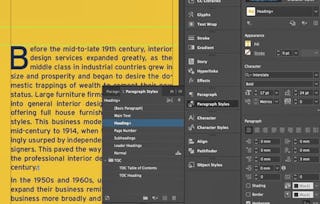
Giving your documents a well-designed, professional look will put you a step ahead in the marketplace cluttered with all kinds of communications. Paragraph and character styles that allow you to format pages of text uniformly, layout features that help you to build alternate size configurations of your document, and various panels that enable you to easily customize both text and graphics; Adobe® InDesign® has all the tools you need to elevate the look of your document and get it out to the people who need to see it, whether it be in print or on the web.

Adobe InDesign CC: Part 1

Gain insight into a topic and learn the fundamentals.
1 week to complete
at 10 hours a week
Flexible schedule
Learn at your own pace
What you'll learn
In this course, you will use Adobe InDesign to create and deliver professional-looking printed and interactive documents.
Skills you'll gain
Tools you'll learn
Details to know

Shareable certificate
Add to your LinkedIn profile
Assessments
1 assignment
Taught in English
See how employees at top companies are mastering in-demand skills

There are 7 modules in this course
Instructor

Offered by

Why people choose Coursera for their career

Felipe M.
Learner since 2018
"To be able to take courses at my own pace and rhythm has been an amazing experience. I can learn whenever it fits my schedule and mood."

Jennifer J.
Learner since 2020
"I directly applied the concepts and skills I learned from my courses to an exciting new project at work."

Larry W.
Learner since 2021
"When I need courses on topics that my university doesn't offer, Coursera is one of the best places to go."

Chaitanya A.
"Learning isn't just about being better at your job: it's so much more than that. Coursera allows me to learn without limits."
Explore more from Computer Science
Logical Operations