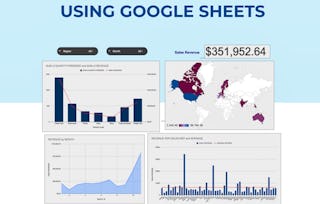
By the end of this project, you will be able to build a basic budget using Google Sheets. You will use a template to add, delete, edit, and format a budget to meet the needs of your personal or professional goals. You will be able to read the summary tab, share the budget, and create permissions for others to access, format the charts, and use conditional formatting. You will also be able to take the Google Sheets Budget and put it into presentable files.

Create a Budget with Google Sheets

Create a Budget with Google Sheets

Instructeur : Jamie Schroeder
24 815 déjà inscrits
Inclus avec En savoir plus
Apprendre, pratiquer et appliquer des compétences professionnelles grâce à des conseils d’experts
4.6
(338 avis)
niveau Débutant
Expérience recommandée
1 hour
Apprenez à votre propre rythme
Ce que vous apprendrez
Access Google Sheets and Open a Google Sheets Template, Populate the Template
Understand the different sections of the Summary tab, and Sharing your Google Sheet with others.
Format your charts and add conditional formating and how to make your Google Sheets presentable.
Compétences que vous pratiquerez
- Catégorie : Data Sharing
- Catégorie : Presentations
- Catégorie : User Accounts
- Catégorie : Spreadsheet Software
- Catégorie : Data Visualization
- Catégorie : Budgeting
- Catégorie : Budget Management
Outils que vous utiliserez
- Catégorie : Google Sheets
- Catégorie : Productivity Software
Détails à connaître

Certificat partageable
Ajouter à votre profil LinkedIn
Enseigné en Anglais
Aucun téléchargement ou installation requis(e)
Disponible uniquement sur ordinateur
Un apprentissage pratique
Découvrez comment les employés des entreprises prestigieuses maîtrisent des compétences recherchées

Apprendre, pratiquer et appliquer des compétences prêtes à l’emploi en moins de 2 heures
- Bénéficiez d’une formation par des experts du secteur
- Gagnez en expérience pratique en effectuant des tâches professionnelles du monde réel
- Renforcez votre confiance en utilisant les outils et technologies les plus récents

À propos de ce Projet Guidé
Apprendrez étape par étape
Votre enseignant(e) vous guidera étape par étape, grâce à une vidéo en écran partagé sur votre espace de travail :
Access Google Sheets and Open a Google Sheets Template (3 min)
Delete and populate rows in the Setup, Expense, and Income Tabs (9 min)
Understand the different sections of the Summary Tab (3 min)
Share your Google Sheet with others. (3 min)
Format your charts and add conditional formatting. (6 min)
Make the Google Sheets into a Presentable File. (4 min)
Expérience recommandée
All are welcome to take this course!
2 images de projet
Instructeur
Évaluations de l’enseignant
(22 évaluations)4 Cours40 062 apprenants
Offert par

Méthode d’apprentissage
Apprentissage pratique basé sur les compétences
Mettez en pratique de nouvelles compétences en effectuant des tâches professionnelles.
Conseils d’experts
Suivez les vidéos pré-enregistrées d’experts à l’aide d’une interface unique, divisée en deux.
Aucun téléchargement ou installation requis(e)
Accédez aux outils et aux ressources dont vous avez besoin dans un espace de travail cloud préconfiguré.
Disponible uniquement sur ordinateur de bureau
Ce Projet Guidé est conçu pour les ordinateurs portables ou de bureau disposant d’une connexion internet fiable, et non pour les appareils mobiles.
Pour quelles raisons les étudiants sur Coursera nous choisissent-ils pour leur carrière ?

Felipe M.
Étudiant(e) depuis 2018
’Pouvoir suivre des cours à mon rythme à été une expérience extraordinaire. Je peux apprendre chaque fois que mon emploi du temps me le permet et en fonction de mon humeur.’

Jennifer J.
Étudiant(e) depuis 2020
’J'ai directement appliqué les concepts et les compétences que j'ai appris de mes cours à un nouveau projet passionnant au travail.’

Larry W.
Étudiant(e) depuis 2021
’Lorsque j'ai besoin de cours sur des sujets que mon université ne propose pas, Coursera est l'un des meilleurs endroits où se rendre.’

Chaitanya A.
’Apprendre, ce n'est pas seulement s'améliorer dans son travail : c'est bien plus que cela. Coursera me permet d'apprendre sans limites.’
Avis des étudiants
- 5 étoiles
76,33 %
- 4 étoiles
16,56 %
- 3 étoiles
4,14 %
- 2 étoiles
0,59 %
- 1 étoile
2,36 %
Affichage de 3 sur 338
RR
5.0
Révisé le 9 sept. 2020
I love the instructor's way of teaching. It was smooth and so easy to understand. Thanks a lot Mrs. Jamie.
KS
5.0
Révisé le 5 févr. 2021
Good we can learn all the things functioning about google shhet
KS
4.0
Révisé le 22 juil. 2024
good course to understand the basics of using the budget template in Sheets.
Vous aimerez peut-être aussi



Faites progresser votre carrière avec un diplôme en ligne
Obtenez un diplôme auprès d’universités de renommée mondiale - 100 % en ligne



