When you enroll in this course, you'll also be enrolled in this Specialization.
Learn new concepts from industry experts
Gain a foundational understanding of a subject or tool
Develop job-relevant skills with hands-on projects
Earn a shareable career certificate
There are 2 modules in this course
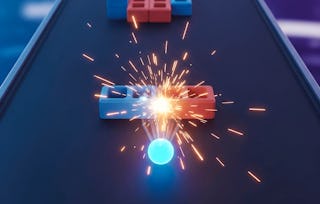
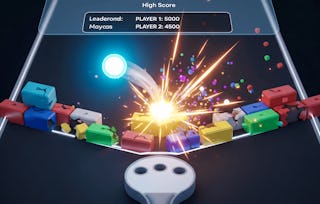
By the end of this course, learners will set up Unity projects, script core gameplay mechanics, design immersive environments, integrate events, add boosts, and enhance GUI elements to complete a fully functional Box Sprint game.
This hands-on course empowers learners to apply C# scripting, construct reusable prefabs, implement dynamic player controls, and build event-driven logic that makes games interactive and engaging. Students will also gain practical experience in designing informative GUI systems to communicate essential feedback to players and polish their games with finishing touches.
What makes this course unique is its step-by-step, project-based approach—learners don’t just study theory but actively develop a complete game from scratch while mastering Unity’s essential tools and workflows. Whether new to Unity or looking to sharpen development skills, students will walk away with the ability to design, implement, and optimize engaging 2D games.
This course is designed to be beginner-friendly, practical, and results-oriented, making it ideal for aspiring game developers eager to create projects that are both functional and fun.
This module introduces learners to the fundamentals of creating the Box Sprint game in Unity by focusing on project setup, scripting basics, and building the game environment. Students will establish a strong foundation by designing the skyline and constructing platforms, ensuring they understand how to set up the development workspace, attach scripts, and create reusable objects for an efficient workflow.
What's included
7 videos3 assignments
Show info about module content
7 videos•Total 45 minutes
Introduction to Creating Box Sprint Game in Unity•2 minutes
Setting Up Project•9 minutes
Creatig New Script•7 minutes
Creating Skyline•7 minutes
Creating Skyline Object•7 minutes
Adding Platforms•8 minutes
Adding Platforms Continues•5 minutes
3 assignments•Total 50 minutes
Graded - Building the Foundation of Box Sprint Game•30 minutes
Getting Started with Unity Setup•10 minutes
Designing the Game World with Platforms•10 minutes
Player Controls, Events, and Enhancements
Module 2•3 hours to complete
Module details
This module focuses on bringing the Box Sprint game to life by implementing player mechanics, event systems, boosts, and GUI enhancements. Learners will program interactive gameplay features such as jumping, randomization, and event handling, then enhance the player experience with boosts and informative graphical interfaces. By the end, students will polish the project with finishing touches and complete the full game cycle.
What's included
9 videos4 assignments
Show info about module content
9 videos•Total 93 minutes
Making the Player Jump•8 minutes
Making the Player Jump Continues•9 minutes
Randomizing Platforms and Creating Events•6 minutes
Setting Up Events and GUI•12 minutes
Completing Events•12 minutes
Adding Boosts•12 minutes
Adding Boosts Continues•9 minutes
Adding Informative GUI•13 minutes
Finishing Touches and Conclusion•11 minutes
4 assignments•Total 60 minutes
Graded - Player Controls, Events, and Enhancements•30 minutes
Making the Player Come Alive•10 minutes
Events and Randomization•10 minutes
Boosts and GUI Enhancements•10 minutes
Earn a career certificate
Add this credential to your LinkedIn profile, resume, or CV. Share it on social media and in your performance review.
Welcome to EDUCBA, a place where knowledge is limitless! We provide a wide selection of instructive and engaging programmes designed to empower students of all ages and experiences. From the convenience of your home, start a revolutionary educational experience with our cutting-edge technologies courses and experienced instructors.
When will I have access to the lectures and assignments?
To access the course materials, assignments and to earn a Certificate, you will need to purchase the Certificate experience when you enroll in a course. You can try a Free Trial instead, or apply for Financial Aid. The course may offer 'Full Course, No Certificate' instead. This option lets you see all course materials, submit required assessments, and get a final grade. This also means that you will not be able to purchase a Certificate experience.
What will I get if I subscribe to this Specialization?
When you enroll in the course, you get access to all of the courses in the Specialization, and you earn a certificate when you complete the work. Your electronic Certificate will be added to your Accomplishments page - from there, you can print your Certificate or add it to your LinkedIn profile.
Is financial aid available?
Yes. In select learning programs, you can apply for financial aid or a scholarship if you can’t afford the enrollment fee. If fin aid or scholarship is available for your learning program selection, you’ll find a link to apply on the description page.