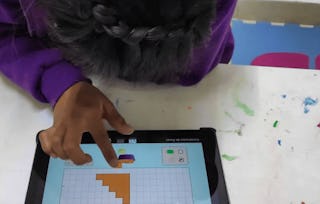
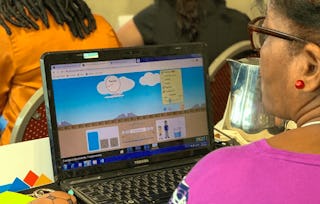
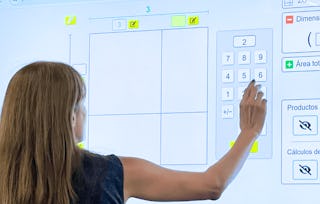
PhET Interactive Simulations (https://phet.colorado.edu/), a project of the University of Colorado Boulder, provides fun, free, interactive, research-based science and mathematics simulations for primary, secondary, and higher education levels. We extensively test and evaluate each simulation to ensure educational effectiveness. All simulations and associated resources are open source and therefore free for all users.
In this course, you will acquire teaching and facilitation strategies for how to use PhET simulations in a grade 3-5 classroom (ages 7-11) and engage with lessons supporting students’ learning about fractions. Specifically, you will (a) develop familiarity with fractions through PhET simulations including Fractions: Intro, Fraction Matcher, Build a Fraction, Fractions: Mixed Numbers and Fractions: Equality, and (b) reflect on strategies for teaching fractions, including small groups, demos, storytelling, and predictions, while maximizing student talk.
To finish this course, you need to complete discussions, auto-graded quizzes, and one major assignment with peer review. The peer review assignment consists of creating a lesson (using a template) on fractions using one of the PhET simulations introduced in this course, and reviewing others’ lessons (using a provided rubric).
In this module, you will activate your prior knowledge of fractions and learn how the PhET simulation, "Fractions: Intro," can support fraction sense.
Inclus
9 lectures1 devoir2 sujets de discussion1 plugin
Afficher les informations sur le contenu du module
9 lectures•Total 36 minutes
Course Updates and Accessibility Support•1 minute
Welcome!•1 minute
Teaching Fractions•7 minutes
Open Play•10 minutes
Confirm Open Play Discoveries•5 minutes
Intentional Design Features of a PhET Simulation•5 minutes
Now that you’ve engaged in open play and learned facilitation strategies to successfully implement open play, it’s time to engage in a lesson using the Fractions: Intro simulation. The goal of this module is to help you learn how to effectively facilitate a lesson using the simulation to better take advantage of PhET’s design principles supporting the challenging fraction concepts.
Inclus
11 lectures2 devoirs5 sujets de discussion
Afficher les informations sur le contenu du module
11 lectures•Total 59 minutes
Introduction to the Lesson, "What is a Fraction?"•3 minutes
"What is a Fraction?" - Activating Prior Knowledge•5 minutes
"What Is a Fraction?" – Open Play•3 minutes
"What is a Fraction?" – Engage as a Learner•10 minutes
"What Is a Fraction?" – Engage as an Observer or Teacher•5 minutes
"What Is a Fraction?" – Role of Numerator•3 minutes
"What is a Fraction?" – Role of Denominator•5 minutes
"What Is a Fraction?" – Role of Denominator, continued•10 minutes
One more item in the Lesson “What is a Fraction?”•5 minutes
Module Wrap-Up•2 minutes
Pause and Reflect•8 minutes
2 devoirs•Total 20 minutes
"What Is a Fraction?" - Procedural Understanding•10 minutes
"What is a Fraction?" - Conceptual Understanding•10 minutes
5 sujets de discussion•Total 25 minutes
Activating Prior Knowledge – As a Learner•5 minutes
Questions #2-5 Debrief•5 minutes
Processing the Student’s Contribution•5 minutes
In this Module, we will side-step briefly to explore how the previous vignette supports a positive math identity, or the way in which people view themselves as mathematicians. It is common for many students–and their teachers–to approach math with some trepidation. This module aims to help you unpack how you and your students might approach math, and what you can do to shift from math anxiety toward mathematical curiosity and joy.
Inclus
1 lecture4 sujets de discussion
Afficher les informations sur le contenu du module
1 lecture•Total 5 minutes
Other Teacher Responses about Math Identity•5 minutes
4 sujets de discussion•Total 20 minutes
Math Identity•5 minutes
Reflecting on Your Own Math Identity•5 minutes
Building Students’ Positive Math Identities•5 minutes
Now, let's move beyond an introduction to fractions, and begin to explore equivalent fractions with the PhET simulation Fractions: Equivalent Fractions.
Inclus
9 lectures2 devoirs7 sujets de discussion
Afficher les informations sur le contenu du module
In this module, you will reinforce the connection between a positive math identity and certain facilitation moves while deepening your knowledge of the relationship between numerators, denominators, and the concept of 'wholes' in fractions. The lesson in this module leverages the simulation, Fractions: Mixed Numbers, to explore improper and mixed fractions, and supports how to convert between the two.
Inclus
5 lectures1 devoir3 sujets de discussion
Afficher les informations sur le contenu du module
5 lectures•Total 37 minutes
“Mixed Numbers and Improper Fractions” – Open Play•10 minutes
“Mixed Numbers and Improper Fractions” – Intro•10 minutes
“Mixed Numbers and Improper Fractions” – Facilitating Question Part 1•10 minutes
“Mixed Numbers and Improper Fractions” – Lesson Wrap-Up•5 minutes
“Mixed Numbers and Improper Fractions” – Summary•2 minutes
1 devoir•Total 6 minutes
Mixed Numbers Knowledge Synthesis•6 minutes
3 sujets de discussion•Total 20 minutes
"Mixed Numbers and Improper Fractions" – Open Play Debrief•5 minutes
Processing the Vignette•5 minutes
“Mixed Numbers and Improper Fractions” - Your Turn!•10 minutes
The three fractions simulations you explored during a lesson, Fractions: Intro, Fractions: Equality, and Fractions, Mixed Numbers were all designed to provide users with an experience to build meaning around fractions. In other words, these sims supported the building of students’ fraction sense. As such, lessons can be, and are, written as what PhET calls, “sim-based lessons,” in which the simulation is an integral part of the lesson and is relied on to complete the activity as knowledge is built.
You probably also noticed that the three simulations you already used include games in which students can assess and reinforce their knowledge about fractions. This module introduces two additional fraction simulations that include only the games and an interactive whiteboard (called the Lab screen) that does not provide immediate feedback for students.
Inclus
2 lectures2 sujets de discussion
Afficher les informations sur le contenu du module
You have now interacted with several sims throughout this course. The way you accessed the sims were in one of two ways: either directly interacting with the sim as an embedded component within a page, or by clicking a link taking you directly to the sim in a browser. By interacting in this way, PhET’s website was bypassed so the focus of each lesson could be on the sim rather than how to navigate to the sim. The PhET website, however, has several free resources designed to support you as you integrate sims into your practice. This module guides you through PhET’s website to provide awareness about what available resources exist as well as how to navigate to them.
Note: This section includes information also embedded within our Active Learning in STEM with PhET Interactive Simulations Specialization course, with the exception that the sims highlighted below have been customized to include the Fraction simulations you explored in this course. If you have already taken the course listed above, feel free to skip this Module. See the Learning Objectives for more information about what is included in this Module.
Inclus
8 lectures1 sujet de discussion
Afficher les informations sur le contenu du module
8 lectures•Total 39 minutes
Providing Student Access to Sims•10 minutes
Providing a URL to a Sim•2 minutes
Embedding a Sim•2 minutes
Summarizing Student Access Options•2 minutes
Create a PhET Teacher Account•10 minutes
Using Teacher Tips•3 minutes
Example Customized URLs Using Query Parameters•5 minutes
Customize a URL•5 minutes
1 sujet de discussion•Total 5 minutes
Using a Customization Option•5 minutes
Creating Sim-Based Lessons using PhET’s Instructional Philosophy
In this module, you will briefly be introduced to PhET’s instructional approach to creating sim-based lessons. The goal is to help you become familiar and comfortable with how to construct a lesson leveraging the powerful functionality of a PhET simulation. As part of the overall course completion, you will create your own sim-based lesson and peer-review at least one other participant’s lesson.
This module highlights a fraction of PhET’s intentionality in designing lessons to ensure students are able to maximize their learning experience while using a PhET sim.
Inclus
15 lectures2 sujets de discussion
Afficher les informations sur le contenu du module
This module provides an opportunity to synthesize and apply key concepts, strategies, and tools you have explored throughout this course. You will reflect on your journey through the PhET fractions simulations, consolidate your understanding of effective teaching practices including active learning, and create a comprehensive lesson that demonstrates your growth of sim-based fraction instruction.
CU Boulder is a dynamic community of scholars and learners on one of the most spectacular college campuses in the country. As one of 34 U.S. public institutions in the prestigious Association of American Universities (AAU), we have a proud tradition of academic excellence, with five Nobel laureates and more than 50 members of prestigious academic academies.
When will I have access to the lectures and assignments?
To access the course materials, assignments and to earn a Certificate, you will need to purchase the Certificate experience when you enroll in a course. You can try a Free Trial instead, or apply for Financial Aid. The course may offer 'Full Course, No Certificate' instead. This option lets you see all course materials, submit required assessments, and get a final grade. This also means that you will not be able to purchase a Certificate experience.
What will I get if I purchase the Certificate?
When you purchase a Certificate you get access to all course materials, including graded assignments. Upon completing the course, your electronic Certificate will be added to your Accomplishments page - from there, you can print your Certificate or add it to your LinkedIn profile.
Is financial aid available?
Yes. In select learning programs, you can apply for financial aid or a scholarship if you can’t afford the enrollment fee. If fin aid or scholarship is available for your learning program selection, you’ll find a link to apply on the description page.